|
* TinkerDifferent *
Retro Computing Community |
| Home | Forums | What's New | Search | Settings |
| MicroMac SE Prototypes Video Out Troubleshooting |
Forums > Vintage Apple > Macintosh > Clones & Conversions
|
Elemenoh Active Tinkerer Bay Area -------- Joined: Oct 18, 2021 Posts: 428 Likes: 415 |
Apr 5, 2022 - #1
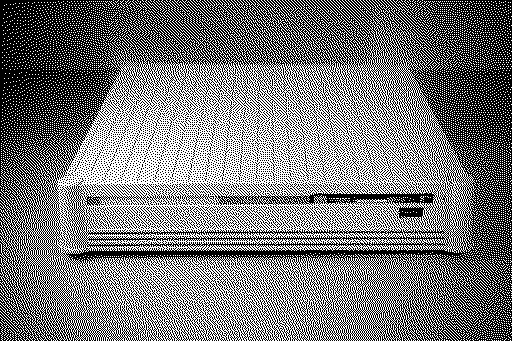
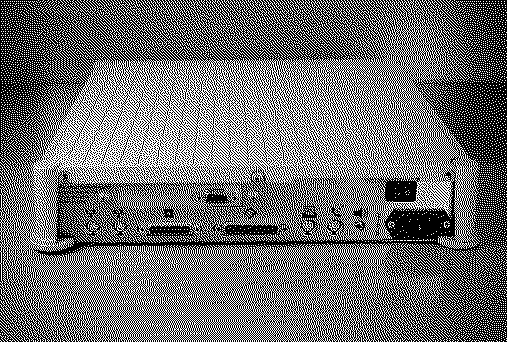
In 2016 I got a couple of MicroMac SE prototypes and haven't done anything with them since. I've started to dig into them and am trying to get them to display video on any external display. I don't own a generic Full Page Display which is what they were likely meant to connect to.
I'll use this thread to document my findings. If you have advice, please share. MicroMac SE 'A'
I probed unit 'B' with a scope and found all pins were either 0V or ~3.8V with no other signs of life. The graphics card main IC did show signs of life which I'll document here later.
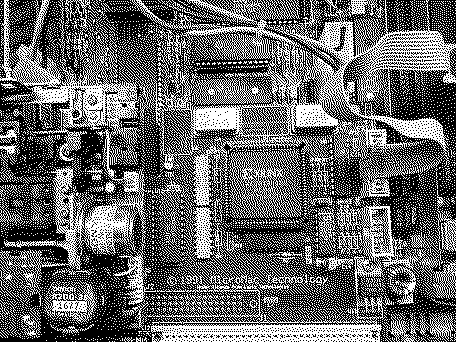
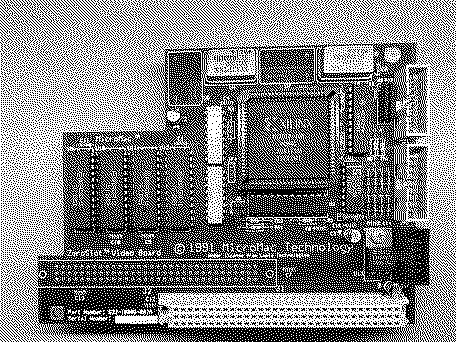
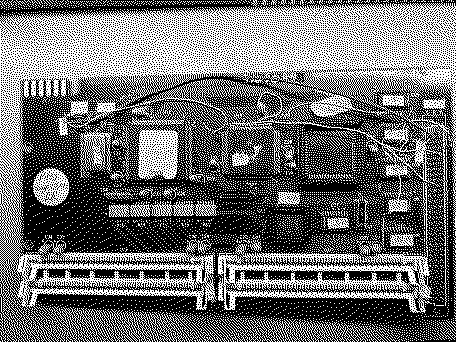
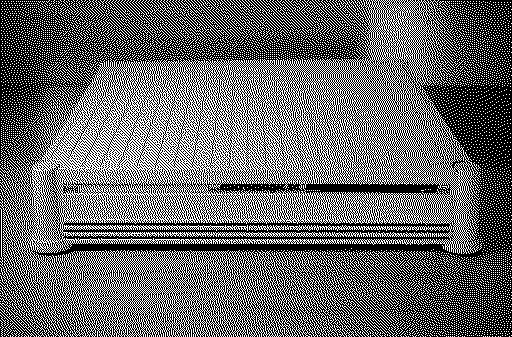
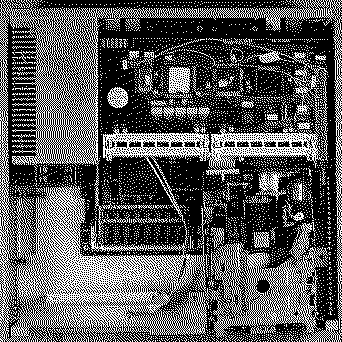
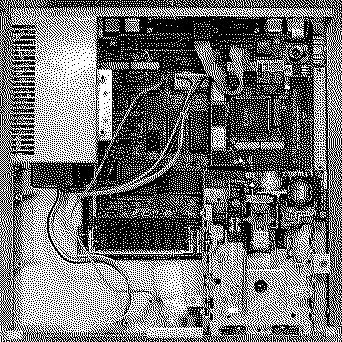
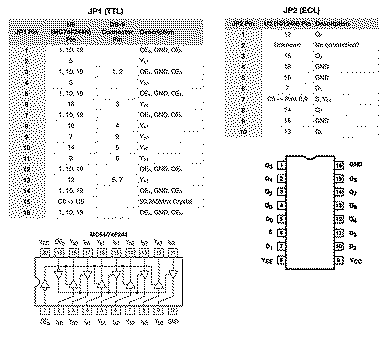
Pin layout for the IDC header and DB-9 connector. Card from unit B Card from unit 'A' Accelerator from unit 'A' Additional photos of enclosures and boards
Liked by Kai Robinson,aradiogurl,rjkuciaand 2 others |
|
jajan547 Active Tinkerer Houston, Texas, USA -------- Joined: Mar 25, 2022 Posts: 738 Likes: 297 |
Apr 5, 2022 - #2
Where did you find this?
|
|
wottle Active Tinkerer Fort Mill, SC -------- Joined: Oct 30, 2021 Posts: 841 Likes: 577 |
Apr 5, 2022 - #3
So this basically turns your SE into an LC form factor?
|
|
Elemenoh Active Tinkerer Bay Area -------- Joined: Oct 18, 2021 Posts: 428 Likes: 415 |
Apr 5, 2022 - #4
Liked by aradiogurl,Patrickandwottle |
|
jajan547 Active Tinkerer Houston, Texas, USA -------- Joined: Mar 25, 2022 Posts: 738 Likes: 297 |
Apr 5, 2022 - #5
|
|
ScutBoy Administrator Northfield, MN USA -------- Joined: Sep 2, 2021 Posts: 356 Likes: 342 |
Apr 5, 2022 - #6
Watching with interest as I have one of these guys with the same video card with pass-through, and a MicroMac Performer to put on top.
OlePigeon and I both bought these from Hans at MicroMac 10(?) years ago, but never figured out the video. |
|
jajan547 Active Tinkerer Houston, Texas, USA -------- Joined: Mar 25, 2022 Posts: 738 Likes: 297 |
Apr 5, 2022 - #7
Anyone have a spare they wanna sell?
|
|
Elemenoh Active Tinkerer Bay Area -------- Joined: Oct 18, 2021 Posts: 428 Likes: 415 |
Apr 5, 2022 - #8
Thanks to a tip from @Zane Kaminski I've made some progress.
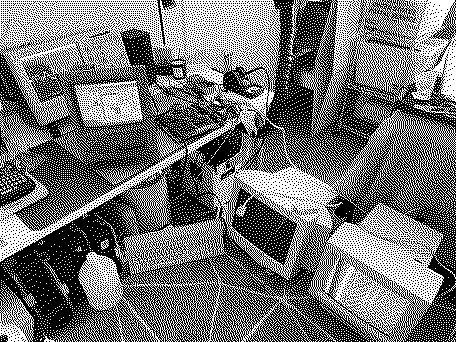
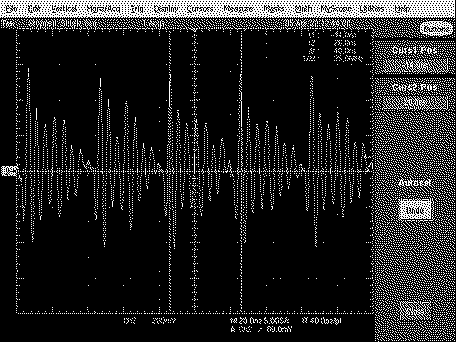
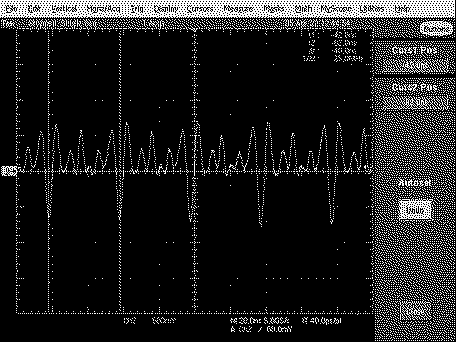
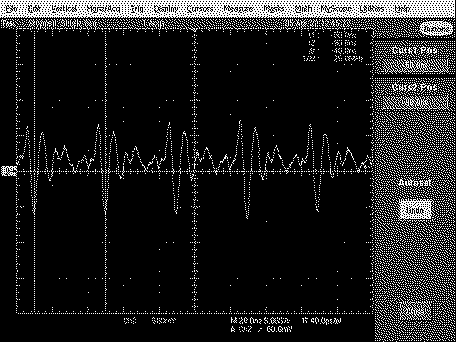
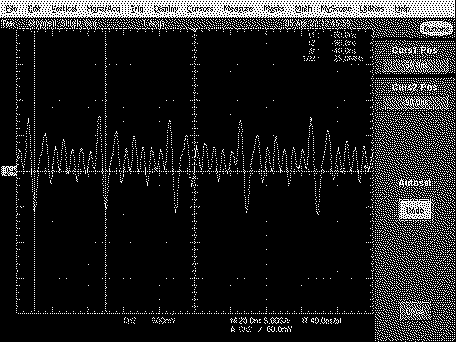
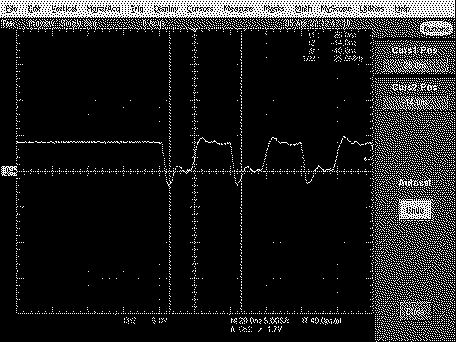
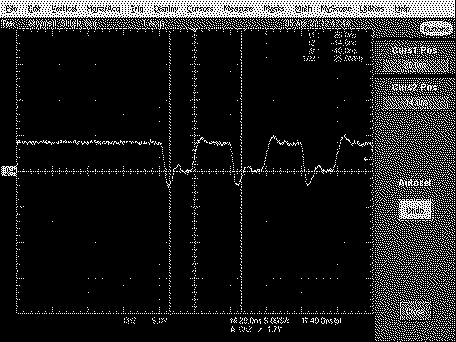
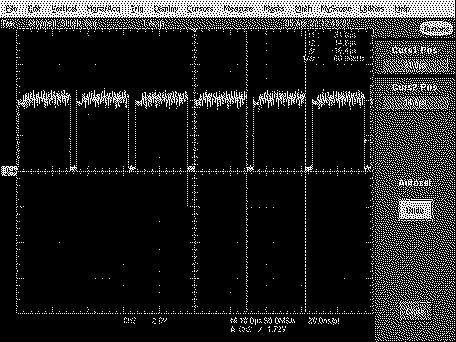
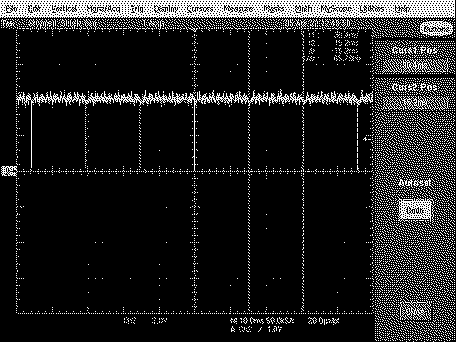
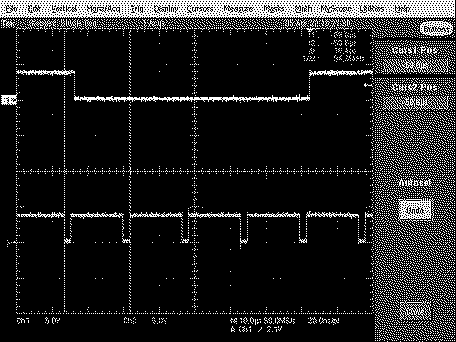
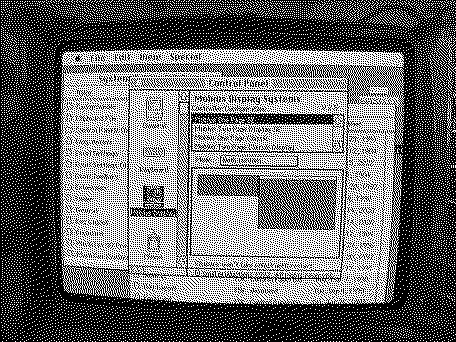
I ended up taking out the logic board and running it from a SE with display so I could see what was going on. Installed the Lapis Dual Screen 2.E control panel. That control panel displayed a single option: 'Ehman Full Page Display' regardless if the card was installed or a display attached. I'm pretty sure that's the display that would have been bundled with the MicroMac SE at the time. I think the card is capable of half page too, but didn't see the option. Anyway, it wouldn't sync with a mid 90s VGA CRT. It degaused for a sec but no video. The only other CRT I have handy is a Radius Color Pivot. I know that uses a weird pinout but tried anyway. It doesn't sync but does show garbage on the screen, so something is happening. The main takeaway is that once the driver is installed, it drives the Xilinx XC2018-100 PC84C FPGA which in turn produces output at the display connector. Below are some photos of the wacky setup I've got going and scope shots of each pin once the driver was loaded. Next I need to either find a driver that will send 640x480 at a typical refresh rate or a Full Page Display that syncs at 65-ish hz. Lapis DualScreen 2.E control panel Pin 1 Pin 2 Pin 3 Pin 4 Pin 5 Pin 6 Pin 7 Pin 8 Pin 9 Pin 8 (cyan) & 9 (yellow) together
Liked by wottleandKai Robinson |
|
Elemenoh Active Tinkerer Bay Area -------- Joined: Oct 18, 2021 Posts: 428 Likes: 415 |
Apr 6, 2022 - #9
I've tried several of the Lapis (and Mobius) control panels posted to the archive sites in both System 6.0.8 and 7.1 and didn't achieve any better results.
The Lapis Dual Screen 2.E control panel drives the card to output 640 X 870. HSYNC is 60kHz on DB-9 Pin 8 and VSYNC is 65Hz on DB-9 pin 9. Neither monitor I have likes that and it's unclear to me which Full Page Displays sync at 65Hz other than the Ehman. The Mobius Display control panel showed the following options but didn't drive the card to actually do anything: Mobius One Page SE, Mobius Two Page Display SE, Mobius One Page Classic and Mobius Two Page Classic display. The other Lapis Control panels would say the following in System 7.1 with 4MB RAM. I've tried ColorServer PDS-17, DisplayServerII-DPD and DisplayServerPDS/30 since those were the ones that seemed most likely to have a shot of driving the card.
I think I'm out of luck until I can track down another driver or a display that can deal with Dual Screen 2.E's resolution and refresh rate. Any other ideas for things I should try until then?
|
|
ScutBoy Administrator Northfield, MN USA -------- Joined: Sep 2, 2021 Posts: 356 Likes: 342 |
Apr 6, 2022 - #10
Specs on the Apple Portrait Display say Freq range of 47-63HZ, and vert Rate 75Hz and Horiz Rate 68.85 Khz. Resolution is 640x870
I had a Radius FPD card in an SE/30 and plugged my Portrait Display into it, and it worked, but there was a little shimmer to it. Radius FPD specs say 68.750 Khz horizontal and 67.139 "non-interlaced" refresh rate. I'm guessing the difference was enough to show up visually. Resolution on the Radius is 640x864. I'm only throwing out these numbers to give a general sense of what those two monitors did. I expec that any other full-page monitor was also in the neighborhood of these. I have this same Lapis card and still have my Apple Portrait. If I can locate these same drivers, I can try them out on an SE with the Apple monitor and see what happens. I don't know if I have the right cables/adapters to go from the Lapis to the Apple monitor, though... Liked by Elemenoh |
|
ScutBoy Administrator Northfield, MN USA -------- Joined: Sep 2, 2021 Posts: 356 Likes: 342 |
Apr 6, 2022 - #11
Can't find specs on the Ehman monitor to compare. Google search just turns up my asks about this from a long time ago :)
Liked by Elemenoh |
|
Elemenoh Active Tinkerer Bay Area -------- Joined: Oct 18, 2021 Posts: 428 Likes: 415 |
Apr 6, 2022 - #12
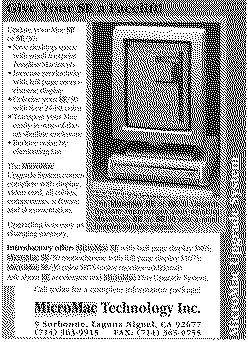
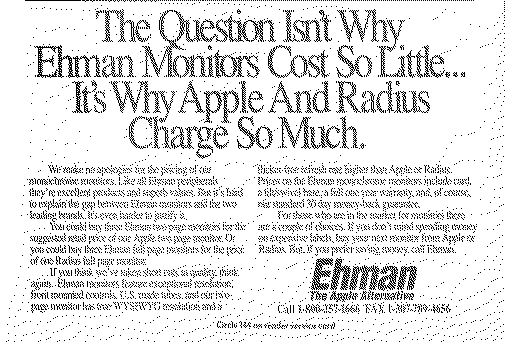
@ScutBoy Thanks for the info. I found this ad for Ehman monitors in the December 1990 MacWorld which claims they had higher refresh rates than Apple or Radius, but don't specify what those rates are. Curious.
|
|
Elemenoh Active Tinkerer Bay Area -------- Joined: Oct 18, 2021 Posts: 428 Likes: 415 |
Apr 6, 2022 - #13
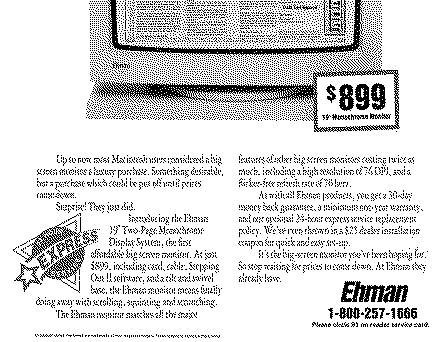
An early 1991 ad for their two page display says 70Hz, but I haven't been able to find something similar for their Full Page Display.
|
|
Elemenoh Active Tinkerer Bay Area -------- Joined: Oct 18, 2021 Posts: 428 Likes: 415 |
Apr 6, 2022 - #14
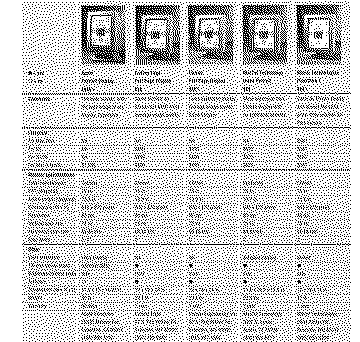
I found the specs for the Ehman Full Page Display in the February 1991 issue of MacUser. It says 640x480 75Hz Vertical Scan and 68.85kHz Horizontal scan. That doesn't line up with what I measured on the card.
Would out of spec caps have an impact on HSYNC/VSYNC on a display card?
|
|
Elemenoh Active Tinkerer Bay Area -------- Joined: Oct 18, 2021 Posts: 428 Likes: 415 |
Apr 6, 2022 - #15
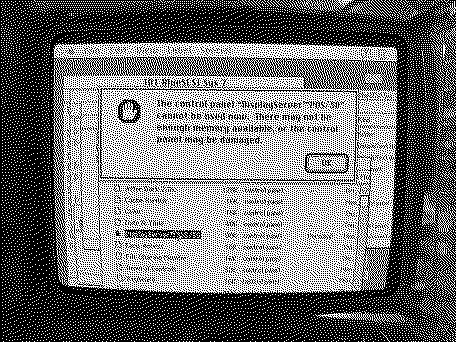
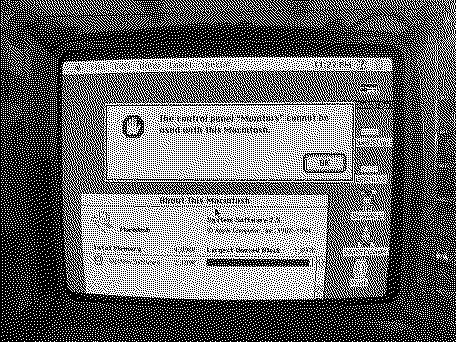
I messaged the person who created this Twitter thread showing a card with the same FPGA working with a VGA display. They recommended using the LapisColor / ProColorServer 8*16 LC driver available here with System 7.5. I set up a clean install of 7.5 and added that extension, but get the error
This is a SE logic board with 800K floppy ROMs and 4MB RAM. I tried using Wish I Were 2 to set the machine type to Macintosh SE to be sure and then to Macintosh SE/30 but neither made a difference. The card was installed and a VGA monitor attached at the time. Should the control panel launch on this model? Any requirements I might not be meeting? In the mean time, I buzzed out the two IDC headers to confirm the 16-pin header is for TTL and the 10-pin header is for ECL at @Zane Kaminski 's suggestion. Here are the results:
|
|
Zane Kaminski Administrator Columbus, Ohio, USA -------- Joined: Sep 5, 2021 Posts: 372 Likes: 615 |
Apr 8, 2022 - #16
Are you supposed to be able to use the Monitors control panel on 7.5 an SE? I can't remember; haven't used one in a while.
|
|
Zane Kaminski Administrator Columbus, Ohio, USA -------- Joined: Sep 5, 2021 Posts: 372 Likes: 615 |
Apr 9, 2022 - #17
Yeah look here on a stock SE. Can't use the Monitors control panel and it's not even included in even the full install for just SE. So if there is a control panel for a display driver, it's probably a 3rd party one.
[Image: 616DB4FE-7163-4FD3-937C-D75C78D9D184.jpeg]
Liked by Elemenoh |
|
Elemenoh Active Tinkerer Bay Area -------- Joined: Oct 18, 2021 Posts: 428 Likes: 415 |
Apr 9, 2022 - #18
|
|
Elemenoh Active Tinkerer Bay Area -------- Joined: Oct 18, 2021 Posts: 428 Likes: 415 |
May 3, 2022 - #19
Does anyone here have experience with the RGBtoHDMI? From the description, it sounds like it might help even if I need to make a new sync profile for it.
|
|
LeadedSolder New Tinkerer Western Canada -------- Joined: Oct 27, 2021 Posts: 45 Likes: 8 |
May 3, 2022 - #20
Making the adapter cable was kind of annoying since I couldn't find an IDC head narrow enough to fit inside the board sandwich. |
| Page 1 of 3 | Next > | Last >> |
| Home | Forums | What's New | Search | Bookmarks | RSS | Original | Settings |
| XenForo Retro Proxy by TinkerDifferent.com |





![[Image: 616DB4FE-7163-4FD3-937C-D75C78D9D184.jpeg]](/proxy_image?url=https://tinkerdifferent.com/data/attachments/4/4057-6b6efc0703734a03f953218156f632ac.jpg)
