|
* TinkerDifferent *
Retro Computing Community |
| Home | Forums | What's New | Search | Settings |
| MicroMac SE Prototypes Video Out Troubleshooting |
Forums > Vintage Apple > Macintosh > Clones & Conversions
|
Stephen BetterBit San Francisco -------- Joined: Sep 5, 2021 Posts: 215 Likes: 264 |
May 4, 2022 - #21
Liked by LeadedSolderandElemenoh |
|
Trash80toG4 Active Tinkerer Bermuda Triangle, NC USA -------- Joined: Apr 1, 2022 Posts: 1,131 Likes: 329 |
May 6, 2022 - #22
Look for the Extron Scaler thread at the MLA. Any RGB to HDMI, even crazy Mac ones can be scaled 1:1 for maybe a bit more than half of what you linked on eBay.
Liked by Elemenoh |
|
Elemenoh Active Tinkerer Bay Area -------- Joined: Oct 18, 2021 Posts: 428 Likes: 415 |
May 6, 2022 - #23
@Trash80toG4 thanks for the tip. I ordered one from eBay to try.
|
|
Trash80toG4 Active Tinkerer Bermuda Triangle, NC USA -------- Joined: Apr 1, 2022 Posts: 1,131 Likes: 329 |
May 7, 2022 - #24
De nada, it's a nice bit of kit. Sorry I didn't have time to post the link, but it's an easy search.
Good & reasonable HDMI scaler: Extron RGB-HDMI 300(A)At @Trash80toHP_Mini's request, a thread about the HDMI scaler I found myself using to do vintage Mac stuff on a modern screen. It works, at least for me, really well and I'd recommend it to other folks as well. It is also not *that* expensive. The model is Extron RGB-HDMI 300 or 300 A. I...
[Image: 68kmla.org]
68kmla.org
Others might be interested.
Liked by Elemenoh |
|
Elemenoh Active Tinkerer Bay Area -------- Joined: Oct 18, 2021 Posts: 428 Likes: 415 |
May 8, 2022 - #25
While I wait for the power adapter to arrive, I've been reading through the manual. I see it scales to a bunch of different resolutions for output, but should it be capable of dealing with 64x870 input? If it's connected to a normal TV or monitor, would the picture just have two huge black bars but otherwise look normal?
|
|
Trash80toG4 Active Tinkerer Bermuda Triangle, NC USA -------- Joined: Apr 1, 2022 Posts: 1,131 Likes: 329 |
May 8, 2022 - #26
Nope, it doesn't scale specific resolutions to fill the available screen resolution on any given display with edges letterboxed or pillared the way I've tried it. @cheesestraws knows the ins and outs on this one.
Portrait res of some flavor or other looked like this centered up at 1:1 on my 1080p TV: I guess I'd call this picture framed 1:1 as opposed to a scaled image in one of the "two blank band" formulations? For my use, setting the 1:1 TPD/FPD resolution to display within and inch or so of the lower right hand corner of this display does what I need. I got somethingorother to do that very nicely back when, but don't recall what it was offhand. My hope is that one day something along the lines of that RGBtoHDMI thingie will be able to be daisy chained to a controller. 1:1 windows displayed from multiple sources on one large display would be great. TPD+FPD side by side on one modern panel from different sources would be insanely cool. This one would look great beside the one above on that 42" TV.:
Liked by Elemenoh |
|
Elemenoh Active Tinkerer Bay Area -------- Joined: Oct 18, 2021 Posts: 428 Likes: 415 |
May 8, 2022 - #27
Sweet, thanks!
|
|
Trash80toG4 Active Tinkerer Bermuda Triangle, NC USA -------- Joined: Apr 1, 2022 Posts: 1,131 Likes: 329 |
May 8, 2022 - #28
You caught me editing, figured the one text link you clicked just wouldn't do. :)
|
|
Elemenoh Active Tinkerer Bay Area -------- Joined: Oct 18, 2021 Posts: 428 Likes: 415 |
May 12, 2022 - #29
I got the Extron RGB-HDMI scaler.
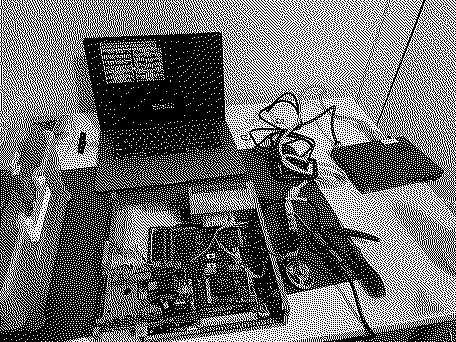
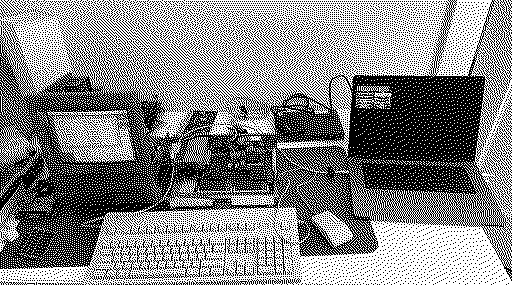
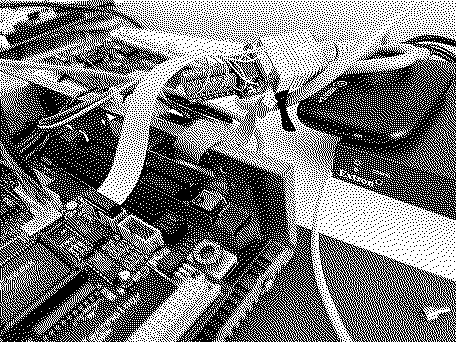
The box itself is outputting video. I have it routing to an Elgato HD60+ connected to a MacBook Pro. The MicroMac Lapis card is connected to a DB-9 to HD-15 adapter which is connected to a regular VGA cable which is connected to the Extron. The status light on the Extron is solid amber when the Mac SE is off and flashes amber and green when it's on but no video from the SE is displayed. I tried the pressing auto image button on the Extron that didn't help. I'll start digging through the Extron manual but if there's something obvious I should try first please let me know. I did this first try headless so to say. Tomorrow I'll try with it connected to a regular SE analog board and monitor so I can get a better view of what's happening. For instance I can't recall what version of the control panel I had last loaded.
|
|
Trash80toG4 Active Tinkerer Bermuda Triangle, NC USA -------- Joined: Apr 1, 2022 Posts: 1,131 Likes: 329 |
May 12, 2022 - #30
Which lines from the logic board harness are you connecting to what & where? A diagram of your hookup would be most helpful in troubleshooting.
There's an ancient setup for building the CatMac/Hickintosh floating around, checking against that would be my first step. There have been fairly recent threads about doing this here and there. It was for hooking up to a composite monitor back then. You go from there to VGA these days, but that seems overkill. It would seem to me that you'd want to tie your two analog B&W lines directly to RG&B on the "VGA" HD15 connector along with ground as I did for the Radius TPD Card. I'll see if this makes any sense after caffeine deprivation subsides. :sleep: edit: some but not a lot of sense it seems. Have you got the rest of the Mac reassemble with Logic Board and A/B for testing just the VidCard with the CRT up and running for troubleshooting? Start testing from ground level. That still looks like way too many wires and connectors, which introduce capacitance in your circuit, ISTR? Quick question, why is the VidCard not plugged into the PDS in that shot? |
|
Trash80toG4 Active Tinkerer Bermuda Triangle, NC USA -------- Joined: Apr 1, 2022 Posts: 1,131 Likes: 329 |
May 12, 2022 - #31
Well there goes that notion, it's an available, supported product, definitely not something to be public licensed for hobby use. :(
Gotta give it a try at Component Video to HDMI, my TV is HORRIBLE when it comes to that. |
|
Elemenoh Active Tinkerer Bay Area -------- Joined: Oct 18, 2021 Posts: 428 Likes: 415 |
May 12, 2022 - #32
It is, it just also has a pass through PDS slot which may be hard to make sense of in the photo. I can definitely hack some jumpers together to make the wiring simpler. Will put some more energy into it soon. Thanks for the info! |
|
Elemenoh Active Tinkerer Bay Area -------- Joined: Oct 18, 2021 Posts: 428 Likes: 415 |
May 12, 2022 - #33
I hooked up the regular SE analog board and CRT to the micromac MLB. Found some bad ram and that the BlueSCSI image had no driver. I installed the Lapis Dual Screen Software 2.E control panel I had the most success with previously on System 7.1. I did see some brief distortion on the Extron output but then a whole lot of nothing.
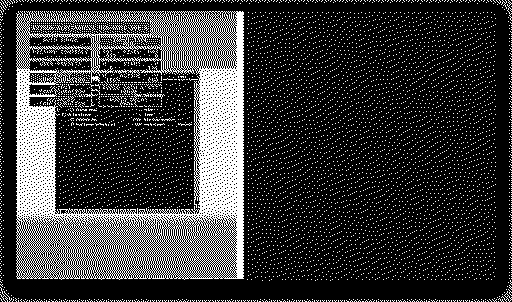
When I try to manually set the input, it seems to be cycling through random resolutions. If I try to manually set Total Pixels for instance, the adjustment knob will cycle through 1 and some random seeming number with an asterisk like *5535, *1712 etc. The knobs work fine in the main menus. A video is below showing the input menu acting on its own. 'Auto Image' is off in Advanced Configuration and I tried power cycling the device to see if I could get it to stop trying to sync on its own, but no luck. Next step will be checking the pinouts from the header and through the adapter and cable to see what is firing on what pins at the Extron HD-15 input connector.
|
|
Elemenoh Active Tinkerer Bay Area -------- Joined: Oct 18, 2021 Posts: 428 Likes: 415 |
May 12, 2022 - #34
After checking the pinouts again the problem seems pretty clear. At the very least HSYNC and VSYNC are on the wrong pins. Next I'll jumper HSYNC and VSYNC to the right VGA pins and start experimenting to find the right pin for video.
|
|
LeadedSolder New Tinkerer Western Canada -------- Joined: Oct 27, 2021 Posts: 45 Likes: 8 |
May 12, 2022 - #35
Could be one of those right-to-left mistakes, where one person is counting from the left side of a female connector, but the other person is counting from the left side of a male connector.
|
|
Elemenoh Active Tinkerer Bay Area -------- Joined: Oct 18, 2021 Posts: 428 Likes: 415 |
May 12, 2022 - #36
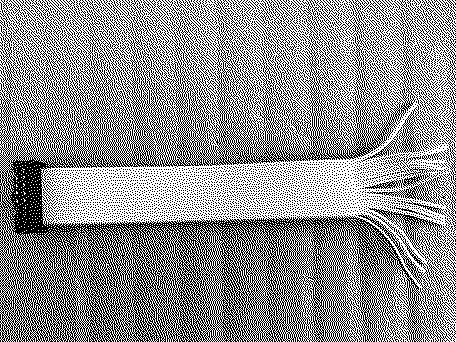
I made a new 16-pin IDC cable to connect to the video card's header and ordered a HD-15 terminal breakout connector to make trial and error a bit easier.
|
|
Trash80toG4 Active Tinkerer Bermuda Triangle, NC USA -------- Joined: Apr 1, 2022 Posts: 1,131 Likes: 329 |
May 13, 2022 - #37
This is an SE card we're talking about correct?
I have no idea what any of the other headers are doing on that card, but the DE-9's header is the one that counts. You're only getting 1bit Black and White out of an SE no matter what you try outside of one magic box that's way off topic here and not applicable. You'll find what you need on that ten pin header, just two wires, one being a logical ground leading back to the source of the video line as I understand it? BTW, that Newlife Card brings back some 512K memories. :oops: |
|
Trash80toG4 Active Tinkerer Bermuda Triangle, NC USA -------- Joined: Apr 1, 2022 Posts: 1,131 Likes: 329 |
May 13, 2022 - #38
I see one connector is for TTL, which answers the question with which I was coming back, some TTL interfaces used the DE-9 connection for Black and White Displays IIRC. Hopefully yours is analog on its proprietary DE-9 interface?
Wondering about the relative cost of the Ehman CRTs was eating at me, they might have been TTL as opposet to the Radius and Apple Analog Displays? |
|
Elemenoh Active Tinkerer Bay Area -------- Joined: Oct 18, 2021 Posts: 428 Likes: 415 |
May 15, 2022 - #39
Yay it's actually doing something!!
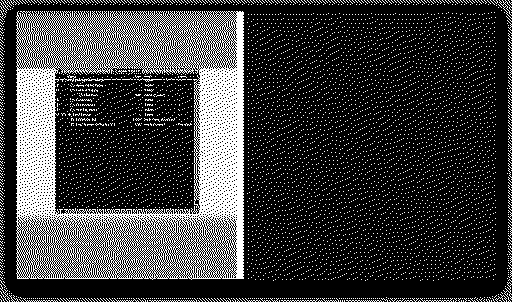
This is with the following setup
The video is inverted and there's a lot of noise in the signal. Any thoughts on how I can fix the color inversion or improve signal clarity? Also, I got the resolution looking more or less correct, but the actual numbers I had to input on the Extron are way off from reality. You can see in the second screen shot I had to set the active resolution to 1664x880.
|
|
Trash80toG4 Active Tinkerer Bermuda Triangle, NC USA -------- Joined: Apr 1, 2022 Posts: 1,131 Likes: 329 |
May 15, 2022 - #40
Which connector are you using there? That's an analog signal? That's the funkiest looking thing I've ever seen using that scaler?
|
| << First | < Prev | Page 2 of 3 | Next > | Last >> |
| Home | Forums | What's New | Search | Bookmarks | RSS | Original | Settings |
| XenForo Retro Proxy by TinkerDifferent.com |
![[Image: 68kmla.org]](/proxy_image?url=https://68kmla.org/bb/data/assets/logo/68kmla-512.png)