|
* TinkerDifferent *
Retro Computing Community |
| Home | Forums | What's New | Search | Settings |
| Hacking the Kodak Reels 8mm Film Digitizer (New Thread) |
|
Mikm New Tinkerer -------- Joined: Nov 27, 2025 Posts: 5 Likes: 1 |
Dec 24, 2025 - #101
|
|
0dan0 Active Tinkerer -------- Joined: Jan 13, 2025 Posts: 324 Likes: 498 |
Dec 24, 2025 - #102
I was able to download to see it. |
|
0dan0 Active Tinkerer -------- Joined: Jan 13, 2025 Posts: 324 Likes: 498 |
Dec 24, 2025 - #103
|
|
sheider New Tinkerer -------- Joined: Oct 17, 2025 Posts: 22 Likes: 8 |
Dec 24, 2025 - #104
|
|
JKCalhoun New Tinkerer -------- Joined: Dec 25, 2025 Posts: 5 Likes: 2 |
Dec 26, 2025 - #105
Hi, all--
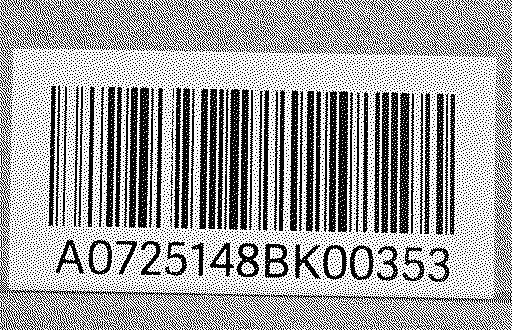
Just picked up the Kodak REELS. I was able to digitize an old 8mm reel my daughter found at an estate sale--with the shipping firmware. Trying to install various firmware versions I have found in this thread have failed to work on my device. I also am unable to find a default firmware that will restore the device. Any ideas? FWIW, S/N: H2825148BK00161 It was not recognized by the lookup tool so suggested version B. A and C give me a messed up display when the machine powers up to the Home Screen. B looks good (the Home Screen), but the buttons do not function. Thanks! |
|
0dan0 Active Tinkerer -------- Joined: Jan 13, 2025 Posts: 324 Likes: 498 |
Dec 26, 2025 - #106
|
|
MHreels New Tinkerer -------- Joined: Nov 28, 2025 Posts: 3 Likes: 1 |
Dec 26, 2025 - #107
Liked by Mac84 |
|
Mikm New Tinkerer -------- Joined: Nov 27, 2025 Posts: 5 Likes: 1 |
Dec 26, 2025 - #108
I always start to adjust the frame first however from time to time I need to re-adjust the frame while I'm recording. (it happens when it moves to another part/scenario of the film (reel consists of several small films, all super-8), do not know why or how this can occur with the same reel, not all my reels have this behavior). The re-adjustment issue as described is always: Buttons to adjust the frame freeze and 3times out of 5 re-tries it even jump to total zoom-out and freeze. |
|
Mac84 Administrator New Jersey, USA -------- Joined: Sep 4, 2021 Posts: 306 Likes: 431 |
Dec 26, 2025 - #109
Also, I finally opened the replacement unit I got in January, the serial number is: K3124148bk00221 I can dump this to see if it's a "newer" version too. |
|
JKCalhoun New Tinkerer -------- Joined: Dec 25, 2025 Posts: 5 Likes: 2 |
Dec 26, 2025 - #110
Thanks for uploading the European firmware, but it did not work. The screen was rotated 180 degrees and the colors clearly wrong (as though inverted or just the RGB values shifted or such). The buttons did not work either.
From my experiments with the various A, B, and C versions yesterday, the buttons did not work for any of them. I tried the arrow buttons to see if I could navigate off of the "Capture" button (nope)-- I tried the "OK" button to see if it would take me to the next screen (nope). Maybe Steve has a newer version like mine. (My S/N: H2825148BK00161) |
|
0dan0 Active Tinkerer -------- Joined: Jan 13, 2025 Posts: 324 Likes: 498 |
Dec 26, 2025 - #111
Based on the posts on this forum, and those that shared serial numbers, it seems there is a fourth hardware configuration and therefore a Type D firmware needed. We have seen two units on this forum with H2825xx serials, that will not support button presses after update, but the LCD driver suggests it is very close to type B. Anyone else with H2825 serials please do not install, but do post here so we can work out how to extract your original firmware before it is erased with any firmware update.
Based on these serials post to this forum and ranges extracted from Mac84 javascript code: A2021148BKxxxxx A J2021148BKxxxxx A M2021148BKxxxxx A P2021148BKxxxxx A A2022148BKxxxxx A M2023148BKxxxxx B A2724148BKxxxxx B E3124148BKxxxxx B H2324148BKxxxxx C K3124148BKxxxxx C C1725148BKxxxxx C D2825148BKxxxxx Unsure (@Xanadude hasn't confirmed) H2825148BKxxxxx D (Do not install, yet) ---25--- I believe this might be the manufacturing year, or at least when the serial number was generated. The oldest Type A units are 21 and 22, then Type B from 23, and 24 (although some 25), and Type C is 24 and 25. On eBay right now is this open box unit (https://www.ebay.com/itm/257252730912): A serial number range we've yet to see. I expect this is either a Type C or the new mystery D type. The seller turned down my $320 offer (Amazon is selling new for $336 today.) I don't need a fourth unit (particularly if it is another C), but I will buy any confirmed type D that is not had the firmware updated/replaced.
Liked by Mac84andfishgee |
|
0dan0 Active Tinkerer -------- Joined: Jan 13, 2025 Posts: 324 Likes: 498 |
Dec 26, 2025 - #112
Here is v7.6.2, this has two bug fixes. First that the reframing wouldn't work immediately after the update, and the second that reframing was bizarre after capturing, if you used the arrow navigation controls. These both had the same root cause.
All the code changes are on https://github.com/0dan0/4reels
Liked by Mac84andfishgee |
|
Mac84 Administrator New Jersey, USA -------- Joined: Sep 4, 2021 Posts: 306 Likes: 431 |
Dec 26, 2025 - #113
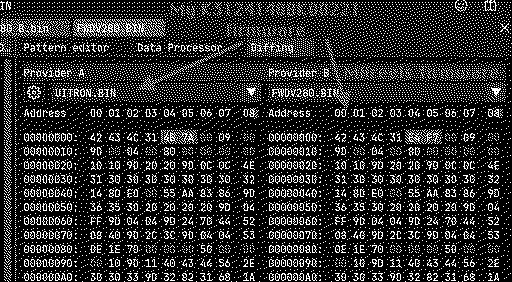
Damn, I was afraid of a new revision popping up... I just opened my K3124148BK00221 unit and dumped the firmware. It seems to be nearly identical (except for a minor change) as @MHreels posted (SN: H2324148BK...). The only difference is on the very first address line. I think mine maybe a revision C then?
|
|
0dan0 Active Tinkerer -------- Joined: Jan 13, 2025 Posts: 324 Likes: 498 |
Dec 27, 2025 - #114
@Mac84 Yep, that is a type C.
@JKCalhoun and @Grandson (if you still have your scanner), I now believe there has been a new hardware release, which we don't have the baseline firmware. This is likely fixable. The easiest approach, if @Mac84 or myself, or someone willing to add a serial port, can find a brand new H2625xx unit (that hasn't had any new firmware flashed.) The harder solution, from within, determine what has changed in the hardware. As your buttons aren't working, I can use the capture display for feedback, and without a serial, there would be no other way. Until, I just worked out how to render pixels directly to the screen. For D-Type only with the buttons not work (so only @JKCalhoun and @Grandson), please run this test build (zip attached.) It will not fix the issue, but does it say "Hello World" next to the color palette test? This will test if the unit has crashed, or happily running the wrong firmware. P.S. Placed a slightly higher bid in the Ebay unit (no competition please.) Hoping it is Type D.
|
|
JKCalhoun New Tinkerer -------- Joined: Dec 25, 2025 Posts: 5 Likes: 2 |
Dec 27, 2025 - #115
Thanks. It occurred to me that I could return the unit to Amazon where I bought it and exchange it for another unit--and not molest that one. It seems like a rotten thing to do though...
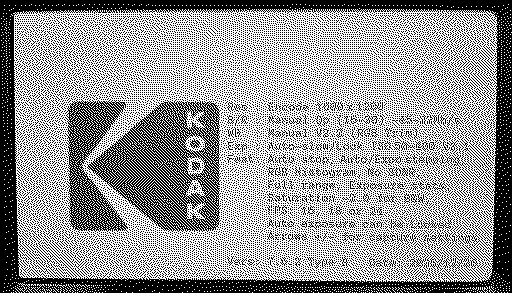
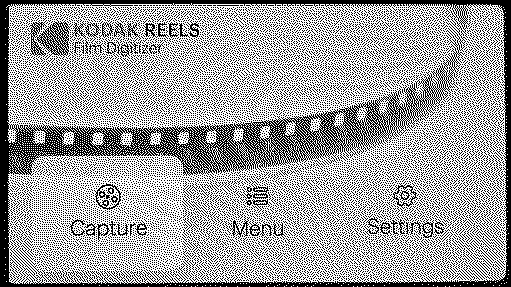
I tested your "D" test version and did not see a "color palette test". In fact it booted to a normal looking Home Screen--non-functional buttons. Is there a way to enable the color palette test? Or ought it have kicked off itself? Attached is the (brief) info screen before the Home Screen and the final Home Screen (buttons do not work):
|
|
0dan0 Active Tinkerer -------- Joined: Jan 13, 2025 Posts: 324 Likes: 498 |
Dec 27, 2025 - #116
|
|
ph4z Tinkerer -------- Joined: May 20, 2025 Posts: 17 Likes: 25 |
Dec 27, 2025 - #117
|
|
Mac84 Administrator New Jersey, USA -------- Joined: Sep 4, 2021 Posts: 306 Likes: 431 |
Dec 27, 2025 - #118
If anyone gets a new unit with potentially new firmware within the US, and you don't mind shipping it, I'd be more than happy to solder serial cables to it and dump the firmware and send it back.
I'm also trying to figure out if there's a way to trigger the command line interface from the SD card to dump the firmware without cracking the unit open... I'll update the 1st page here and the lookup tool to inform folks that a new firmware exists. I'm very sorry @JKCalhoun and @Grandson for all the trouble, sadly as @0dan0 echos, this could all be avoided if Kodak once again had firmware downloads on their website. I have a feeling not even they are keeping track of how many firmware revisions there are! |
|
sdezego New Tinkerer -------- Joined: Dec 24, 2025 Posts: 1 Likes: 2 |
Dec 27, 2025 - #119
Just wanted to pop in and say thanks to all here!! Amazing efforts.
I just bought a unit (US) with D2825148BKxxxxx and used B Firmware (7.6.1) and have only experienced a crash or two, but think it was the film error triggering (Splice perhaps). Also using a High Speed micro SD with adapter 256GB (which I know was not recommended). Recored a couple more films and no crashes. Lots of user error on Color, etc, but need to work through those. Might need to change the lens as well. I did capture one film before updating FW, so will do a compare. @Mac84 that was my thinking as well, that one would think there would be a way to dump the firmware to the SD during a FW update. Maybe a special folder/name is required to trigger. I do have the GX EEPROM reader and was going to dump the Firmware JIC, but was in a rush to get a few movies before Christmas and took the chance LOL. Also, in past experience with Car Guage clusters, there is usually a "Country Code" in the firmware. Usually, this changes the Clock from 12hr to 24 hr, etc. Liked by fishgeeandMac84 |
|
JKCalhoun New Tinkerer -------- Joined: Dec 25, 2025 Posts: 5 Likes: 2 |
Dec 27, 2025 - #120
I will replace the unit. If the serial number of the new one looks like an odd duck, we'll talk about getting the shipping firmware off of it. Liked by ThePhageandMac84 |
| << First | < Prev | Page 6 of 8 | Next > | Last >> |
| Home | Forums | What's New | Search | Bookmarks | RSS | Original | Settings |
| XenForo Retro Proxy by TinkerDifferent.com |