|
* TinkerDifferent *
Retro Computing Community |
| Home | Forums | What's New | Search | Settings |
| Tecmar Mac Drive (10 MB) A serial hard drive?! (The first Macintosh external hard drive) |
Forums > Vintage Apple > Add-ons, Peripherals & Networking
|
JDW Administrator Japan -------- Joined: Sep 2, 2021 Posts: 2,534 Likes: 1,982 |
Oct 4, 2025 - #41
In the past, I was able to find rare things through persistence, although I've not done that for a number of years now. Even so, I did search Craig's Lists too, as I have family in California which helped me out with acquisitions I could not have otherwise made from my residence in Japan. |
|
snuci New Tinkerer -------- Joined: Mar 10, 2023 Posts: 21 Likes: 20 |
Oct 4, 2025 - #42
The MFM emulator has an "analyze" command-line parameter that will try to figure out what the drive is. It figured it out by itself. If there was any interesting software on it, I would have used the MFM emulator to emulate the Tandon hard drive and play with the volume structure to see if, perhaps, they simply erased the volume entry and trying to put something in might get that back. Not worth the effort for mine. If I was in the US, I would have gladly sent it to you or offered to read your drive for you, if you were interested. Unfortunately, me being in Canada and things being how they are these days makes that a whole lot more difficult. In my case, mine might have had two owners so the old volumes were erased. Liked by Mac84 |
|
snuci New Tinkerer -------- Joined: Mar 10, 2023 Posts: 21 Likes: 20 |
Oct 4, 2025 - #43
Thanks JDW. I appreciate the advice, As an avid collector, I check eBay usually more than once a day. I also have a long list of saved searches in case I miss something. The Syquest SQ100 and Q-Pak are already on there. Looks like a few sold in the last few years. I'll keep an eye out for that. I also check Craigslist at least once per week with a bunch of saved search links. Facebook Marketplace has also been a very good market for old computers and stuff too. Liked by JDW |
|
Mac84 Administrator New Jersey, USA -------- Joined: Sep 4, 2021 Posts: 306 Likes: 431 |
Oct 4, 2025 - #44
BTW, I think the "ReadLisa" application is supposed to let you read text from inside certain LisaWrite and similar office application documents. I can't find this application in the usual places, so if you can consider uploading a copy of it here, or elsewhere, I'd love to experiment with that on my Lisa 2/10. Liked by JDW |
|
snuci New Tinkerer -------- Joined: Mar 10, 2023 Posts: 21 Likes: 20 |
Oct 5, 2025 - #45
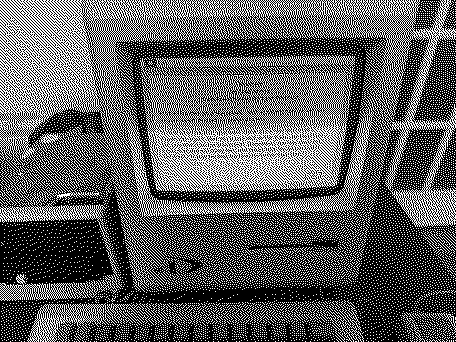
Take a look at this directory: https://vintagecomputer.ca/files/Apple/Macintosh/Tecmar/ Look for "Mac Drive content". It's everything on the drive I can see. I think FEdit is required but I'm not sure. This is the info screen:
Have fun. Santo
Liked by Mac84andJDW |
| << First | < Prev | Page 3 of 3 |
| Home | Forums | What's New | Search | Bookmarks | RSS | Original | Settings |
| XenForo Retro Proxy by TinkerDifferent.com |