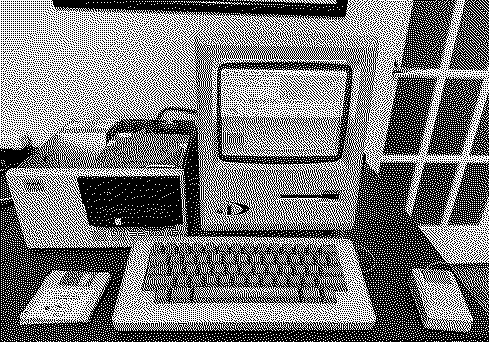
|
* TinkerDifferent *
Retro Computing Community |
| Home | Forums | What's New | Search | Settings |
| Tecmar Mac Drive (10 MB) A serial hard drive?! (The first Macintosh external hard drive) |
Forums > Vintage Apple > Add-ons, Peripherals & Networking
|
Mac84 Administrator New Jersey, USA -------- Joined: Sep 4, 2021 Posts: 306 Likes: 431 |
Sep 25, 2025 - #21
I'm assuming the drive was used at some point in time - and hoping there's data on it. I'm mainly curious to see what goodies are on it versus using the blasted thing as a new drive, but I guess that can be plan B. :)
Since one of the boards seems to be connected via SASI/SCSI, I'm going to experiment using BlueSCSI Initiator mode to see if it can read anything from it. You never know! [fingers-crossed]
Liked by JDW |
|
JDW Administrator Japan -------- Joined: Sep 2, 2021 Posts: 2,534 Likes: 1,982 |
Sep 25, 2025 - #22
|
|
Mac84 Administrator New Jersey, USA -------- Joined: Sep 4, 2021 Posts: 306 Likes: 431 |
Sep 25, 2025 - #23
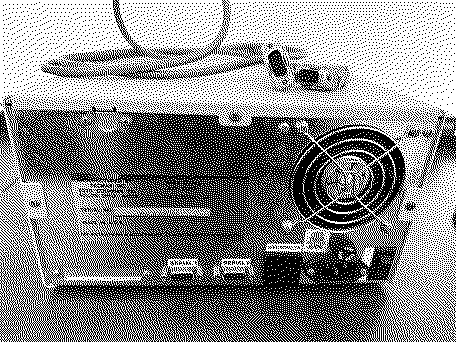
The thought is, that this board converts the drive to SASI/SCSI (at some point), the pinout of the 50-pin cable seems to confirm that. So that's one avenue to explore. At least nothing exploded... :)
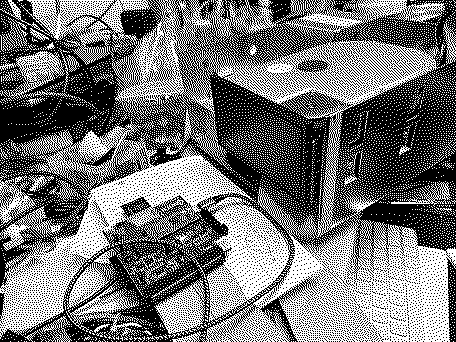
The good news is the drive head is moving! If I manually move the head a bit out of the parked area, 5-6 seconds after it powers on, it will retract. I'll need to probe the test points to see what state the drive is going in afterwards. I did try another Mac 512K, to determine if the serial ports on my other Mac were the culprit, but I got the same error as before.
Will keep everyone updated as I press on... Liked by JDW |
|
snuci New Tinkerer -------- Joined: Mar 10, 2023 Posts: 21 Likes: 20 |
Sep 25, 2025 - #24
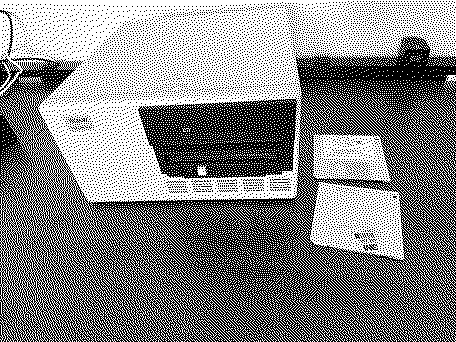
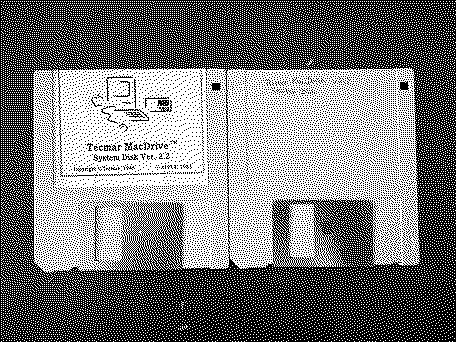
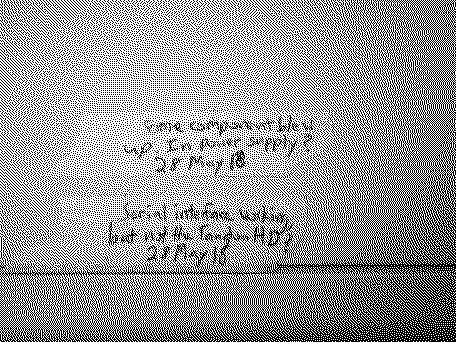
I had bought one of these some time ago quite a while back but never actually tried it because it has issues with the power supply and drive. I suppose it's waited long enough for me to look at it. The good thing is, I have software and the original cable (and box too!). What I don't have is documentation so I can't help there. Anyway, here's my drive. I've imaged the diskettes here: https://vintagecomputer.ca/files/Apple/Macintosh/Tecmar/ I have also had a decent amount of experience with MFM and SASI so I'll check out the internals and see I can figure out. I can also image my drive if it actually works before doing anything.
Hope the floppies help. I will also check the serial cable pin out to see if it's straight thru. FYI, I was also told this worked on or with a Lisa. I am not so sure of that but if I can figure out the files or access it after repairs/restoration, we'll see what's on it. Good luck with yours. Santo
Liked by Kai Robinson,JDWandMac84 |
|
snuci New Tinkerer -------- Joined: Mar 10, 2023 Posts: 21 Likes: 20 |
Sep 25, 2025 - #25
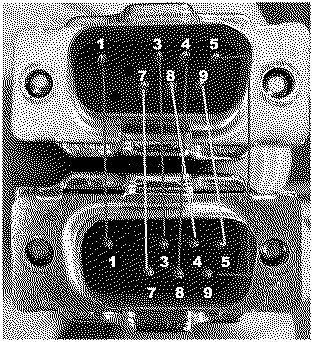
Also, not straight thru. I have to assume this is the correct cable as it's the only one that came with it. Of course, I don't know for sure but it's a good bet. Hope you can figure it out from this:
Liked by bakkus,David Cook,JDWand 1 other person |
|
Mac84 Administrator New Jersey, USA -------- Joined: Sep 4, 2021 Posts: 306 Likes: 431 |
Sep 25, 2025 - #26
THANK YOU @snuci for your reply and sharing your knowledge! [party] If you need any help with the power supply, I'm happy to take photos of mine. Mine has two RIFA caps inside, and I was able to replace them with the same type and value I used in a Mac 128/512/Plus analog board. I was super curious about the cable, this explains a lot - the cable I've been trying is straight through. I'll try to create a cable like yours. I believe yours is the original, as it matches the color and unique connector shroud I've seen on eBay. Funnily enough that connector apparently doesn't fit well on some Macs, so you have to remove the metal housing. Liked by snuciandJDW |
|
snuci New Tinkerer -------- Joined: Mar 10, 2023 Posts: 21 Likes: 20 |
Sep 25, 2025 - #27
It's never easy. The RIFA caps look as fresh as they day they were delivered from hell. I do have a couple of large caps where one has the outer jacket split along one side and another that looks like it was starting to. I'll have to remove the caps and check them. Hopefully it's one of those that "blew up".
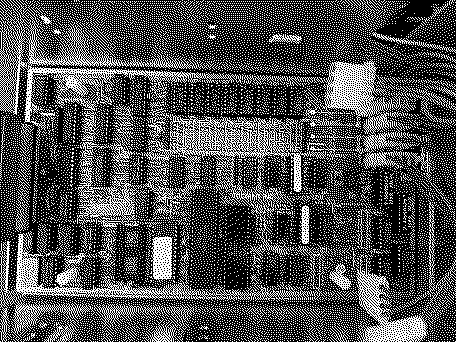
First off, nobody told me there was a 68K computer in one of these (albeit 8-bit bus). Very cool. It's definitely SASI. There is a Xebec 1410 MFM to SASI bridge board in there. Same one I used with the Mindset hard drive. They are pretty reliable. Second, they were built like a tank but there is zero shock prevention. I guess GCC Hyperdrives were a little overly cautious at the time. A picture of the Tecmar "Macdisk PCB" with a Motorola 68008 in it. You could expand the memory. I guess that's a cache of some sort? Very interesting. I'll also back up my firmware. I am curious if you have the same version. EDIT: Just took a closer look at your pictures. You have the same version as well. Anyway, I'll take a look at my power supply tomorrow and see if I can spin up the drive and archive it. I just worked on a Tandon PC with a Tandon drive last week that I had to give up on because the head stepper motor was weak and it worked one i every 20 tries or so. There was nothing worth saving on it so it was okay. Hopefully, this is better. Santo
Liked by JDWandMac84 |
|
Mac84 Administrator New Jersey, USA -------- Joined: Sep 4, 2021 Posts: 306 Likes: 431 |
Sep 26, 2025 - #28
Awesome! My ROM appears to be newer (1.7 instead of 1.2). I think the RAM is used for the print spooling feature too.
I've attache both of my ROMs, one was on the "power" board (with the M68008) and the other on the "data" board with the Z80. They're attached to this post. Also, I'll be streaming on YouTube as I make a cable later today, hopefully this ties it all together. (y)
Liked by JDW |
|
snuci New Tinkerer -------- Joined: Mar 10, 2023 Posts: 21 Likes: 20 |
Sep 26, 2025 - #29
I'll try to check out the stream later today. Perhaps I am mistaken but I was referring to the chip on the Macdisk board marked 7000007, v1.2 which is the same as mine. I also see you have a Tandon TM600 series drive. I have not had the best of luck with those. Various models were used in the early TRS-80 5MB external hard disk units and a different model in the Commodore D9060 and D9090 external hard drives. Two of my four were bad. Hopefully you make out okay. If it doesn't sound like a plane taking off, you have a much better chance of it working just fine, Good luck!
|
|
JDW Administrator Japan -------- Joined: Sep 2, 2021 Posts: 2,534 Likes: 1,982 |
Sep 26, 2025 - #30
[Image: 8922110877_14be8b5da4_b.jpg][Image: 8922729650_712688bdf8_b.jpg][Image: 8922728478_83ff6aae92_b.jpg][Image: 8922111677_9eb300d102_b.jpg][Image: 8922111207_ce8deb5369_b.jpg] The drive is completely suspended by them. [Image: 8922147149_82755d3fa0_b.jpg] That was an appropriate measure to take to protect those extremely sensitive and expensive drives at the time. But despite those shock absorbing precautions, even at the time I obtain this kit many years ago, the shock indicator had turned red (either through time or because of shock): [Image: 8922124227_5b40d937d2_b.jpg] So there are no rubber pieces used to mount that HDD inside the Tecmar enclosure at all? Really? |
|
David Cook Tinkerer -------- Joined: Jul 20, 2023 Posts: 130 Likes: 172 |
Sep 26, 2025 - #31
1 to 1: GND to GND 2 unused: +5V 3 to 3: GND to GND 4 to 8: transmit+ to receive+ 5 to 9: transmit- to receive- 6 unused: +12V 7 to 7: external clock to external clock 8 to 4: receive+ to transmit+ 9 to 5: receive- to transmit- A RS-422 crossover cable with external clock pin Liked by JDWandsnuci |
|
Mac84 Administrator New Jersey, USA -------- Joined: Sep 4, 2021 Posts: 306 Likes: 431 |
Sep 26, 2025 - #32
It freakin' WORKS! :p Woo-hoo![party]
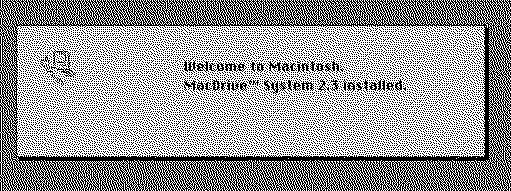
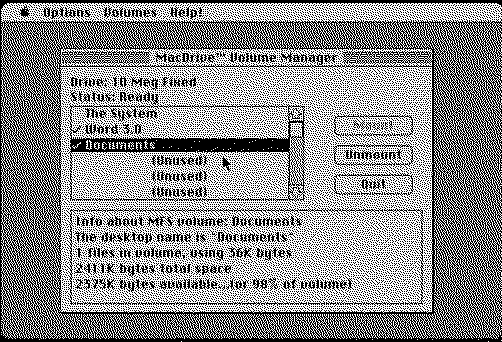
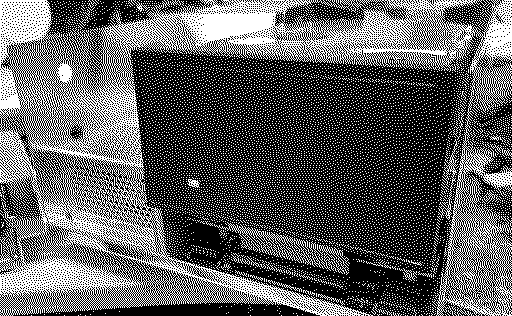
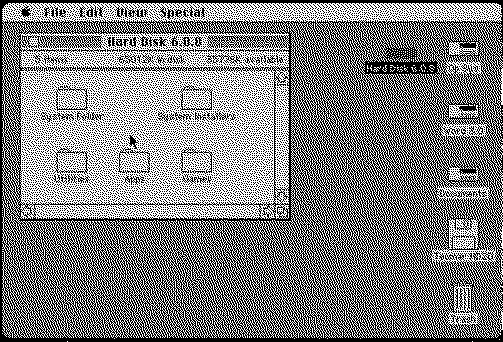
Huge thanks to @snuci for sharing the cable pinout. I created my own crude cable, and inserted the MacDrive 2.3 boot floppy... and my Macintosh 512K booted from the floppy, and then accessed the hard drive! I was able to successfully backup the entire drive. Only about 2.5 MB was used out of the 10 MB drive. My sincere thanks to everyone who helped me with this and who listened to me yammer on about this thing for the past few days. :) Here's a video clip (28 seconds) someone trimmed of my live stream where it booted up with the drive for the first time. And the full 6 hour live stream is below for reference. The Welcome to Macintosh screen with the Tecmar software installed on the boot floppy. The Mac booting from the MacDrive! The Volume manager software, showing the volumes on the drive. The drive accessing data, showing a solid red LED: Some things to note about the set up:
How I backed it up with a BMOW Floppy Emu pretending to be an HD20 drive: Backing up the drive was HUGE challenge because my hopes of using my Mac Plus and the BlueSCSI were dashed when I realized it doesn't like the Mac Plus ROMs. I was going to back everything up to floppies, but I didn't want to risk running out of disks etc. Armed with a Mac 512k, a BMOW Floppy Emu and a real 400K external disk drive (and one blank floppy) I was able to make it happen. One thing I learned, is that you can actually trick the Tecmar drive to show, even alongside an HD20 drive! Here's how...
Liked by Hypertalking,Byte Knight,mmu_manand 4 others |
|
JDW Administrator Japan -------- Joined: Sep 2, 2021 Posts: 2,534 Likes: 1,982 |
Sep 26, 2025 - #33
Congrats, @Mac84 !
I didn't watch your entire video, but I did catch your exuberation and "Holy Crap if F'n works!" :LOL: Glad to see it was just the cable because those solutions really are the best kind. No soldering, cleaning or hacking required in that case! Just curious though if there's a manual HEAD PARK utility in that software, similar to what the GCC HyperDrive offers. Or does that drive auto-Park the heads? If it doesn't auto-Park, it's best to manually Park them before moving the drive around. |
|
snuci New Tinkerer -------- Joined: Mar 10, 2023 Posts: 21 Likes: 20 |
Sep 26, 2025 - #34
Congratulations! I am an early riser so I was watching the live stream until just before midnight and saw most of the fun. I'll watch the rest of it today and coupled with what you wrote above (thank you!), I'll figure it out if I can get mine to work. I've never used my Floppy Emu as an HD20 so I'll have to sort that out to. I'll also figure out how to make the Mac Drive/HD20 boot floppy and see if there is anything interesting on mine.
Glad I could help in some small way. Your reaction to it working was classic :) Santo Liked by Mac84 |
|
snuci New Tinkerer -------- Joined: Mar 10, 2023 Posts: 21 Likes: 20 |
Sep 26, 2025 - #35
I think it's age. I have two or three Hyper Drives and all of them have red shock indicators.
Nope, no rubber whatsoever. The metal Mac Drive case is more heavy duty than I've seen with most hard drive enclosures of the period. It was well designed. |
|
Mac84 Administrator New Jersey, USA -------- Joined: Sep 4, 2021 Posts: 306 Likes: 431 |
Sep 26, 2025 - #36
The software has no ability to park the heads it seems (at least from what I see in the menus). The drive appears to retract the heads away from the drive as part of the power down motions. Also, there are shock absorbing rubber stoppers, two of them are hidden between all the metal brackets and PCBs.
Oh and yes, the ROM on mine is also a v1.2 - the "1.7" was a typo on my part! The drive I have is a Tandon TM 502 (serial # 4 30 00002476) I'd try first booting with the Tecmar floppy, if you see the Tecmar HD mount and it has a bootable OS, then you can proceed like I did with the HD20 emulated drive. The biggest pain is the Floppy Emu's HD needs to be reset multiple times to switch it into HD20 mode, and select a disk, etc. I've attached my boot disk (with the HD20 + Tecmar files), technically any HD20 image should work, but I'll try and upload mine too. You just need to follow my instructions above and delay the HD20 from trying to be read from during the startup process... otherwise the boot disk will load the Mac OS from the HD20 and not boot from the Tecmar drive (this assumes your Tecmar drive has a bootable partition!) Update: I'll upload the .dc42/.moof disks you provided to Macintosh Garden if that's okay, that way we can put all the proper software in one spot.
Liked by JDWandsnuci |
|
snuci New Tinkerer -------- Joined: Mar 10, 2023 Posts: 21 Likes: 20 |
Sep 26, 2025 - #37
Thank you. This will help tremendously. Much appreciated and I appreciate the time markers too :)
Looking at my Mac Drive power supply, I saw some caps are out of spec so I made note of them for replacement. I saw two caps that were the same value but one was taller than the other. As it turns out, the taller one had exploded and increased in height. The internals were black like the outer jacket color so I couldn't spot anything weird at a glance. Caps are on order so I won't be doing anything until next week but this will definitely help. I can check if my hard drive powers up and sounds okay. I am doubtful that Guesswein's MFM Emulator can read it properly (it tries to read the drives by what it knows about other drive types) so we'll see what happens. Thanks again, Santo Liked by JDWandMac84 |
|
Hypertalking Administrator -------- Joined: Sep 4, 2021 Posts: 19 Likes: 11 |
Sep 30, 2025 - #38
This is so good for 2 reasons
1. Yay! Community - the whole point of this forum - together we have all the info/random old floppies / skills to bring Ewaste back to life 2. Steve I love the double HD boot hack. Just the sort of pointless crazed thing to try and I love that it worked! woo! Liked by snuci,JDWandMac84 |
|
snuci New Tinkerer -------- Joined: Mar 10, 2023 Posts: 21 Likes: 20 |
Oct 4, 2025 - #39
Got my Tecmar Mac Drive running. I had to recap the power supply and replaced a transistor. I also had to replace a shorted tantalum capacitor on the -12v line of the Mac Disk PCB. Thankfully, the 10MB Tandon hard drive was fine. I was able to archive the hard drive with Gesswein's MFM emulator with no issues. It's in Xebec format (I should have known that) but I don't know the actual Tecmar data format and volume structure. What I do know is that there are deleted volumes but they appear to be mainly word processing and related graphics files. There is a small volume that has software that can allow the Mac to read Apple Lisa disks which seems odd.
Anyway, here's a pic of it working on a Mac 128k (I used a Drexel Mac so I know it's 128k). Basically, I didn't need to back anything up because there's not much on it that is accessible but thanks for the write-up all the same. At least there is another Tecmar Mac Drive working. P.S. I would LOVE to find a 5MB cartridge for the Syquest drive to try that out but those appear to be VERY hard to find.
Liked by PL212,JDWandMac84 |
|
Mac84 Administrator New Jersey, USA -------- Joined: Sep 4, 2021 Posts: 306 Likes: 431 |
Oct 4, 2025 - #40
Wow, that's great! (y)
I wonder if mine has deleted files on it, but maybe not. I don't have a Gesswein's MFM emulator, and it's a bit of an expensive purchase to try it just for this project. Did you need to configure the emulator in a certain way to read the disk? That's great it was able to work for you. Liked by JDW |
| << First | < Prev | Page 2 of 3 | Next > | Last >> |
| Home | Forums | What's New | Search | Bookmarks | RSS | Original | Settings |
| XenForo Retro Proxy by TinkerDifferent.com |
![[Image: 8922110877_14be8b5da4_b.jpg]](/proxy_image?url=https://tinkerdifferent.com/data/attachments/23/23286-5518a148b1766b99c54793d788afd23a.jpg)
![[Image: 8922729650_712688bdf8_b.jpg]](/proxy_image?url=https://tinkerdifferent.com/data/attachments/23/23287-254c2ece8741b7d736e0ce7c7478dec6.jpg)
![[Image: 8922728478_83ff6aae92_b.jpg]](/proxy_image?url=https://tinkerdifferent.com/data/attachments/23/23288-aa555ee6e59458940a1ec1a1b8f3d72d.jpg)
![[Image: 8922111677_9eb300d102_b.jpg]](/proxy_image?url=https://tinkerdifferent.com/data/attachments/23/23289-0f220bfa5972d3cdc4e178d9a6947881.jpg)
![[Image: 8922111207_ce8deb5369_b.jpg]](/proxy_image?url=https://tinkerdifferent.com/data/attachments/23/23290-c2dae1cd75478f98178906b24c8f5141.jpg)
![[Image: 8922147149_82755d3fa0_b.jpg]](/proxy_image?url=https://tinkerdifferent.com/data/attachments/23/23291-b679022cf5caeb809add37f5096f6435.jpg)
![[Image: 8922124227_5b40d937d2_b.jpg]](/proxy_image?url=https://tinkerdifferent.com/data/attachments/23/23292-b2f5538ed60acac8f830953485ec4c31.jpg)