|
* TinkerDifferent *
Retro Computing Community |
| Home | Forums | What's New | Search | Settings |
| Modding the Kodak Reels 8mm Film Digitizer (Firmware Hack) |
|
Erwin New Tinkerer -------- Joined: Nov 28, 2025 Posts: 9 Likes: 0 |
Dec 1, 2025 - #921
Running C v7.2. Took a gamble and put a 50 year old reel in, about 30m super-8. Loaded in PC, start of clip was excellent. Came out with much better colors and detail than the "professional" scan done by my parents years ago (expensive back then). However, towards the end I see "jitter" in the bottom of the frame. It slowly creeps in, observable after 1 minute or so and at the end is very obvious. I put jitter between quotes, because if I step through it frame by frame, it is NOT random. It has a very distinct pattern that repeats. A frame is shifted up at the bottom about 1/3, then 4 of frames okay, then again about 1/4 up, then 4 frames okay, then 1/8 up... and so forth until it repeats after 52 frames if I counted correctly. I can DM you a link to a clip if interested. This must be something software/electronic related. |
|
0dan0 Active Tinkerer -------- Joined: Jan 13, 2025 Posts: 324 Likes: 498 |
Dec 1, 2025 - #922
Anyone else seeing the jitter appear after the capture started correctly? I have never seen that, so I would like to see examples to understand if there is drift on some units and not others.
|
|
Grandson New Tinkerer -------- Joined: Nov 21, 2025 Posts: 8 Likes: 0 |
Dec 2, 2025 - #923
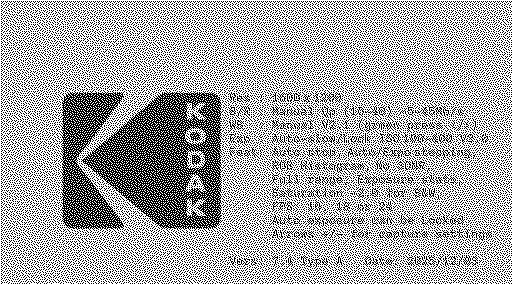
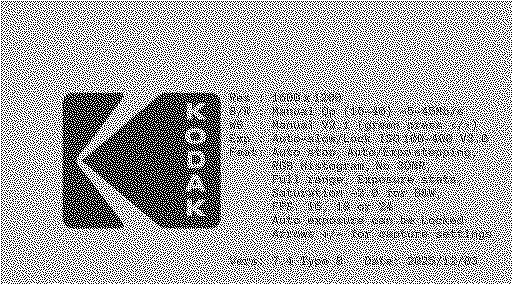
I have also tested the v7.2 firmware B. The boot logo appears clearly visible, but unfortunately all function keys are still not working :-( Is there anything I can do to help? I would really like to test the firmware with a better frame rate. |
|
ThePhage Tinkerer -------- Joined: Oct 30, 2024 Posts: 40 Likes: 34 |
Dec 2, 2025 - #924
|
|
Xanadude New Tinkerer -------- Joined: Dec 2, 2025 Posts: 4 Likes: 0 |
Dec 2, 2025 - #925
Hey all! I'm not as technically inclined with all the code stuff in the firmware I read here. So I was wondering if I may ask for help.
I'm an artist working on my documentary and digitizing 8 mm. I'm hoping to get better results with flashing the firmware I have the RODREELS V2.0. The serial number is D2825148BK00713. I used the serial tool but it said out couldn't be found. i'm not sure if the serial number indicates which firmware to use. Any help would be super appreciated! |
|
0dan0 Active Tinkerer -------- Joined: Jan 13, 2025 Posts: 324 Likes: 498 |
Dec 2, 2025 - #926
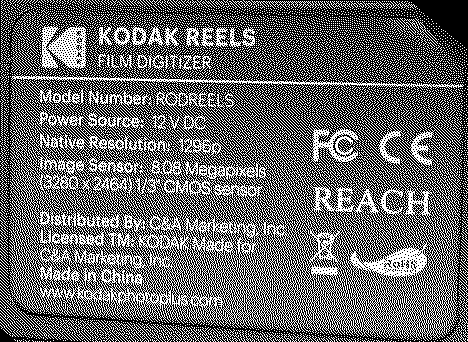
Does it say "V2.0" on the back, or only in the About screen? If the back looks like this: it will be pretty safe to try either Type C (first) or Type B, the two most common "REELS" units. If the display is weird using C, try Type B. However, if you rear ID plate looks different, maybe there is a fourth variation of the hardware. This would be a far greater risk.
|
|
0dan0 Active Tinkerer -------- Joined: Jan 13, 2025 Posts: 324 Likes: 498 |
Dec 2, 2025 - #927
However, if it is another variation of the hardware, someone would need to have extracted the firmware before the update (or requested it from the manufacturer -- super unlikely.) Without the original firmware, there is nothing that can be done. |
|
Xanadude New Tinkerer -------- Joined: Dec 2, 2025 Posts: 4 Likes: 0 |
Dec 2, 2025 - #928
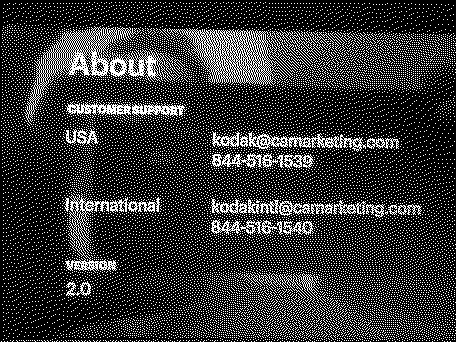
On the display, it says 2.0. Is that the same as V2? Our labels on the back seemed to look the same.
|
|
0dan0 Active Tinkerer -------- Joined: Jan 13, 2025 Posts: 324 Likes: 498 |
Dec 2, 2025 - #929
|
|
Xanadude New Tinkerer -------- Joined: Dec 2, 2025 Posts: 4 Likes: 0 |
Dec 2, 2025 - #930
Sorry about asking so many questions, I'm actually a huge technology geek but this kind of technology is new to me. |
|
0dan0 Active Tinkerer -------- Joined: Jan 13, 2025 Posts: 324 Likes: 498 |
Dec 2, 2025 - #931
Type A, B & C are for slight hardware differences, not for bitrate benefits (same for all.)
|
|
Xanadude New Tinkerer -------- Joined: Dec 2, 2025 Posts: 4 Likes: 0 |
Dec 2, 2025 - #932
|
|
0dan0 Active Tinkerer -------- Joined: Jan 13, 2025 Posts: 324 Likes: 498 |
Dec 3, 2025 - #933
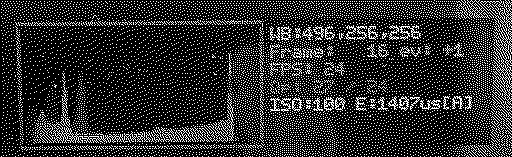
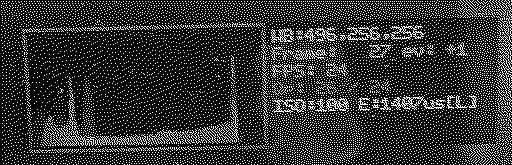
Here is v7.3, after only a day or so. This adds Qp level control, allow you to set the minimum Qp the device will try for. Previously this was fixed at 20, but this may have caused some jitter drift (unconfirmed) on some units. During capture there is a new settings controls which should be easier then remember all the buttons. Up and down arrows move the square braces between controllable settings, +/- change the settings.
Liked by Federico,sheiderandThePhage |
|
Erwin New Tinkerer -------- Joined: Nov 28, 2025 Posts: 9 Likes: 0 |
Dec 3, 2025 - #934
Thats a nice feature, as discussed in DM for me a minimum of Qp=23 seems to work to avoid the jitter/skew in frames. But of course datarate and required processing power still depends on how much the picture changes between frames and the amount of detail and grain present. I will do a lot more scans with this setting and see how it turns out. In any case, very happy with the latest updates - Thanks! |
|
ThePhage Tinkerer -------- Joined: Oct 30, 2024 Posts: 40 Likes: 34 |
Dec 3, 2025 - #935
|
|
Mac84 Administrator New Jersey, USA -------- Joined: Sep 4, 2021 Posts: 306 Likes: 431 |
Dec 3, 2025 - #936
I will have to try and reorganize things when I find the time. @Grandson can you please tell us the serial # on the bottom of your device? Or feel free to PM me. I'll compare it with a list I'm compiling to try and figure out versions. Sadly the data I used in my lookup tool is 2+ years out of date, since the Kodak firmware site is offline and was not updated. |
|
sheider New Tinkerer -------- Joined: Oct 17, 2025 Posts: 22 Likes: 8 |
Dec 3, 2025 - #937
If you are currently accepting feature requests, then I have one: a user-controllable exposure lock toggle. Every so often (~5% of shots), I'll encounter footage with frequent exposure "bounces" up and down that confounds your "gentle" AE adjustment algorithm. This results in rapid flickering in the digitized shot. It seems that a simple fix to this problem would be the ability for the user to lock the exposure at the beginning of the challenging shot, and then to unlock it at the end of the shot. Your thoughts? Also, now that you have changed the label from "Tint" to "Saturation" in the settings, have you considered doing the same on your splash screen? It still refers to "Tint". Keep up the great tinkering, and thanks again for sharing with us! |
|
0dan0 Active Tinkerer -------- Joined: Jan 13, 2025 Posts: 324 Likes: 498 |
Dec 3, 2025 - #938
|
|
0dan0 Active Tinkerer -------- Joined: Jan 13, 2025 Posts: 324 Likes: 498 |
Dec 4, 2025 - #939
Crazy progress continues V7.4
@sheider " feature requests: ... a user-controllable exposure lock toggle." As I have a short film project this weekend, where I will be developing and scanning about 10 rolls of Ektachrome, and I too thought an exposure lock could be very helpful. The current exposure setting are now at the bottom of the list and I've adding [A] for Auto exposure (default.) [l] for a Locked exposure. The exposure lock can survive, clip capture stops/starts, power cycles and firmware updated. I've also finally made white balance, sharpness and saturation will now survive firmware updates (for the update after this one.) I do so many updates, it is annoying to reset all my defaults.
Liked by rdesros,TheElk,Federicoand 4 others |
|
Erwin New Tinkerer -------- Joined: Nov 28, 2025 Posts: 9 Likes: 0 |
Dec 4, 2025 - #940
Flashed the above 7.4, boot screen says 7.4, folder name is FilmScnC7.3. Set the Qp to 23 min, sharpness -1, loaded a reel, scanned for 90 minutes, and got 1.7GB of jittering bad scan result begin to end... sigh.. its already bad at the start, but worse at the end.
EDIT: changing minimum Qp doesnt seem to do anything. Bitrate for all clips is about 22.1 to 22.5 Mbit/s. Even if I put it on 39 (the max value). Actually the same as previous scans on Qp=20 or Qp=23. What I saw once with min Qp=39 I get a few blocky frames, but then the quality is back as usual. So perhaps the minimum value that you set is displayed but it is not respected by the encoder. Just tried another clip on Qp=39, 180 frames, 27 MB, mediainfo reports 22 Mb/s wich is correct looking at file size. |
| << First | < Prev | Page 47 of 48 | Next > | Last >> |
| Home | Forums | What's New | Search | Bookmarks | RSS | Original | Settings |
| XenForo Retro Proxy by TinkerDifferent.com |