|
* TinkerDifferent *
Retro Computing Community |
| Home | Forums | What's New | Search | Settings |
| Modding the Kodak Reels 8mm Film Digitizer (Firmware Hack) |
|
Federico New Tinkerer -------- Joined: Mar 2, 2024 Posts: 13 Likes: 7 |
Nov 16, 2025 - #881
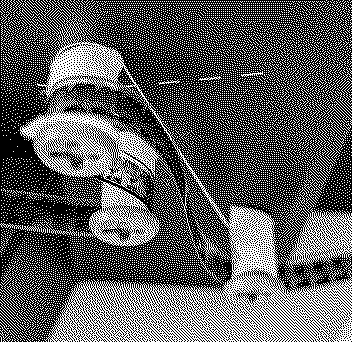
The new holder looks nice: is the cable long enough to allow the front slide? With the old model I struggled a bit because this is the part that required a very high cut in the main body of the scanner, only to allow the top half of the holder to slide down: now it should allow a tighter fit. I've added the masking tape, for precaution, thank you! One request on the firmware: could you please make the text beside the histogram a bit bigger? It's not a priority, but I believe that many of us struggle a bit wo read the values :) One suggestion on the 3D printing: I the little grey tensors of the film seem eager to scratch the surface; do you think that printing some small pipes to put around (the tensors can be removed from the inside, the pipe slide in and the tensor fixed again) could help? something free to spin around the tensor. Besides they could be cover with something soft as suggested some post before, but moving the friction from the film to the pipes. Ciao! Federico Thank you! |
|
0dan0 Active Tinkerer -------- Joined: Jan 13, 2025 Posts: 324 Likes: 498 |
Nov 16, 2025 - #882
Yes the cable (on my unit) was long enough, and it was much easier to mount the lens from the front than the top. Font could be made bigger, but I had to create the font by hand, with some LLM help. So it is not a small task. I'm not sure what scratches the film, I haven't done anything more than put PEC PAD on the rollers (which seems to help.) Liked by fishgeeandFederico |
|
lrussell887 New Tinkerer -------- Joined: Nov 22, 2025 Posts: 1 Likes: 0 |
Nov 23, 2025 - #883
Do you have any idea what might be causing or it, or have any suggestions? I may try v6.9 but I'm hesitant to lose the other improvements you've made since. I also really do want to thank you for your work on this firmware, the results overall really are a night and day difference compared to the stock firmware. |
|
ThePhage Tinkerer -------- Joined: Oct 30, 2024 Posts: 41 Likes: 36 |
Nov 23, 2025 - #884
I can also report that several instances of my scans on a type C with 7.1.1 have frame jitter (frankly it happens more often than it doesn't happen. Sometimes it's significant, but sometimes very subtle and I have to look closely for it or compare to older scans of the same footage.
Would lowering the exposure bias using the provided controls potentially help? (Increasing shutter speed) Or are there any other tweaks you can think of to reduce it? I haven't tried a wide variety of footage yet, but I have noticed that jitter happens more often with Super8 than 8mm (probably due to frame size). Thanks again! When they are stable, my recent scans of 7.1.1 are blowing away the previous scans, including detail and color. |
|
omega New Tinkerer -------- Joined: Jul 29, 2025 Posts: 35 Likes: 13 |
Nov 23, 2025 - #885
|
|
0dan0 Active Tinkerer -------- Joined: Jan 13, 2025 Posts: 324 Likes: 498 |
Nov 23, 2025 - #886
I'm only seeing this now in 5% or fewer captures, but maybe I'm lucky. As stated before, it also happens on stock firmware, but it would appear more often with the hacked firmware as it allows for a wider field of view. This is a design flaw, as it appears there is no good sync between the motor moving the film, and the frame grab. As @omega mentions, the friction and the tension from the take up reel are a contributing factor. I've decreased some friction on mine with Pec pads (and reduce scratching.)
The frame is only stationary of 50% of the time, 250ms per frame. As this unit is PAL 25Hz based, 40ms per frame (I'm assuming the worst rolling shutter timing.) So 40ms from 250ms should be easy, yet sometimes the tearing is on top, and sometimes the bottom (250ms apart), so the frame grab timing is a super sloppy (again this is in the original firmware design.) I shot the screen at 360fps (GoPro HERO13 burst slow motion) and presented at 3.3% speed, so you can see all the subtle frame movement that is causing this problem. I did another slomo test with slack on the track up reel, so the film movement is only from the sprocket feeder, and all the same extract motion is present. The cam that drives the sprocket is just a bad design.
|
|
Grandson New Tinkerer -------- Joined: Nov 21, 2025 Posts: 8 Likes: 0 |
Nov 26, 2025 - #887
Hello everyone,
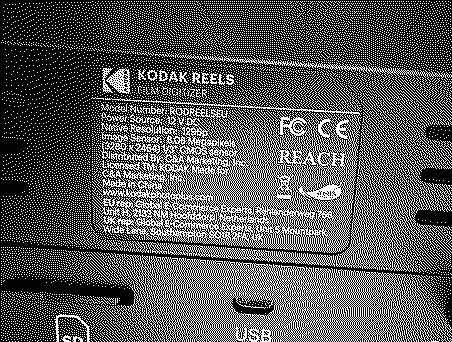
I wanted to scan some of my grandfather's 8mm films and was not satisfied with the scan results from the Kodak Reels. It is a newer device, model number RODREELSEU, with serial number H282... and version 2.0 on the "About Us" screen. I started with Steve's Kodak 8mm Digitizer Firmware Lookup Tool. Results: "Your serial number was NOT found on the list. Use Firmware B labeled files for your device." In the second step, I installed Firmware B FWDV280.bin v7.1.1. Reboot and start logo are normal, but all the buttons no longer work. I can't adjust any settings or start scanning. I then tried v7.1 and v7.0, but the buttons still didn't work. Please help! Kodak no longer offers original firmware either. So I'm currently stuck :-( Many thanks in advance! Best regards, The grandson
|
|
ThePhage Tinkerer -------- Joined: Oct 30, 2024 Posts: 41 Likes: 36 |
Nov 26, 2025 - #888
|
|
fishgee Tinkerer -------- Joined: Jan 6, 2025 Posts: 27 Likes: 25 |
Nov 26, 2025 - #889
When rebooted, did your startup screen show the new firmware number 7.1.1 and Odano's notes on what changed? If not, then the update didn't work. Should look something like this:
|
|
Grandson New Tinkerer -------- Joined: Nov 21, 2025 Posts: 8 Likes: 0 |
Nov 26, 2025 - #890
Thank you very much for your replies ThePhage and fishgee!
I tested the firmware from 0dan0 (post Oct 22, 2025) v7.1 for both TypeB and TypeC. Unfortunately, without success. With TypeB, as before, all buttons are dead. With TypeC, nothing works either, and the screens also have color shifts. 4 attachments are included for reference. What can I try next? Many thanks in advance! Best regards, The grandson
|
|
fishgee Tinkerer -------- Joined: Jan 6, 2025 Posts: 27 Likes: 25 |
Nov 26, 2025 - #891
|
|
0dan0 Active Tinkerer -------- Joined: Jan 13, 2025 Posts: 324 Likes: 498 |
Nov 26, 2025 - #892
@Grandson Try the original firmware from https://mac84.net/8mmlookup/
If that doesn't work, either the unit has failed (return) or model RODREELSEU is something new not covered by Type A, B or C. |
|
Grandson New Tinkerer -------- Joined: Nov 21, 2025 Posts: 8 Likes: 0 |
Nov 26, 2025 - #893
Yes, that's right, fishgee, it's a model purchased in the EU.
I've now tried various firmware versions, including the ones without the hack--Kodak firmware. Unfortunately, without success so far. It boots up, the screen appears, but all the buttons are dead--they don't work. |
|
0dan0 Active Tinkerer -------- Joined: Jan 13, 2025 Posts: 324 Likes: 498 |
Nov 27, 2025 - #894
@Grandson did you also try Type A? I think if not Type A the screen with remain blank.
Is this the first we have seen RODREELSEU on this thread? Liked by Grandson |
|
omega New Tinkerer -------- Joined: Jul 29, 2025 Posts: 35 Likes: 13 |
Nov 27, 2025 - #895
I also have a device from EU. Try using firmware from #511 It works for me. |
|
Grandson New Tinkerer -------- Joined: Nov 21, 2025 Posts: 8 Likes: 0 |
Nov 27, 2025 - #896
Firmware A also tested, without success. See attached screenshots.
|
|
Grandson New Tinkerer -------- Joined: Nov 21, 2025 Posts: 8 Likes: 0 |
Nov 27, 2025 - #897
good to know that someone else here is still using an EU model. I unzipped the MyFW_H2324148BK00769 folder. It contains two files: DUMPCODE.BIN and UITRON.BIN. Are these supposed to go on the SD card for a firmware update? I tried it, but nothing changed. See screenshots above (my last post).
|
|
omega New Tinkerer -------- Joined: Jul 29, 2025 Posts: 35 Likes: 13 |
Nov 27, 2025 - #898
I'm really sorry. I forgot to write that the file UITRON.BIN needs to be renamed to FWDV280.
Big apologies again. Liked by Grandson |
|
Grandson New Tinkerer -------- Joined: Nov 21, 2025 Posts: 8 Likes: 0 |
Nov 27, 2025 - #899
Unfortunately, it didn't work. I renamed the file, but your firmware doesn't work with this Kodak either.
|
|
omega New Tinkerer -------- Joined: Jul 29, 2025 Posts: 35 Likes: 13 |
Nov 27, 2025 - #900
I'm sorry. All the versions of C mentioned here worked for me. Try going through this page firmware, you can see the same problem there.
|
| << First | < Prev | Page 45 of 48 | Next > | Last >> |
| Home | Forums | What's New | Search | Bookmarks | RSS | Original | Settings |
| XenForo Retro Proxy by TinkerDifferent.com |