|
* TinkerDifferent *
Retro Computing Community |
| Home | Forums | What's New | Search | Settings |
| Disk Jockey, a disk image file maker for your retro stuff - Beta for version 3! |
|
JDW Administrator Japan -------- Joined: Sep 2, 2021 Posts: 2,534 Likes: 1,982 |
Dec 18, 2022 - #81
Yesterday, something happened when I was using an external BlueSCSI and my SE/30 froze but later refused to boot. I put the microSD card into a full sized SD card adapter and then put that into my modern Mac, but it can't even see it in the Finder or Disk Utility or SD Card Formatter. Seems like the SD card is now totally dead. It was a 16GB PNY card that really hadn't been used all that much. Anyway, I then ordered two SanDisk Extreme 32GB microSD cards from Amazon which arrived today, and I formatted them ExFAT, which is correct for BlueSCSI. Because I didn't have a backup of the data I lost, I copied one of the bootable *.img files from my MacSD's SD card to my new microSD for BlueSCSI, then renamed it: HD10_512 OS71.img
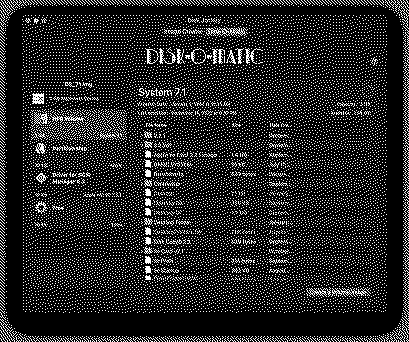
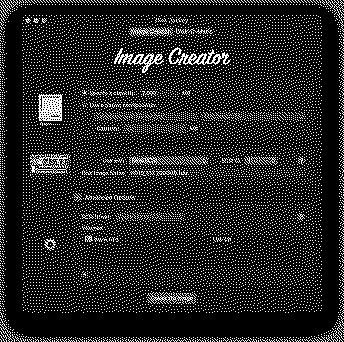
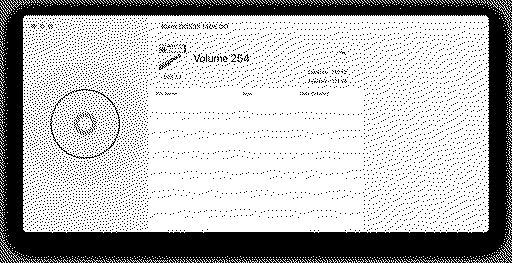
I've heard that the .hda extension no longer matters on BlueSCSI, so I tried it like that with *.img at the end, but it refuses to boot. I then copied over another image from my MacSD which is a bootable 7.5.5 image, also 2GB in size. That one started to boot, but it had Bad F-Line instruction and Bus errors, which is very odd. I then turned to Disk Jockey for help, trying to get the System 7.1 image to be compatible with BlueSCSI. I dragged the System 7.1 image file to Disk Jockey and it shows me this... I then clicked "Create a Volume image" which it saved to my Downloads folder. Sadly, that image won't boot on BlueSCSI either, even if I changed the extension from .img to .hda. I tried and failed on a BlueSCSI with June firmware and on a different BlueSCSI with April firmware (2022). I then turned to the Image Creator tab of Disk Jockey to create a blank 2GB image like this... My intention was to mount my MacSD image and mount the new Disk Jockey created image in Basilisk II so as to manually copy the files from one image to the other. Sadly, Basilisk wouldn't mount the image created by Disk Jockey, even after I changed the filename extension from .img to .dsk. And yes, I have my Basilisk II preference file setup with the correct path. Here is the problematic System 7.1 boot image (2GB in size), copied straight off MacSD's SD card and zipped (not modified by Disk Jockey): OS_71.img.zip
[Image: drive.google.com]
drive.google.com
And here's the System 7.5.5 boot image (2GB in size), also copied straight off my MacSD's SD card and zipped (boots off BlueSCSI but with Bad F-Line Instruction and Bus Errors using my BlueSCSI with June 2022 firmware): OS_755.img.zip
[Image: drive.google.com]
drive.google.com
Can anyone tell me what I am doing wrong in conjunction with Disk Jockey so as to make BlueSCSI boot from it?
|
|
rikerjoe Tinkerer -------- Joined: Oct 31, 2021 Posts: 159 Likes: 248 |
Dec 18, 2022 - #82
James, for the 7.5.5 image did you edit the gusd resource to enable booting on an SE/30?
|
|
JDW Administrator Japan -------- Joined: Sep 2, 2021 Posts: 2,534 Likes: 1,982 |
Dec 18, 2022 - #83
My external BlueSCSI has June 2022 firmware, and it was that unit in which my PNY 16GB SD card suddenly died. The card is dead because my Mac cannot see it when inserted. But it shouldn't have died due to overwrites because it was never in continuous use. The dead of that card is odd. Anyway, when I formatted my brand new 32GB SanDisk Extreme microSD card as ExFAT via Disk Utility (since SD Card Formatter stupidly formats it as FAT32 and gives me no option to use ExFAT), I then copy my 7.1 image and my 7.5.5 image to the card. The 7.1 image is not recognized at all, and it tries to boot from the hacked 755 System Folder on the other image, but I get Bad F Line instructions and Bus Errors. However, if I then move that card to my desktop edition BlueSCSI with April 2022 firmware, it will boot into 7.5.5 without those errors. But even then the 7.1 image will not mount on the Desktop, despite the fact the BlueSCSI Log file is showing nothing wrong with either image. This is why I turned to Disk Jockey, in hopes it would work some magic and resolve the problem, but thus far it has not. I was told via PM that my earlier post wasn't very clear, so the following is a simplified and numbered recompile of what I had previously written. My hope is that someone can offer me help out of this deep hole of confusion I'm in right now. Thanks.
Thank you!
|
|
OneGeekArmy Active Tinkerer Belgium -------- Joined: Oct 31, 2021 Posts: 103 Likes: 266 |
Nov 6, 2023 - #84
I have just posted a beta of Disk Jockey 3. Check out the top post in this thread!
It's a huge one. I need a nap. Liked by tmtrains,Byte Knight,Nitram78and 3 others |
|
JDW Administrator Japan -------- Joined: Sep 2, 2021 Posts: 2,534 Likes: 1,982 |
Nov 6, 2023 - #85
Liked by OneGeekArmy |
|
OneGeekArmy Active Tinkerer Belgium -------- Joined: Oct 31, 2021 Posts: 103 Likes: 266 |
Nov 6, 2023 - #86
Liked by JDW |
|
JDW Administrator Japan -------- Joined: Sep 2, 2021 Posts: 2,534 Likes: 1,982 |
Nov 7, 2023 - #87
@OneGeekArmy
I did my first test of the Apple II features today. You edited your opening post to say the following:
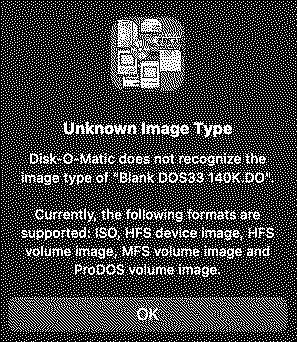
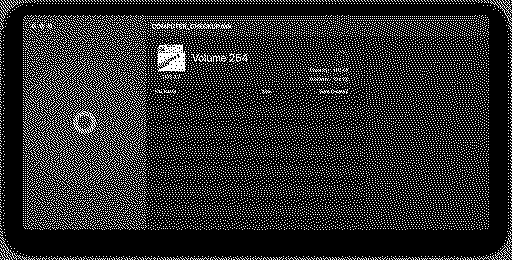
Attached is a ZIP archive for you to test both image types. One is a blank DOS 3.3 *.DO image and the other a blank ProDOS 143KB *.PO image. The *.DO throws the following error: I have other disk images with a *.DSK extension which also throw the same error as above. One of them is named "Apple II Diag v4.7-1986.DSK" for example.
|
|
OneGeekArmy Active Tinkerer Belgium -------- Joined: Oct 31, 2021 Posts: 103 Likes: 266 |
Nov 8, 2023 - #88
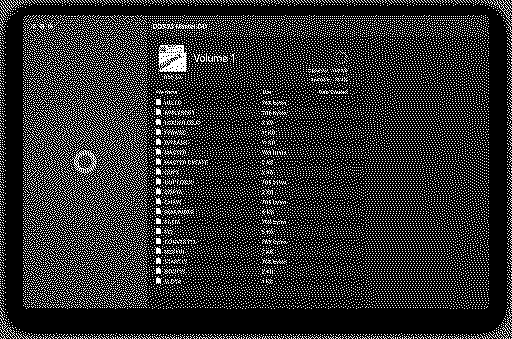
Thanks for the test! Are you certain you are using the beta version? It's a separate link, the regular version will not update to it: https://diskjockey.onegeekarmy.eu/files/diskjockeybeta/Disk-Jockey.dmg Also, the error message above is different in the beta version. Your DOS disk works fine for me: In the view showing the surface of the disk, orange sectors are system reserved, red sectors are catalog sectors and dark blue are for user files. When you select a file in the list (there are no files in your image so it won't show anything), its sectors will highlight in purple. I should probably add a legend to the diagram :)
Liked by PatrickandJDW |
|
JDW Administrator Japan -------- Joined: Sep 2, 2021 Posts: 2,534 Likes: 1,982 |
Nov 8, 2023 - #89
Very interesting. I'm here at work right now on my late 2015 5K iMac 27", and I am definitely running version 3.0 here. Sure enough, no problem. So I guess I was using an old version at home last night.
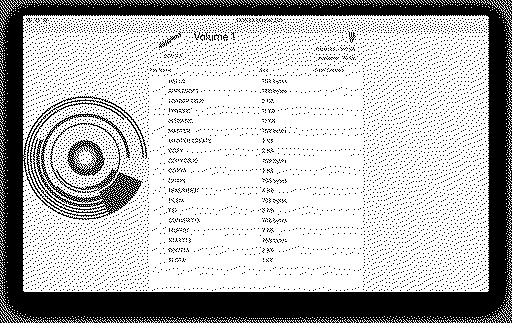
One thing I do notice though on this Mac OS Mojave machine is that the very top content is getting cut off a little bit, and making the window taller does not fix that... Here's a different disk image and the result is the same... I will check it on my MacOS Sonoma M1 Mac later when I get home and report back then.
|
|
JDW Administrator Japan -------- Joined: Sep 2, 2021 Posts: 2,534 Likes: 1,982 |
Nov 8, 2023 - #90
I'm at home now on my MacOS Sonoma M1 MBP, and it works great. The top part of the dialog is not cut off either.
So the problem I reported in my previous post about the top part being cut off seems to be exclusive to MacOS Mojave. Not a major problem at all. I just wanted to mention it. And as I said earlier, your app is amazing. Bravo!
Liked by OneGeekArmy |
|
OneGeekArmy Active Tinkerer Belgium -------- Joined: Oct 31, 2021 Posts: 103 Likes: 266 |
Nov 8, 2023 - #91
Yes, I need to run a little bit of regression testing on previous versions of macOS. Little things have changed in the way interface bits are calculated and it's not always obvious which parts are impacted. Thanks for the heads-up! Liked by JDW |
|
OneGeekArmy Active Tinkerer Belgium -------- Joined: Oct 31, 2021 Posts: 103 Likes: 266 |
Nov 9, 2023 - #92
Well the beta is going to have to stay in beta for a while longer because Xcode 15 (which I use) doesn't create correct builds for some older versions of macOS. And I still want to support at least 10.13 High Sierra with Disk Jockey.
https://github.com/apple/swift/issues/68163 Thanks @JDW for making me do non-regression testing. This might have flown under the radar. (the Disk Jockey beta should still run fine on macOS >= 10.15 Catalina) Liked by JDW |
|
JDW Administrator Japan -------- Joined: Sep 2, 2021 Posts: 2,534 Likes: 1,982 |
Jan 19, 2025 - #93
@OneGeekArmy
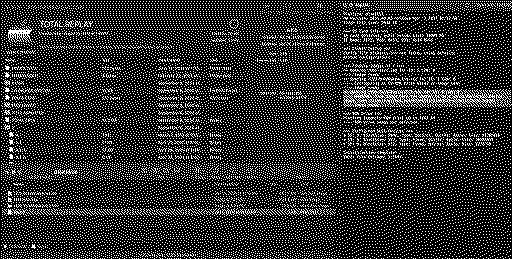
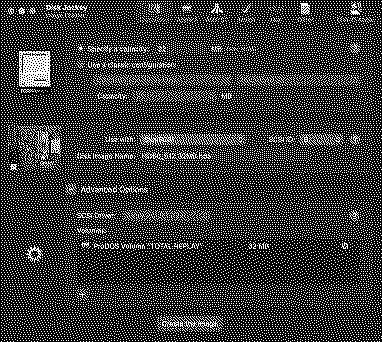
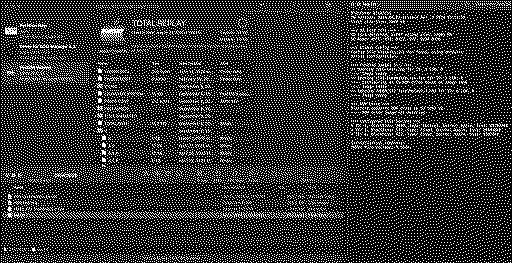
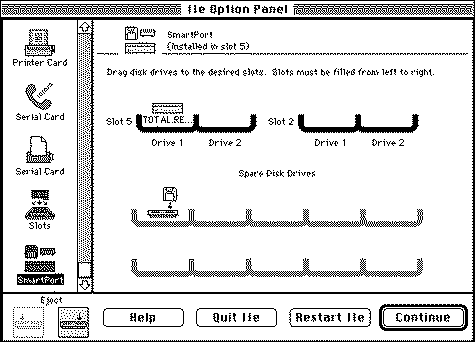
I downloaded Disk Jockey 3.4.5 today to see if it would allow me to get Total Replay v5.2 to work with my BlueSCSIv2. METHOD #1 (ends in failure)I download the TR5.2 *.hdv file and copy it straight to my SD card, then rename it so I can give it a SCSI ID: HD6-TotalReplayv5.2.hdv. But when I boot my Color Classic Mystic (in 24-bit addressing mode, with IIe Card installed, ProDOS extension loaded), the drive won't mount on the Desktop The BluSCSI log file shows a WARNING about it not being a valid Macintosh image (of course not! it's ProDOS!)METHOD #2 8 STEPS: |
| Attachments: 1737295139038.png [View] 1737296202151.png [View] 1737296039731.png [View] |
|
Byte Knight Tinkerer -------- Joined: Oct 21, 2021 Posts: 133 Likes: 116 |
Jan 19, 2025 - #94
|
|
eric Administrator MN -------- Joined: Sep 2, 2021 Posts: 1,149 Likes: 1,928 |
Jan 19, 2025 - #95
Unfortunately the way Mac handles ProDOS drives is different vs a real ProDOS drive - only way I ever got it to work was to make a ProDOS drive on the mac, then copy Total Replay over - which is what BK linked to above. Ron made a video on the process here
|
|
Nycturne Tinkerer -------- Joined: Dec 18, 2024 Posts: 98 Likes: 62 |
Jan 19, 2025 - #96
Unfortunately that approach doesn't work with TR5.2, as it has pre-packed a lot of files into a single large binary file. So the contents are too large for the copy approach, and the files we want to remove are packaged up with data we want to keep. How I got it working was with the latest disk jockey, but I merged the Total Replay ProDOS *partition* image with my HFS *drive* image, which worked fine for me. EDIT: I suspect the ProDOS only drive image made by Disk Jockey actually worked, but it didn't auto mount on boot. @JDW did you check to see what Drive Setup says and see if it can mount the drive? Liked by eric |
|
JDW Administrator Japan -------- Joined: Sep 2, 2021 Posts: 2,534 Likes: 1,982 |
Jan 19, 2025 - #97
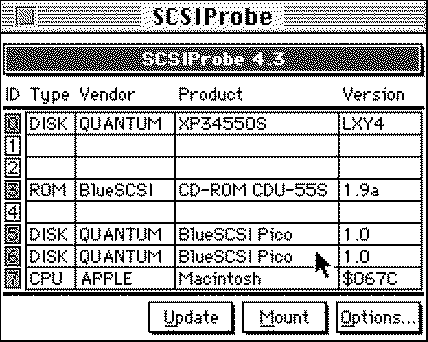
However, I now see that SCSI Probe shows this... Holy cow... I clicked "Mount" in SCSI Probe and it obeyed me! I can now move it into Slot 5, Drive 1 within the IIe Card software, and I can confirm it now works! So again, this was done with Disk Jockey, using METHOD #2 in my previous post. Interesting that BlueSCSI won't mount the ProDOS drives automatically in System 7.1 though. When I connect my FloppyEMU (A2 firmware) and use any TR image, they mount on the desktop when the ProDOS extension is used. At any rate, the SOLUTION for now is to use SCSI Probe to MOUNT it.THANK YOU for the suggestions, @Nycturne !
Liked by Nycturneandjoethezombie |
|
eric Administrator MN -------- Joined: Sep 2, 2021 Posts: 1,149 Likes: 1,928 |
Jan 20, 2025 - #98
Liked by JDWandNycturne |
|
Nycturne Tinkerer -------- Joined: Dec 18, 2024 Posts: 98 Likes: 62 |
Jan 20, 2025 - #99
Keep in mind that's HD SC Setup, not Drive Setup. Of the two Apple tools, only Drive Setup can mount drives. But it does require 7.1.2 or later. I use it with 7.5 as my main OS on my 040 Mac. SCSI Probe is probably easier than going through the trouble of installing 7.1.2 and Drive Setup if you are on 7.1.
Correct, as far as I can tell, System 7 just skips non-removable drives for mounting if it doesn't detect an HFS partition on it.
Liked by ericandJDW |
| << First | < Prev | Page 5 of 5 |
| Home | Forums | What's New | Search | Bookmarks | RSS | Original | Settings |
| XenForo Retro Proxy by TinkerDifferent.com |
![[Image: drive.google.com]](/proxy_image?url=https://ssl.gstatic.com/images/branding/product/1x/drive_2020q4_32dp.png)