|
* TinkerDifferent *
Retro Computing Community |
| Home | Forums | What's New | Search | Settings |
| The BlueSCSI Project: Replacing My Dead Quantum ProDrive |
Forums > Vintage Apple > Macintosh > Macintosh II
|
_nec6678 New Tinkerer -------- Joined: Apr 16, 2025 Posts: 44 Likes: 12 |
Apr 28, 2025 - #1
**Note: I yap a lot about uselessly trying to fix a Quantum ProDrive in the following paragraph, so skipping it will likely be in your best interest.
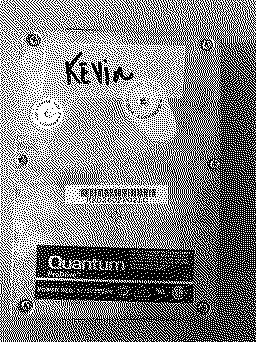
This afternoon when I went to turn on my IIx, the hard drive spun up but I got nothing but the floppy icon. This was pretty normal; my IIx has a thing where I need to restart the computer to get the hard drive to read. But when I did this, still nothing. I tried again and again, but still nothing. I eventually decided to open up the computer, and reseated the SCSI and power connectors. Still nothing, but now I could see that the activity light was solid. I knew the hard drive must be dead, so I took it out, and tried to open it. I thought that maybe the heads were stuck, and maybe I could get the drive to work again if I was quick. I was wrong, and with my clumsy hands, actually dropped an opening pick inside. I couldn't get the last screw out, so after prying really hard on the lid, I could get the pick to come out. I put the screws back in, knowing that I wouldn't able to get any further, and plugged the drive back in. Now, it didn't spin up at all, and instead made a heavy kachunk. I also felt a chip getting hot, so I decided to call it quits on this drive. Unfortunately, my thriving city from SimCity yesterday seems to be lost forever. Something that I've been looking at for a while is building my own BlueSCSI, but I've never fully understood the instructions, since a lot of the videos I have found are using a kit. I am using this GitHub page, linked to on the official BlueSCSI website. Until I build one, I'll plug my BMOW Floppy Emulator into the second floppy port and have it emulate a hard drive. I'll see how far I can get with building a BlueSCSI on my own, and will update when I make progress (or fail). **Side note: In case you're looking at the pictures, I have no idea who Kevin is.
Liked by eric |
|
_nec6678 New Tinkerer -------- Joined: Apr 16, 2025 Posts: 44 Likes: 12 |
Apr 28, 2025 - #2
Quick update, the BMOW Floppy Emulator idea I had didn't work. I feel pretty stupid.
|
|
djc6 New Tinkerer -------- Joined: Oct 19, 2024 Posts: 50 Likes: 12 |
Apr 29, 2025 - #3
I am a classic mac newb, but I do know the Floppy Emu can emulate an "HD20" device - a hard drive apple made that connected to the external floppy port. But wikipedia says this: https://en.wikipedia.org/wiki/Hard_Disk_20
So maybe your IIx doesn't even have HD20 support in its ROM? I bought a BlueSCSI for my SE/30 - I did not get a kit, it was fully assembled. Get the version with Wi-Fi its awesome :) I followed these Usage instructions: https://bluescsi.com/docs/Usage And I asked a lot of questions on the BlueSCSI Discord Server which is quite active and full of people who can help: Join the Open Retro SCSI Discord Server!Check out the Open Retro SCSI community on Discord - hang out with 2721 other members and enjoy free voice and text chat.
[Image: discord.gg]
discord.gg
Liked by iantm |
|
djc6 New Tinkerer -------- Joined: Oct 19, 2024 Posts: 50 Likes: 12 |
Apr 29, 2025 - #4
I had the same model ProDrive on my SE/30 and it suddenly came to life when I placed the drive on its side. I wrote about my successful efforts on this other forum, with the help of a BlueSCSI v2 in Initiator mode in order to make an image of the old drive: https://68kmla.org/bb/index.php?threads/how-to-fix-quantum-prodrive-40s-from-se-30.48844/
|
|
djc6 New Tinkerer -------- Joined: Oct 19, 2024 Posts: 50 Likes: 12 |
Apr 29, 2025 - #5
I revived another drive recently (also Quantum SCSI from a mac, but a ProDrive LPS) that wouldn't spin after just gently moving the platters and heads myself which got things unstuck.
But I did so connected to a bluescsi in initiator mode so I could immediately image the drive. |
|
_nec6678 New Tinkerer -------- Joined: Apr 16, 2025 Posts: 44 Likes: 12 |
Apr 29, 2025 - #6
|
|
_nec6678 New Tinkerer -------- Joined: Apr 16, 2025 Posts: 44 Likes: 12 |
May 25, 2025 - #7
I do plan on buying an unassembled BlueSCSI kit from JCM soon (probably two, since I am aiming on recapping and cleaning up my SE FDHD in the near future)! |
|
vtgearhead Tinkerer Burlington, VT USA -------- Joined: May 1, 2023 Posts: 92 Likes: 35 |
May 25, 2025 - #8
BlueSCSI / ZuluSCSI wifi provides a network interface that pretends it's a DaynaPORT SC (SCSI). Setup is quite simple: Configure the Blue/Zulu with the name and password for your Wifi access point and install the Dayna driver. Note that it's TCP/IP only and does not pass AFP frames. One slight nit is that Appleshare network drives will not be automatically remounted at boot. I fought this problem for a few days with no success. I believe the underlying problem is that the Dayna driver doesn't get initialized early enough in the boot process.
|
|
_nec6678 New Tinkerer -------- Joined: Apr 16, 2025 Posts: 44 Likes: 12 |
May 25, 2025 - #9
|
|
vtgearhead Tinkerer Burlington, VT USA -------- Joined: May 1, 2023 Posts: 92 Likes: 35 |
May 25, 2025 - #10
A network capable device gives your Mac a network connection.
|
|
d_a_parker New Tinkerer Utica, NY -------- Joined: Jun 12, 2025 Posts: 4 Likes: 1 |
Jun 12, 2025 - #11
I know this is too little too late, but opening a hard drive is almost never the answer. The symptom you're describing is almost always an issue with voltage from the logic board to the motor, and not any of the internals. I currently have the same model drive in the same state, and I traced the issue to the motor control IC (U212 I think?), a HA13441 with bad output voltage to the motor.
With these drives in particular, you can often replace a board component or even just swap the whole board for a working one, and the drive is fine. Liked by phunguss |
|
_nec6678 New Tinkerer -------- Joined: Apr 16, 2025 Posts: 44 Likes: 12 |
Jun 12, 2025 - #12
|
|
_nec6678 New Tinkerer -------- Joined: Apr 16, 2025 Posts: 44 Likes: 12 |
Jun 12, 2025 - #13
|
|
d_a_parker New Tinkerer Utica, NY -------- Joined: Jun 12, 2025 Posts: 4 Likes: 1 |
Jun 12, 2025 - #14
|
|
d_a_parker New Tinkerer Utica, NY -------- Joined: Jun 12, 2025 Posts: 4 Likes: 1 |
Jun 12, 2025 - #15
|
|
_nec6678 New Tinkerer -------- Joined: Apr 16, 2025 Posts: 44 Likes: 12 |
Jun 13, 2025 - #16
|
|
d_a_parker New Tinkerer Utica, NY -------- Joined: Jun 12, 2025 Posts: 4 Likes: 1 |
Jun 13, 2025 - #17
My bad! I missed the part where you said "the hard drive spun up but I got nothing but the floppy icon." So, yeah, if you can hear (and feel) that the platters are spinning, then the motor is working and it's not a voltage issue. If the head is stuck, you can sometimes free it up without opening, by lightly tapping the drive, but often you'll just need to open it up, and know that it won't last long after that. I have read that putting the drive in the freezer for a while and then starting it up while it's still cold can sometimes fix a stuck head, but I've never tried this myself. Maybe someday!
|
|
LeadedSolder New Tinkerer Western Canada -------- Joined: Oct 27, 2021 Posts: 45 Likes: 8 |
Jun 28, 2025 - #18
I'm dealing with a 40MB ProDrive that I unstuck a few years ago and has now become re-stuck, and I also managed to cam out one of the screws in the process. Fun for everybody! |
|
_nec6678 New Tinkerer -------- Joined: Apr 16, 2025 Posts: 44 Likes: 12 |
Jun 29, 2025 - #19
Today, I stuck another hard drive in the IIx, along with another high-density floppy drive. The hard drive I put in is an old Rodime 20MB hard drive from my external Rodime drive enclosure that was designed for the Macintosh Plus. One or two of the capacitors in that enclosure had failed, and would spray electrolytic and release smoke within a minute of turning it on. It also had a couple of old Rifas that hadn't failed yet, but I would still want to replace. So basically, I've borrowed the hard drive from the Rodime enclosure while I recap the power supply board from that enclosure. The Rodime hard drive itself will only temporarily be in the IIx, since I will be getting a BlueSCSI from JCM very soon!
[Edit:] The Rodime hard drive works perfectly in the IIx, confirming the motherboard and power supply are okay. |
|
_nec6678 New Tinkerer -------- Joined: Apr 16, 2025 Posts: 44 Likes: 12 |
Sep 7, 2025 - #20
Finally! I got a BlueSCSI from JCM, preassembled. I believe it has wifi functionality, but I haven't tried that out yet. I was initially having some trouble getting my 2GB Microcenter SD card to read in it, but I think it was too old. I instead used a new 64GB SanDisk microSD card in an adapter that I had on hand, which I also got from Microcenter. I created a 120MB disk image on the card using Disk Jockey, and am now installing macOS 7.5.3 on my IIx it using a BMOW Floppy Emulator plugged into one of the ports on the logic board. I still unfortunately do not have an ADB keyboard, so my disk's name will be "untitled" for as long as it takes for me to find one! I do plan on buying a smaller SD card since leaving more than 63GB unused seems like a bit of a waste, but it works fine for now.
[Image: tempImagejhF4WY.png][Image: tempImageEfSnCu.png][Image: tempImagenJSSLN.png]
Liked by DevyDevly,iantmanderic |
| Page 1 of 2 | Next > | Last >> |
| Home | Forums | What's New | Search | Bookmarks | RSS | Original | Settings |
| XenForo Retro Proxy by TinkerDifferent.com |


![[Image: jcm-1.com]](/proxy_image?url=https://i0.wp.com/jcm-1.com/wp-content/uploads/2019/07/cropped-watermark1.png?fit=32%2C32&ssl=1)



![[Image: tempImagejhF4WY.png]](/proxy_image?url=https://tinkerdifferent.com/data/attachments/23/23098-944c1fba77f893f293401f986329a6e0.jpg)
![[Image: tempImageEfSnCu.png]](/proxy_image?url=https://tinkerdifferent.com/data/attachments/23/23100-819f6cf36a3f9224b7b6ce3bffc2b041.jpg)
![[Image: tempImagenJSSLN.png]](/proxy_image?url=https://tinkerdifferent.com/data/attachments/23/23099-aa32c87bd7882c6b54effa462f35fd1f.jpg)


