|
* TinkerDifferent *
Retro Computing Community |
| Home | Forums | What's New | Search | Settings |
| Testing Needed: Apple CD/DVD Driver 1.4.8 Universal For 7.1 - 9.2.2 (SCSI Drives) |
Forums > Vintage Apple > Software & Operating Systems
|
Paralel Tinkerer -------- Joined: Dec 14, 2022 Posts: 115 Likes: 48 |
Feb 22, 2023 - #1
Edit: Since I mostly work with systems from the SCSI era I tend to forget that in the more modern era of the classic Mac OS Apple used ATAPI drives. Unfortunately, the universality, at the moment, it only for SCSI drives. I'm sorry for any false hope this generated for the ATAPI drive users among us.
For anyone willing to help with testing, I need people to try the extension attached to this post with any Apple and preferably, non-Apple SCSI CD-ROM or DVD-ROM drive on 7.1 - 9.2.2 and please report back if the extension worked for you, or if it failed. This is the Apple CD/DVD Driver 1.4.8, which was the last one released by Apple for the classic Mac OS. Changing less than 10 bytes should have changed this from an extension that only works with Apple SCSI CD/DVD drives to one that works with both Apple & 3rd party SCSI CD/DVD's without any difficulty. However, the only way to know for sure that it actually works broadly is for help with testing it. I only own one Apple SCSI CD-ROM & one non-Apple SCSI DVD-ROM, so my ability to test is quite limited. As far as I am aware, and from limited testing on my part, this extension should work for any Mac OS installation from 7.1 through 9.2.2. So, testing with different versions of the classic Mac OS is also appreciated as it will ensure that the compatibility is indeed correct. I have not tested it with the Classic Environment in OS X, so I have no idea if it works for that or not. It should, in theory, work without any trouble, but I can't say for sure until some feedback is provided here. One issue with this extension is that apparently it can conflict with other software that you have installed that is meant for CD-R/RW &DVD-R/RW/RAM. So, if you have trouble with this extension, please try using it without any CD/DVD authorizing extensions being loaded. It has been reported that if you name it so that it is loaded before any of the authoring extensions or other CD/DVD software extensions, it will work without trouble. I haven't been able to test this so I cannot speak to its veracity. Any information on this aspect as well would also be appreciated. For anyone willing to help with testing, thank you!
Liked by dreunion61,tknandPatrick |
|
tkn New Tinkerer Southern California -------- Joined: Sep 8, 2022 Posts: 6 Likes: 0 |
Feb 22, 2023 - #2
Sure. Happy to. I've got the perfect box; a G4 Mini 1.33 with 9.22 and a Pioneer USB Blu-ray drive I've been using with it.
|
|
Paralel Tinkerer -------- Joined: Dec 14, 2022 Posts: 115 Likes: 48 |
Feb 22, 2023 - #3
Thank you for reminding me about the ATAPI side of the driver. Since I mostly work with Macs from the SCSI era, I tend to forget about the ATAPI drives among us. Currently this driver will only work for Apple supplied ATAPI drives. I am re-examining the driver and seeing if I can apply the same change to the ATAPI side of the driver. I'm apologize for the confusion and disappointment this may have caused. Liked by tkn |
|
Nixontheknight Tinkerer -------- Joined: Nov 3, 2021 Posts: 190 Likes: 34 |
Feb 22, 2023 - #4
|
|
Paralel Tinkerer -------- Joined: Dec 14, 2022 Posts: 115 Likes: 48 |
Feb 22, 2023 - #5
Yep, I can put it up on Macintosh Garden. I'll do it right now. Edit: Ok, I have it uploaded to Macintosh Garden. Apple CD/DVD Driver 1.48 - Edited For Universal SCSI Compatibility - *Beta Test* - Macintosh GardenThis is the Apple CD/DVD Driver 1.4.8 extension, which was the last one released by Apple for the classic Mac OS. Editing less than 10 bytes changed this from an extension that only works with Apple SCSI CD-ROM or DVD-ROM drives to one that works with both Apple & 3rd party SCSI CD-ROM or...
[Image: macintoshgarden.org]
macintoshgarden.org
Please respond in this thread with any information regarding success or failure rather than on the Macintosh Garden page, since I will probably forget to check the Macintosh Garden page.
Liked by tkn |
|
Nixontheknight Tinkerer -------- Joined: Nov 3, 2021 Posts: 190 Likes: 34 |
Feb 22, 2023 - #6
|
|
Paralel Tinkerer -------- Joined: Dec 14, 2022 Posts: 115 Likes: 48 |
Feb 22, 2023 - #7
Besides any CD/DVD authoring extensions, or any other extensions that try to do something with the CD/DVD drive, not of which I am aware. This definitely points towards a problem. |
|
retr01 Senior Tinkerer Utah, USA -------- Joined: Jun 6, 2022 Posts: 2,474 Likes: 810 |
Feb 22, 2023 - #8
And the hint is what instruction line should be fixed so that it will work. [nerd-face] I'd advise to bring up MacsBug or similar to debug.
|
|
tkn New Tinkerer Southern California -------- Joined: Sep 8, 2022 Posts: 6 Likes: 0 |
Feb 23, 2023 - #9
EDIT: I'm so sorry! I gave the incorrect impression! It was the Blu-ray drive working over USB 2.0 that worked. I haven't tried the driver yet. I'm about to create more partitions on this drive in order to start building a new spin of RossDarker's V9 for G4 Mini. I can easily create another just for driver testing. I'm a writer, so think of me as a smart person who isn't clever enough to actually do anything but write, and yet has some dangerous levels of knowledge, so should stick to writing :) |
|
Paralel Tinkerer -------- Joined: Dec 14, 2022 Posts: 115 Likes: 48 |
Feb 23, 2023 - #10
Ah, understood. Being a writer is awesome. I, like most, just don't have the creativity for it. I give credit to anyone that can do so. Liked by tkn |
|
tkn New Tinkerer Southern California -------- Joined: Sep 8, 2022 Posts: 6 Likes: 0 |
Mar 3, 2023 - #11
So, I installed it, and it's still installed and it's working fine, but nothing has changed. Now, I grant you that I might not be using the best tools to make an in-depth analysis (I am not), but I can take instruction :) As a reminder, this is a G4 Mini 1.33GHz "Silent Upgrade" model running Mac OS 9.2.2 with an original Apple ComboDrive internally and a Pioneer Blu-Ray burner connected to USB 2.0 on the back of the machine. It is getting power from USB.
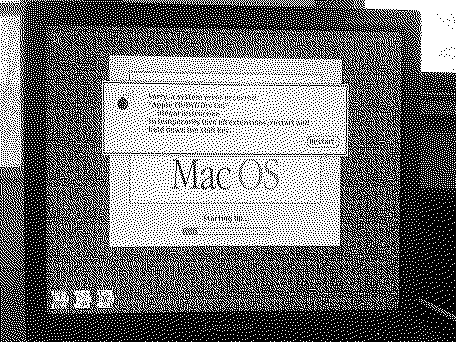
Discs mount and I can boot from discs, but Toast 5 cannot see the drive as a burn target, exactly the same as the stock driver. Oh, and I went straight for the jugular. I added a * in front of the filename to force it to load last (IIRC) just to see if it would conflict with anything up front. Nothing. Lemme know if I can help further. :) Thx!! |
|
Nixontheknight Tinkerer -------- Joined: Nov 3, 2021 Posts: 190 Likes: 34 |
Mar 3, 2023 - #12
|
|
Paralel Tinkerer -------- Joined: Dec 14, 2022 Posts: 115 Likes: 48 |
Mar 4, 2023 - #13
I'm wondering if the different architectures may have something to do with this. I'm thinking that this might happen even with the un-altered extension. Would you be willing to try that one to see if it happens as well, of if its strictly my modification of the original that is the problem? |
|
Nixontheknight Tinkerer -------- Joined: Nov 3, 2021 Posts: 190 Likes: 34 |
Mar 6, 2023 - #14
|
|
Paralel Tinkerer -------- Joined: Dec 14, 2022 Posts: 115 Likes: 48 |
Mar 6, 2023 - #15
Great. Attached to this post is the stock Apple CD/DVD Driver 1.4.8. Please let me know what happens.
|
|
Nixontheknight Tinkerer -------- Joined: Nov 3, 2021 Posts: 190 Likes: 34 |
Mar 6, 2023 - #16
|
|
Paralel Tinkerer -------- Joined: Dec 14, 2022 Posts: 115 Likes: 48 |
Mar 6, 2023 - #17
Ah, forgot about that. Here it is: Apple CD/DVD Driver 1.48 - Edited For Universal SCSI Compatibility - *Beta Test* - Macintosh GardenThis is the Apple CD/DVD Driver 1.4.8 extension, which was the last one released by Apple for the classic Mac OS. Editing less than 10 bytes changed this from an extension that only works with Apple SCSI CD-ROM or DVD-ROM drives to one that works with both Apple & 3rd party SCSI CD-ROM or...
[Image: macintoshgarden.org]
macintoshgarden.org
It is the second link.
|
|
Nixontheknight Tinkerer -------- Joined: Nov 3, 2021 Posts: 190 Likes: 34 |
Mar 6, 2023 - #18
|
|
Paralel Tinkerer -------- Joined: Dec 14, 2022 Posts: 115 Likes: 48 |
Mar 6, 2023 - #19
Well, what is causing it is some kind of screwup on my part. I'll have to go over it again. I appreciate the testing. The good thing is that the stock extension works well. I had suggested the stock extension to System7Today as a replacement for their 1.4 version. |
|
Nixontheknight Tinkerer -------- Joined: Nov 3, 2021 Posts: 190 Likes: 34 |
Mar 6, 2023 - #20
|
| Page 1 of 2 | Next > | Last >> |
| Home | Forums | What's New | Search | Bookmarks | RSS | Original | Settings |
| XenForo Retro Proxy by TinkerDifferent.com |