|
* TinkerDifferent *
Retro Computing Community |
| Home | Forums | What's New | Search | Settings |
| SD to IDE drive replacement for PDQ PowerBook G3 |
Forums > Vintage Apple > PowerBooks & iBooks > PowerBook G3 & iBook G3
|
Keith New Tinkerer New Jersey -------- Joined: Nov 8, 2021 Posts: 15 Likes: 16 |
Nov 10, 2021 - #1
I happened to get quite a few 128gb MicroSD cards for very cheap and my PDQ PowerBook's hard drive was on it's way out. Since the G3 PowerBooks have a 128gb maximum drive capacity I thought one of those cards would be perfect to use as a hard drive replacement.
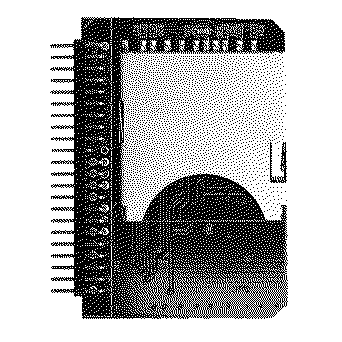
You need a 44-pin IDE to SD card adapter. Many of them will say that their maximum supported size is 32gb however this is NOT the case. I don't know the actual maximum size that will work, but after setting everything up correctly, this will absolutely work with a 128gb Samsung MicroSD card (in an MicroSD to SD adapter). I had formatted my card as FAT32 initially through Mac OS Monterey and installed it into my PowerBook. In Mac OS 9's Disk Setup program, it showed as a 87gb drive. I originally thought that there was some kind of issue where the adapter wasn't recognizing the full size. Initializing the drive kept failing no matter how I tried partitioning it. Formatting the drive as Mac OS Extended (Journaled) allowed me to see the full 128gb, but initializing the drive still failed. In order to initialize the drive, you will need an older version of Mac OS X. I'm going to guess that it will need to be older than whenever Apple revamped Disk Utility (Yosemite?) as on High Sierra it would not let me partition the SD card no matter what adapter I used. However, once I switched to Snow Leopard it let me partition it without issue. Partition the SD card as a singular Mac OS Extended (Journaled) drive and set the partition scheme to Apple Partition Map. Mac OS 9 will let you install on this partition, however, it'll give you an error saying that a 3rd party utility formatted this drive so the Mac OS 9 drivers can't be installed. The installer will say Mac OS successfully installed, but when you restart, it won't boot off the drive. Thus, make sure you open up Disk Setup and Initialize the drive before installing. It should successfully Initialize this time (or in my case, for the first time all night). The drive will now be prepared for you to install Mac OS 9 as normal. So far I haven't encountered any issues with having a single 128gb partition or anything. It's not remarkably faster, since we're limited by ATA-2 speeds, but it is a little eerie using a machine of this age and it makes virtually no noise at all. I hope this can help someone out. I've never struggled in the past with lower sized spinning rust that was previously partitioned as FAT32/MBR and installing classic Mac OS. I have honestly never seen Disk Setup not initialize a drive except for on one that's failing. It always seems like these flash to IDE adapters always require you to set up the flash storage in just the right way.
Liked by pocketscience,VicNor,jjhofand 3 others |
|
eric Administrator MN -------- Joined: Sep 2, 2021 Posts: 1,151 Likes: 1,931 |
Nov 10, 2021 - #2
Did you do any performance comparisions? Slower, on par, or faster than the stock 2.5" IDE? This is a great cheap simple solution, I didn't know these existed!
|
|
Keith New Tinkerer New Jersey -------- Joined: Nov 8, 2021 Posts: 15 Likes: 16 |
Nov 11, 2021 - #3
So far, seems to be perfectly fast and stable. Of course, limited by ATA-1 standards... which I believe is around 15MB/s? Maybe 16? Do you know of a program I can use to do disk performance tests on for Mac OS 9? I can go and dig up a known good IDE drive and see if there's any improvement. |
|
Kai Robinson TinkerDifferent Board President 2023 Worthing, UK -------- Joined: Sep 2, 2021 Posts: 1,322 Likes: 1,313 |
Nov 11, 2021 - #4
Stickied!
|
|
Keith New Tinkerer New Jersey -------- Joined: Nov 8, 2021 Posts: 15 Likes: 16 |
Nov 11, 2021 - #5
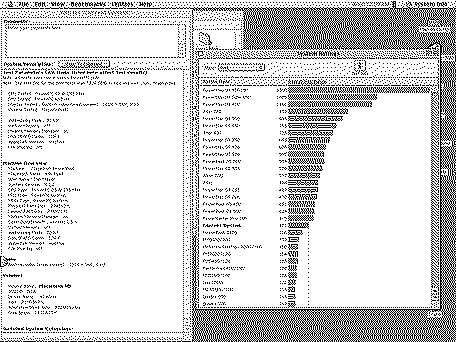
I will have to dig up a working IDE drive but I think this shows that the SD card has quite a boost in speed over a normal IDE hard drive.
Liked by eric |
|
Keith New Tinkerer New Jersey -------- Joined: Nov 8, 2021 Posts: 15 Likes: 16 |
Nov 11, 2021 - #6
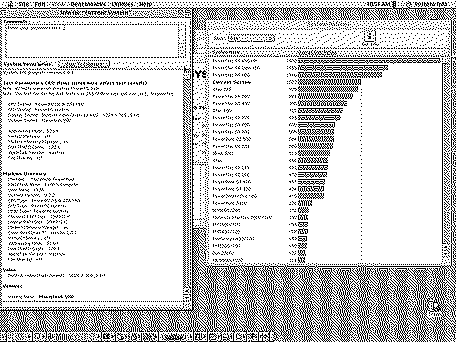
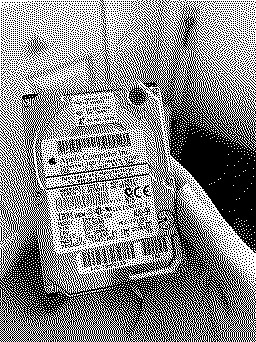
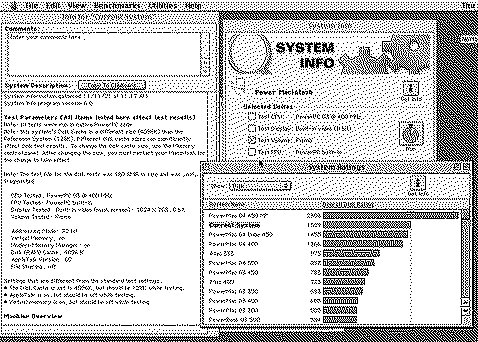
Alright. I pulled out a period accurate Apple drive and tested it.
And here were the results! Looks like the SD card is literally 3 times faster on the tests.
|
|
eric Administrator MN -------- Joined: Sep 2, 2021 Posts: 1,151 Likes: 1,931 |
Nov 11, 2021 - #7
My Pismo has a bit newer drive in it - 20GB IBM Travelstar 4200RPM 2001 (Apple HDD Firmware - My score was better than the SD, but SD will have almost 0ms seek times which makes it "feel" much faster too vs just raw disk read/write.
|
|
Keith New Tinkerer New Jersey -------- Joined: Nov 8, 2021 Posts: 15 Likes: 16 |
Nov 11, 2021 - #8
This probably isn't the best Apples/Apples comparison. The PDQ Wallstreets are ATA-2 at 16.66MB/s, and the FW Pismo 400 is ATA/66 or ATA-5 which has a bandwidth of 66MB/s. I'm sure the Pismo would absolutely fly with an SD card!
For the record, this is the card I am using. Which supposedly has up to 90Mb/s write and 100Mb/s read, although we all know that would definitely be less. Liked by eric |
|
Keith New Tinkerer New Jersey -------- Joined: Nov 8, 2021 Posts: 15 Likes: 16 |
Nov 21, 2021 - #9
Alright I decided to replace the stock 1gb drive in my PowerBook 1400c with an SD card and can confirm it works great on Mac OS 8.5/8.6.
So as far as I can tell, it should work in every IDE PowerBook. The 1400's IDE/ATA interface is pretty primitive so I can only assume it'll work in all of them. The only PowerBook earlier than the 1400c with an IDE interface is the Duo 2300c and I definitely don't have access to one of those. Curiously, it shows up as an SD to CF Adapter in Apple System Profiler.
Liked by SteveHere |
|
dr_hoads New Tinkerer -------- Joined: Nov 8, 2021 Posts: 2 Likes: 0 |
Dec 19, 2021 - #10
I can confirm this SD to IDE adapter worked in my Pismo and 2400c. The 2400c would not see a CF to IDE adapter.
I didn't do any formal tests, but booting and running each computer via SD cards works great and is super fast. (FWIW my 2400c has a 240 MHz G3 upgrade). Given how relatively expensive CF cards are, I would go the SD card route. I personally have way more of those sitting around than CF cards. I used SanDisk Extreme SD cards that I had sitting around from my dSLR photography days. |
|
Bozlum New Tinkerer -------- Joined: Mar 11, 2025 Posts: 6 Likes: 0 |
Apr 10, 2025 - #11
I stumbled across a thread on68kmla ....
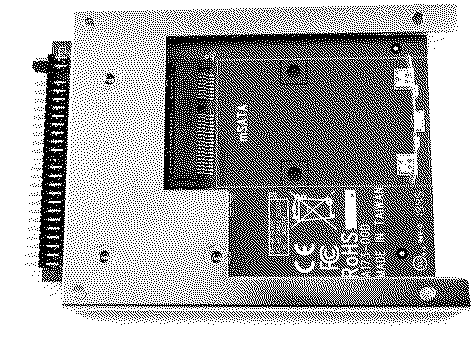
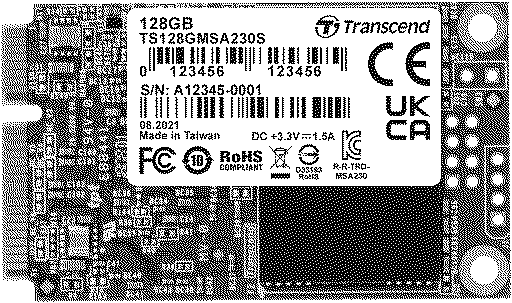
a guy there used the following. Amazon.com: Ableconn IIDE-MSAT mSATA to 2.5-Inch IDE Adapter Converter with Aluminum Frame Bracket - Latch and Retain mSATA SSD as 9.5mm 2.5" IDE SSD Drive : ElectronicsAmazon.com: Ableconn IIDE-MSAT mSATA to 2.5-Inch IDE Adapter Converter with Aluminum Frame Bracket - Latch and Retain mSATA SSD as 9.5mm 2.5" IDE SSD Drive : Electronics
www.amazon.com
The conversion worked flawlessly ... My current hard drive had not failed yet, I was having extension crashing issues, and this was my only OS 9 System so in the interest of preserving my 22ish yr old installation I opted for a new drive. [ I have had this Pismo since 2003 So I booted normally, I had the adatop connected to one of those USB to IDE Adaptors, I did a clean install of OS 9.0.4 my old Powerbook is much speedier now, a nice upgrade.
|
|
V.Yakob Tinkerer Syktyvkar -------- Joined: Sep 6, 2023 Posts: 129 Likes: 46 |
Apr 10, 2025 - #12
I always use QuickBench 2.0 to test disk performance. |
|
AlpineRaven New Tinkerer -------- Joined: Oct 9, 2025 Posts: 10 Likes: 4 |
Nov 11, 2025 - #13
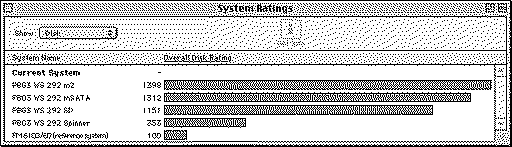
I recently did benchmark and tested to see which was better for my PowerBook G3 - I am doing mix-n-match and build good one.
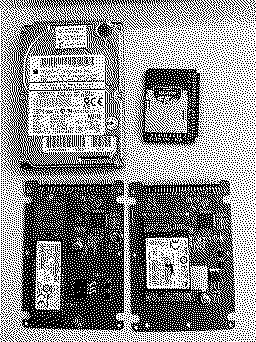
attached results of; Spinning Hard Drive standard 4gb. 44pin to SD 44pin to mSATA 44pin to m.2 Obviously which I knew that M2 would be much faster. System that was tested on; PowerBook G3 Wallstreet 292mhz 14" with 4mb VRAM. Original PowerBook G3 Wallstreet MacOS 8.1 256mb RAM Cheers A
Liked by Bozlum |
| Page 1 of 1 |
| Home | Forums | What's New | Search | Bookmarks | RSS | Original | Settings |
| XenForo Retro Proxy by TinkerDifferent.com |