|
* TinkerDifferent *
Retro Computing Community |
| Home | Forums | What's New | Search | Settings |
| Repairing a Metcal MX-5200 solder station with 'open error' on one channel |
Forums > The Lab > Soldering and Repair
|
Elemenoh Active Tinkerer Bay Area -------- Joined: Oct 18, 2021 Posts: 428 Likes: 415 |
Jul 7, 2023 - #1
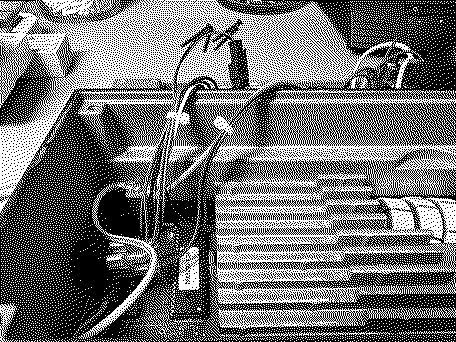
I recently found a cheap (~$200) Metcal MX-5200 on eBay listed as powering on but otherwise untested. When powered up with good hand pieces connected it would display "Open Error" on the left channel. Opening it up revealed loose screws and nuts from the LCD panel, likely because someone tried and failed to take it apart to fix it previously.
There was nothing obviously burnt, so I thought swapping components near the channels might help reveal a culprit. I started with the relays (p/n DS2E-SL2-DC24V). Swapping them with each other ended up fixing the issue. Perhaps one was stuck and heating it up and moving it around unstuck it. The relays are obsolete, but I found and ordered a couple from eBay to have as backups in case the originals fail again. One other issue is that the power switch was physically broken and only making intermittent contact. It's a Cherry RR812C1000-116 DPST 16A 125V switch. Fortunately this is still a part available at places like Digikey. Hopefully these notes are helpful to someone else with the same issues in the future. This will be a nice upgrade from the MX-500 I've been using the past several years. It outputs 80W per channel and can do so simultaneously compared to the MX-500's 40W for a single channel at a time. Having nice tools has made repairing things so much more enjoyable. And hunting for great deals on used tools and repairing them is turning into a hobby itself. Liked by Stephen |
|
Elemenoh Active Tinkerer Bay Area -------- Joined: Oct 18, 2021 Posts: 428 Likes: 415 |
Jul 9, 2023 - #2
As a little follow up, the Cherry RR812C1000-116 DPST 16A 125V switch worked great. To get to the switch, remove 4x T15 security screws on the four corners of the rear housing. There should be just enough room to place it parallel to the rest of the enclosure. Note the placement of the switch wires. Blue is on the left side of the ROM, brown on the right. I used tape to keep track of which wires were top and bottom. The switch contacts that are wider apart should face up. Pull back the plastic sleeves. You might need to use something poky to get the terminals to release. Once the wires are removed, push the two tabs on the switch and rock it out of the enclosure. There's a little nubbin of plastic to help key the new one into place. It still might take some force to get the new one to pop in.
Liked by Stephen |
|
Garrett Tinkerer South Carolina -------- Joined: Oct 31, 2021 Posts: 144 Likes: 139 |
Jul 8, 2024 - #3
Instead of starting a new thread, I figured it'd be more effective to post here, as I'm also working on a 5200 power supply. My unit works well with the right port, but the left is hit-or-miss. If I connect the hand-piece to the left port and leave it in the auto sleep work stand before power up, it will display power levels on the LCD as it's supposed to when I turn on the PSU. When I remove the hand-piece from the work stand, I see the power meter climb as the tip heats up, then within a second or two, the relay clicks off and I get "open error". I've previously replaced the relay on the left side. Nice strong click on and off. I am not sure where to look from here. Any ideas are appreciated!
|
|
Elemenoh Active Tinkerer Bay Area -------- Joined: Oct 18, 2021 Posts: 428 Likes: 415 |
Jul 8, 2024 - #4
Does it do that with any cartridge installed? I had a cart go bad and it would similarly ramp power then say something like "incompatible cartridge".
|
|
Garrett Tinkerer South Carolina -------- Joined: Oct 31, 2021 Posts: 144 Likes: 139 |
Jul 8, 2024 - #5
|
|
Elemenoh Active Tinkerer Bay Area -------- Joined: Oct 18, 2021 Posts: 428 Likes: 415 |
Jul 9, 2024 - #6
I'd keep testing components downstream from that port. Maybe a leaky diode or bad transistor? Also it'd be good to make a post about this on EEVblog forums as well since there are some folks there familiar with repairing Metcal stuff.
Liked by Garrett |
|
Maxxutk0 New Tinkerer -------- Joined: Jul 24, 2024 Posts: 1 Likes: 0 |
Jul 24, 2024 - #7
Have you managed to solve this issue? I have the same problem, however I haven't touched left relay yet (as right side still working). Hence, I am preparing for the worst case and maybe at some point of time relay change will not solve the issue. Many thanks. |
|
Elemenoh Active Tinkerer Bay Area -------- Joined: Oct 18, 2021 Posts: 428 Likes: 415 |
Jul 24, 2024 - #8
This sounds a little different from your issues, but maybe worth checking D12 just in case.
https://www.eevblog.com/forum/repai...red-for-not-heating-up/msg1343323/#msg1343323 Also this thread mentions there's a hidden factory reset you could try. Sounds like you need to hold down the menu button then switch on the power. https://www.eevblog.com/forum/revie...5000-firmware-and-data-eeprom-information/25/ |
|
Garrett Tinkerer South Carolina -------- Joined: Oct 31, 2021 Posts: 144 Likes: 139 |
Jul 27, 2024 - #9
|
|
Oleksandr New Tinkerer -------- Joined: Jul 15, 2025 Posts: 1 Likes: 1 |
Jul 15, 2025 - #10
Hi everyone,
I'm experiencing the same issue with the left channel on my Metcal MX‑5200 station. Has anyone here managed to fix this problem? What I've done so far
Parts already replaced
After these swaps the fault is still present. I've also tried a factory reset--no luck. I'm a bit stuck at this point and would really appreciate any pointers or success stories. Thanks in advance! Liked by Kai Robinson |
| Page 1 of 1 |
| Home | Forums | What's New | Search | Bookmarks | RSS | Original | Settings |
| XenForo Retro Proxy by TinkerDifferent.com |