|
* TinkerDifferent *
Retro Computing Community |
| Home | Forums | What's New | Search | Settings |
| Red Ryder questions, unpacking software |
|
gfuller New Tinkerer Missouri, USA -------- Joined: May 9, 2023 Posts: 62 Likes: 17 |
Jul 4, 2023 - #1
Today I finally received my TheOldNet RS232 serial WiFi modem. I immediately unpacked it, got it up and going, and now have some questions.
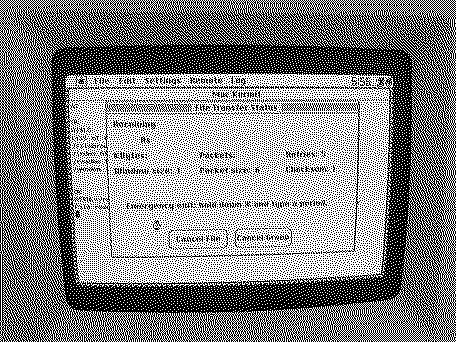
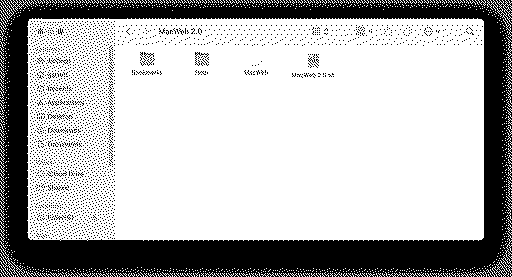
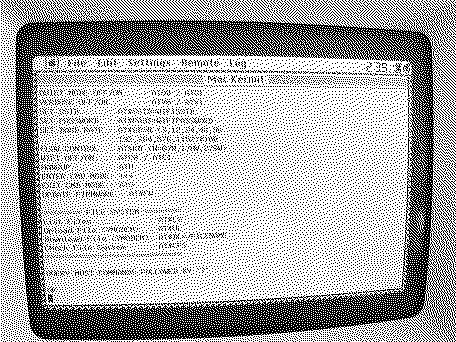
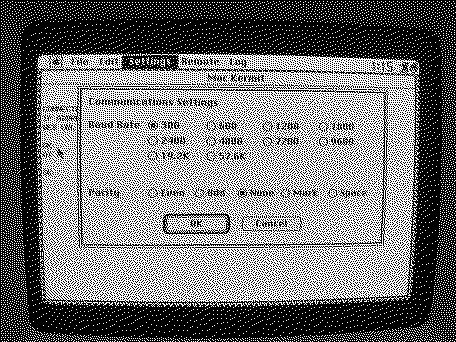
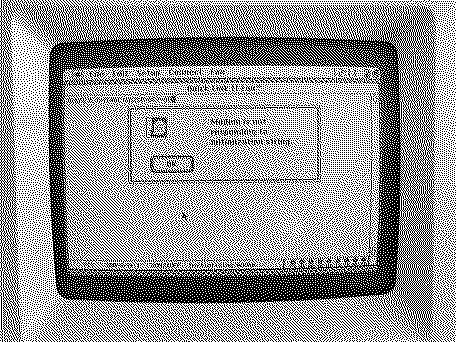
I'm going to start that I'm a complete "newbie" when it comes to BBS and manually using modems. It was before my time... my childhood experiences with networking were with Windows Vista. :LOL: However, I've explored telnet using Telehack and PuTTY. The only functional vintage Macintosh I have at the moment is my "SuperSE" -- an SE with a Mobius '030 accelerator. It didn't take much to get the modem working while following the getting started guide. I lucked out (for reasons mentioned later) because the previous owner of this particular machine had installed Red Ryder and Kermit. Kermit worked fine once I discovered how to configure it to work with the modem. However, I couldn't figure Red Ryder out, and wonder if anybody here might be able to help me. Searches told me that Red Ryder is indeed a terminal emulator, like Kermit, but it doesn't display anything when I try to use it -- even after configuring it. I haven't changed the modem settings beyond the standard: 300 baud, 8 bits, no parity. It works on Kermit, but not Red Ryder? I noticed Kermit allowed me to give me the option for software flow control (I used XON, which worked), but RR does not... perhaps that's the issue? One thing I tried was file transfer, or the download of an included text file from the modem's onboard storage. I got a directory listing and a note, but couldn't actually download either in Kermit or using YMODEM in Red Ryder. Kermit (photo below) would attempt the download, but would just keep retrying without any real success. Any tips for getting Red Ryder to work and/or successful file transfers? It'd be awesome to have a way to transfer large files to my SuperSE. It is a non-FDHD/SuperDrive SE, so it can only accept <800 MB double-density disk images. The accelerator card makes it so that I can't use the FloppyEmu's HD-20 emulation mode. I've really been held back on using this machine to a fuller potential because it's so hard to get larger files onto it, and a lot of software (especially games!) come in high-density 1.44 MB images it needs help with. Ultimately I'd like to get a System 6 browser (currently eyeing MacWeb, suggestions for other System 6-compatible browsers welcomed) on it, but I can't because I can't even get the software open. That brings me to my next question: How to open it? I have StuffIt Expander and The Unarchiver both on my M1 Mac mini, and when I unstuff the StuffIt archive for MacWeb it spits out an application and some associated files. My thought was to transfer all of those files from my Mac mini to the SuperSE using the modem. What would be the best way to do that? I've noticed other software, like ZTerm, which I tried to download in case Kermit or Red Ryder didn't work, gave me similar issues. I'd like to finally figure out the solution and move forward. Any help would be greatly appreciated.
Liked by Bolkonskij |
|
YMK Active Tinkerer -------- Joined: Nov 8, 2021 Posts: 408 Likes: 343 |
Jul 4, 2023 - #2
Send the .sit over the wire and expand it on the SE. Try turning off flow control completely. The Mac can easily keep up with these speeds so there's usually no need for it. Liked by adamgracrrgvandBolkonskij |
|
gfuller New Tinkerer Missouri, USA -------- Joined: May 9, 2023 Posts: 62 Likes: 17 |
Jul 4, 2023 - #3
Liked by adamgracrrgv |
|
YMK Active Tinkerer -------- Joined: Nov 8, 2021 Posts: 408 Likes: 343 |
Jul 4, 2023 - #4
Turn off flow control, make sure you've got 8-N-1 on both ends (8 data bits, no parity, one stop bit).
Try sending at 38400 baud. 300bps will take forever. If Ymodem or Kermit give you trouble, try Xmodem. Also remove all modem init commands. They'll confuse the other end. Liked by adamgracrrgv |
|
YMK Active Tinkerer -------- Joined: Nov 8, 2021 Posts: 408 Likes: 343 |
Jul 4, 2023 - #5
For file transfer, you'll want a null modem setup between your SE and Mac Mini, which will need its own terminal program running.
This involves a USB to RS232 adapter on your Mini, wired to the 8-pin DIN on the SE. Liked by adamgracrrgv |
|
gfuller New Tinkerer Missouri, USA -------- Joined: May 9, 2023 Posts: 62 Likes: 17 |
Jul 4, 2023 - #6
What are the modem init commands, and how do I remove them? Hopefully I'm not asking too many dumb questions... this is my first time working with "old" networking/modem systems. Liked by adamgracrrgv |
|
gfuller New Tinkerer Missouri, USA -------- Joined: May 9, 2023 Posts: 62 Likes: 17 |
Jul 4, 2023 - #7
|
|
YMK Active Tinkerer -------- Joined: Nov 8, 2021 Posts: 408 Likes: 343 |
Jul 4, 2023 - #8
I'm not familiar with your modem or how it would be useful to move files around. Does it have some kind of attached storage?
I was suggesting connecting the SE to the Mini without the modem. Liked by adamgracrrgv |
|
gfuller New Tinkerer Missouri, USA -------- Joined: May 9, 2023 Posts: 62 Likes: 17 |
Jul 4, 2023 - #9
I unfortunately don't have a USB-to-RS232 connector to directly link the SE to my Mac mini. :( The SE has been able to connect to BBS (theoldnet.com, etc.) in Kermit but I haven't been able to get Red Ryder working. Red Ryder won't even let me insert an AT command, even after setting baud rate, parity, and # of bits. Thanks for all the help so far... I'll keep experimenting this evening and hopefully can figure out something that works. |
|
YMK Active Tinkerer -------- Joined: Nov 8, 2021 Posts: 408 Likes: 343 |
Jul 4, 2023 - #10
It's the better tool for what you want to do and they're cheap. This "modem" is a WiFi adapter that appears to be geared to browsing or creating BBSs over the web. Being stuck with a 2MB limit isn't much better than floppies. Liked by adamgracrrgv |
|
gfuller New Tinkerer Missouri, USA -------- Joined: May 9, 2023 Posts: 62 Likes: 17 |
Jul 4, 2023 - #11
Liked by adamgracrrgv |
|
YMK Active Tinkerer -------- Joined: Nov 8, 2021 Posts: 408 Likes: 343 |
Jul 4, 2023 - #12
You run a terminal program on each one with common line settings. The SE will manage 38400 baud, maybe even 57600. Turn off local echo and disable flow control. If your settings are correct, keystrokes from one machine will show up as text on the other. At that point, set the SE to receive a file with Xmodem/Ymodem/etc. With Putty or other terminal on your Mini, send a file using the same protocol and the transfer begins. You'll have to buy or make an adapter between DE-9 and Mini DIN 8. Something like this: https://www.ebay.com/itm/124963573733 EDIT: You must have one already if you're connected to the TheOldNet, but the gender may not be right for the USB adapter. |
|
gfuller New Tinkerer Missouri, USA -------- Joined: May 9, 2023 Posts: 62 Likes: 17 |
Jul 5, 2023 - #13
How do I get YMODEM transfers to work? I've ordered the cable (actually this one, which is cheaper) but still haven't been able to successfully download the readme included on the modem's internal storage.
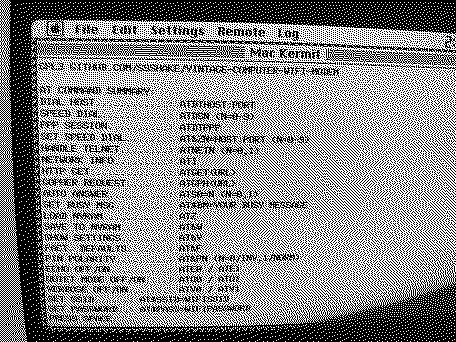
I was able to increase the modem speed slightly to 9600 baud... haven't went any higher. I could only change the modem baud rate and other settings via the browser on my MM through its control panel. The "AT$SB=96" (or "AT$SB=9600") nor "AT$KN" (to disable flow control) settings would do anything in Kermit, and after adjusting the baud rate (via the control panel) things got even worse. After adjusting Kermit to match the modem's 96000 baud rate, it wouldn't respond to any of my keystrokes. I could, however, force it to connect to a host using the control panel, which was displayed in Kermit. I still haven't got Red Ryder to do anything. Even with the same settings as Kermit, it would not accept transfers via Ymodem or respond to my keystrokes. Forcing it to load a host via the control panel does nothing with Red Ryder, unlike Kermit, even with matching settings. I have saved a copy of Fetch to the modem's internal storage, so if I can figure out how to download it using YMODEM I might be able to get an FTP client working on the SE for file transfer.
|
|
YMK Active Tinkerer -------- Joined: Nov 8, 2021 Posts: 408 Likes: 343 |
Jul 5, 2023 - #14
Those strings typed into Kermit aren't changing Kermit's settings; they're sent as-is to the modem. The problem with changing the modem's connection settings in-band like this is the connection is broken immediately. If you can change the modem's settings with the web interface, do that. The AT commands for changing connection parameters are best avoided. The USB adapter looks good. I haven't used Mac Kermit before. Does it speak YModem or just Kermit? The classic Mac terminal program I've used most is Quick Link II Fax. |
|
gfuller New Tinkerer Missouri, USA -------- Joined: May 9, 2023 Posts: 62 Likes: 17 |
Jul 5, 2023 - #15
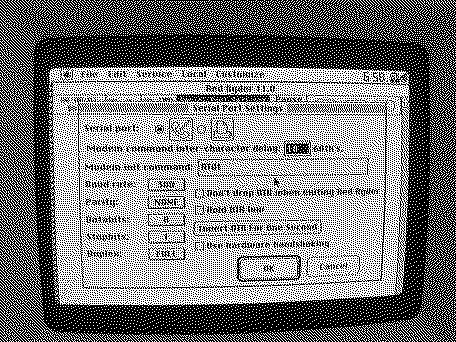
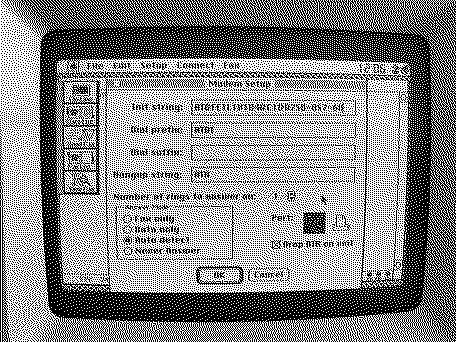
Kermit doesn't speak YModem, which is the reason I need to figure out how to get Red Ryder working. Red Ryder can speak YModem (and Kermit, and most others) and is a terminal emulator like Kermit. I couldn't find the more "advanced" settings, such as handshake type. The Red Ryder modem configuration menu is seen in the top photo of my original post. Even with the same settings as Kermit (300 baud, no parity, 8 bits, 1 stop bit and full duplex) it doesn't do anything. I'd install ZTerm but it's one of the programs I haven't been able to open. :( I'm going to experiment more
|
|
gfuller New Tinkerer Missouri, USA -------- Joined: May 9, 2023 Posts: 62 Likes: 17 |
Jul 11, 2023 - #16
I finally got the cable to directly link the SE to my Mac mini. Now, how can I get a direct connection working to transfer files between them?
I've installed Quick Link II Fax on the SE, which seems fairly similar to Kermit and Red Ryder (if I can get it working). Quick Link II Fax only "half" works right now. It seems to be acting strange... it (the modem?) doesn't respond to any of my AT commands in QLII. AT commands worked fine in Kermit most of the time if you're set at 300 baud/300-8-N-1. (Still nothing on Red Ryder, even with those same exact settings.) Even with those settings QLII didn't respond. It did, however, respond to me "dialing" telehack.com from the "modem" control panel. Unlike Kermit, left brackets followed by 'K' would appear when backspacing on telehack. QLII also reported that the "modem" wouldn't respond to its AT initiation command. I'm guessing there's settings that are misconfigured, or something isn't right. This is all a learning experience, and makes me appreciate modern technology more. :LOL: All three terminal emulators installed on this machine are behaving differently.
|
|
YMK Active Tinkerer -------- Joined: Nov 8, 2021 Posts: 408 Likes: 343 |
Jul 11, 2023 - #17
AT commands aren't going to work because there's no modem in the picture.
The connection is always established. Turn off flow control, set your baud, etc and type characters in one window. They should appear on the other computer. |
|
gfuller New Tinkerer Missouri, USA -------- Joined: May 9, 2023 Posts: 62 Likes: 17 |
Jul 11, 2023 - #18
The "modem" now responds to AT commands sent from QL II after rebooting it. Sorry for all the dumb questions. |
|
YMK Active Tinkerer -------- Joined: Nov 8, 2021 Posts: 408 Likes: 343 |
Jul 11, 2023 - #19
When the machines are connected together, you don't use any AT commands. Connection settings are set within the menus of each program. Once the wiring and settings are correct, characters typed on one terminal will appear on the other. At that point, you're ready to receive a file on the SE and send it on the Mini. If one of your cables isn't a crossover, you'll end up with this wiring: SE TX - Mini TX SE RX - Mini RX ...which won't work. In that case, you'll have to swap the RX and TX on one side (easier done on the RS-232/Mini side). Or you can buy a null modem adapter that will swap the two pins to get the proper wiring: SE RX - Mini TX SE TX - Mini RX
No. Putty will only change the settings of the serial port you specify. Liked by gfuller |
|
Byte Knight Tinkerer -------- Joined: Oct 21, 2021 Posts: 133 Likes: 116 |
Jul 11, 2023 - #20
You'd be better off with a gurumodem, which allows you to FTP from the modem to your modern computer, save files to its SD card, then download via XMODEM or ZMODEM to your SE with your terminal program. I used this setup for quite a while before I set up a netatalk file server.
You could also get on CQ II BBS (cqbbs.ddns.net:6800) with your current setup and download just about anything you need from there! ZTerm is a much better modem terminal program and you can get it from the Mac Terminal Programs in the Downloads section. You'll wanna connect at more than 300 baud though! :) Liked by gfuller |
| Page 1 of 3 | Next > | Last >> |
| Home | Forums | What's New | Search | Bookmarks | RSS | Original | Settings |
| XenForo Retro Proxy by TinkerDifferent.com |