|
* TinkerDifferent *
Retro Computing Community |
| Home | Forums | What's New | Search | Settings |
| Radius Macintosh SE Full Page display pictures |
Forums > Vintage Apple > Macintosh > Clones & Conversions
|
T-Man Tinkerer -------- Joined: Oct 30, 2021 Posts: 56 Likes: 37 |
Dec 13, 2025 - #1
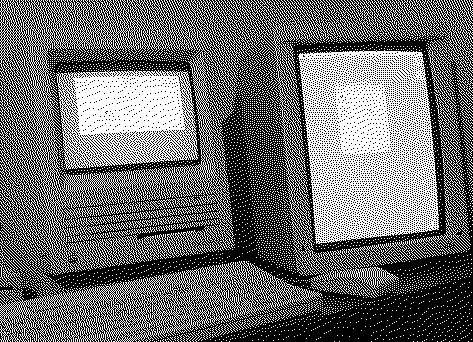
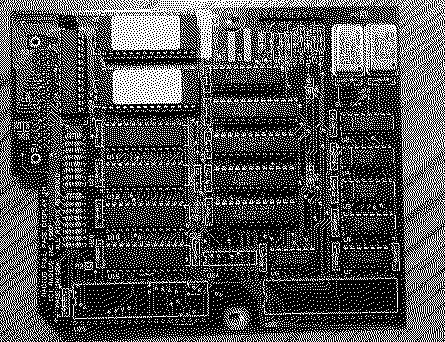
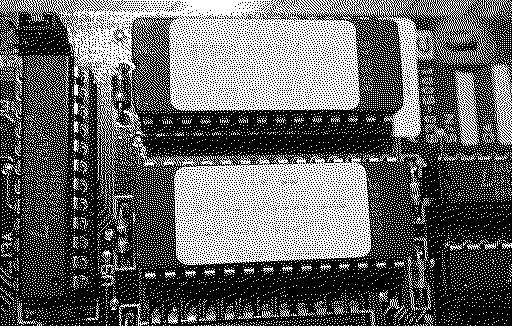
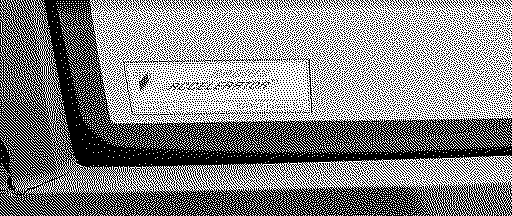
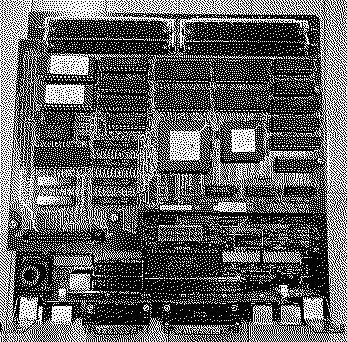
Just adding these for possible informational purposes for any cloners out there. All photos are the same system/card.
Liked by Trash80toG4 |
|
Scout New Tinkerer CA -------- Joined: Apr 13, 2022 Posts: 41 Likes: 6 |
Dec 14, 2025 - #2
Appreciate the info. I believe I have the same set up. I have been able to get the FP Display working but cannot run both screens at same time. My Display is a really early one. I also downloaded some software that may allow both screens to display but I think my ROM may be incorrect. Anyway, long story short, I will check my card and compare to yours and if we are the same, maybe you can advise how to get both screens to work at the same time.
|
|
T-Man Tinkerer -------- Joined: Oct 30, 2021 Posts: 56 Likes: 37 |
Dec 14, 2025 - #3
Check the ROM version for sure; it's a real knuckle buster to get these out but probably possible to read and burn; pretty sure when mine boots, both screens are on
Liked by Scout |
|
Trash80toG4 Active Tinkerer Bermuda Triangle, NC USA -------- Joined: Apr 1, 2022 Posts: 1,131 Likes: 329 |
Dec 16, 2025 - #4
Nice! That was my setup of dreams in 1988!
Doing graphics thru the SE Periscope was so frustrating that I almost bought the 12" XL. Thankfully waited for a used IIx, graduating to a cheap 19" TPD Football Field, still single bit, but oh what a difference! |
|
T-Man Tinkerer -------- Joined: Oct 30, 2021 Posts: 56 Likes: 37 |
Dec 17, 2025 - #5
Was observing today; on startup both screens light to the grey typical back ground, then the Radius accelerator badge on external screen then the full page display page badge on external screen then the mac smiley face on the SE internal screen. After boot, then menu is at the top of the external monitor and the entire small internal screen is just the background grey but the mouse and can move drag between both screens.
...Then the SE crashes with no screen no chime and an electric burning smell, so kinda have another project now.... T
Liked by Scoutandphunguss |
|
Scout New Tinkerer CA -------- Joined: Apr 13, 2022 Posts: 41 Likes: 6 |
Dec 18, 2025 - #6
Oh No!!!
|
|
T-Man Tinkerer -------- Joined: Oct 30, 2021 Posts: 56 Likes: 37 |
Dec 18, 2025 - #7
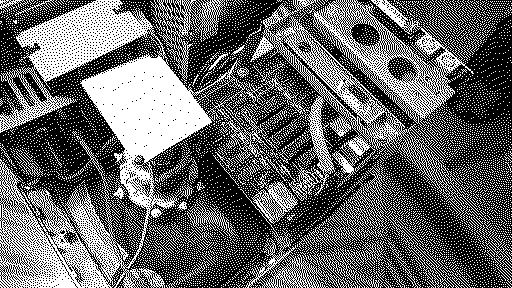
While I was in here, this is the SE Mainboard with the accelerated on top with the plugin for the video card.
|
|
Trash80toG4 Active Tinkerer Bermuda Triangle, NC USA -------- Joined: Apr 1, 2022 Posts: 1,131 Likes: 329 |
Monday at 7:39 PM - #8
|
|
Scout New Tinkerer CA -------- Joined: Apr 13, 2022 Posts: 41 Likes: 6 |
Monday at 11:34 PM - #9
|
|
Trash80toG4 Active Tinkerer Bermuda Triangle, NC USA -------- Joined: Apr 1, 2022 Posts: 1,131 Likes: 329 |
Monday at 11:45 PM - #10
You can set it up so that the cursor travels in a straight line between screens. That was much of the breakthrough. I'll try to search out that video.
Liked by Scout |
| Page 1 of 1 |
| Home | Forums | What's New | Search | Bookmarks | RSS | Original | Settings |
| XenForo Retro Proxy by TinkerDifferent.com |