|
* TinkerDifferent *
Retro Computing Community |
| Home | Forums | What's New | Search | Settings |
| PRAM replacement on later Powerbook G4? |
Forums > Vintage Apple > PowerBooks & iBooks > PowerBook G4 & iBook G4
|
jenna32bit New Tinkerer United States -------- Joined: Aug 19, 2022 Posts: 13 Likes: 7 |
Sep 17, 2022 - #1
So I have a 1.33GHZ/17" Powerbook 5,3. It gets quite upset if the main battery runs out of charge. Boots to a shrill alarm unless I give it a few minutes to juice up, and loses date & time. Basically, exactly the expected symptoms of a dead PRAM battery.
In these, the battery is on a board with several of the ports and it is not a distinct part. Any advice on replacing these, is there a best option that's got all the right tabs on it already? I'm hoping to beef up this machine, but want to get the foundations solid first. |
|
jenna32bit New Tinkerer United States -------- Joined: Aug 19, 2022 Posts: 13 Likes: 7 |
Sep 22, 2022 - #2
Okay maybe an easier question - it looks like these are a pair of tagged 3032 rechargeable coin batteries? And it runs them in tandem?
I'm thinking of grabbing a few of the Panasonic VL3032-F2n to pair together, thoughts? |
|
jenna32bit New Tinkerer United States -------- Joined: Aug 19, 2022 Posts: 13 Likes: 7 |
Oct 4, 2022 - #3
Keeping my own thread up to date for other folks to follow along.
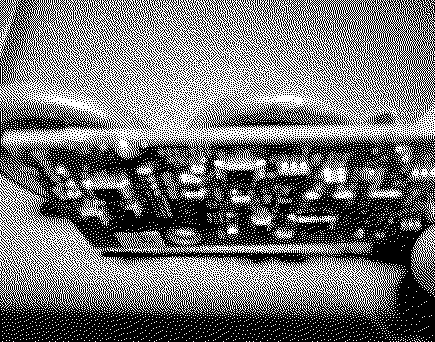
I bought some spare parts on eBay of a matching model PBG4. Here's a photo of the PRAM module that lives by the DVD drive. These are "CGL2430" batteries from Panasonic. Wired in series, I think? 3.7V. At least one tab is both under the battery and surface mount, so this will be fun. That's why I bought a spare to try instead! Edit - not quite so bad! It's three thru hole pins. Two on the same side as the USB port, one opposite.
Liked by JockelillandCertificate of Excellence |
|
Jockelill Tinkerer -------- Joined: Jul 4, 2022 Posts: 36 Likes: 38 |
Oct 6, 2022 - #4
On the G3 Lombard it's a similar solution, but with 6 in series. Bad thing is that you have to take the whole computer apart...
|
|
AdeptRapier New Tinkerer -------- Joined: Jan 16, 2022 Posts: 8 Likes: 8 |
Nov 24, 2022 - #5
Hello,
Thanks for the thread. I have the same issue with my 1.67Ghz Powerbook G4 17". How did you complete the replacement repair? Did you solder the batteries or some other way? I would love to hear a detailed post on your complete repair and if it was successful, etc. Thanks!! :) |
|
S. Pupp Tinkerer -------- Joined: Apr 2, 2023 Posts: 78 Likes: 37 |
Apr 3, 2023 - #6
I rebuilt PB G3 Lombard and PDQ batteries the same way, until obtaining a cheap Kerpu battery spot welder from Amazon, and a one-handed spot weld pen. At the mid setting, the spot welder punched a small hole in one of the coin cells. At the low setting, it worked fine. The foil method was definitely safer for coin cells, though. |
| Page 1 of 1 |
| Home | Forums | What's New | Search | Bookmarks | RSS | Original | Settings |
| XenForo Retro Proxy by TinkerDifferent.com |