|
* TinkerDifferent *
Retro Computing Community |
| Home | Forums | What's New | Search | Settings |
| Pair of PowerBook 3400c from Craigslist |
Forums > The Soap Box > Finds & Conquests
|
phunguss Active Tinkerer Stillwater, MN -------- Joined: Dec 24, 2023 Posts: 511 Likes: 439 |
Dec 21, 2024 - #1
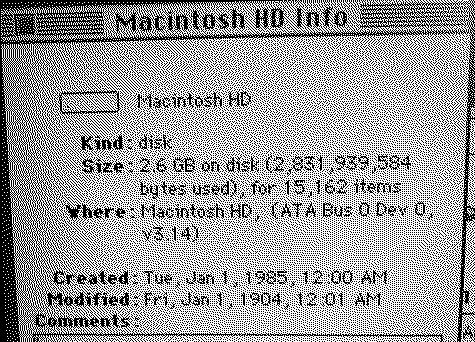
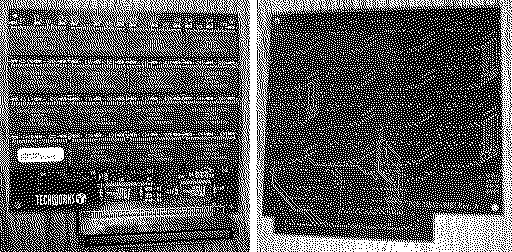
This morning I picked up a pair of PowerBook 3400c from the original owner ($175 for both). They appear quite clean. I removed the rechargeable battery and plugged in power. Both chime and start to boot. One has some hard drive clunking and then Norton Disk Doctor launches and tries to repair itself before finally freezing up. After starting with extension off, it appears to be 240MHz with 80MB RAM on 7.6 with 2.6GB HD.
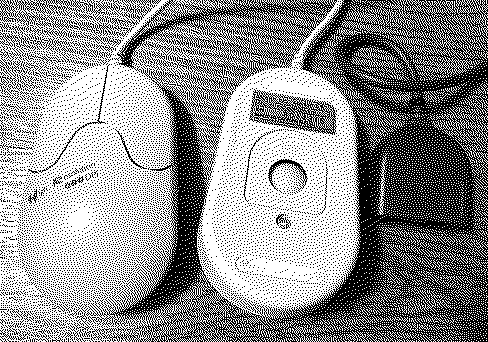
The other boots into 7.6 (appears to be 200MHz, 16MB RAM, 800MB HD) and is loaded with games. Do these need to be recapped? What other dangers are in store or can I just run them as they are? Both have a battery, floppy, CD-ROM, power cord, AM-400 ADB 400dpi ball mouse, and carrying bag. Also included a single Dual-Tray storage bay, an apple network/phone-net adapter, a battery from a G3 PowerBook (who wants it?), and a PowerBook Weight-Saving Device. I will probably try to install CF adapter cards because I think I have some old 1GB and 8GB CF cards laying around. Liked by Certificate of Excellence |
|
Garrett Tinkerer South Carolina -------- Joined: Oct 31, 2021 Posts: 144 Likes: 139 |
Dec 21, 2024 - #2
Great score! Caps are likely fine for now, but you'll want to pull the PRAM batteries ASAP. Remove the keyboard (three screws from the back), then you'll remove the speaker assembly (one screw upper left side, and you'll find the green PRAM battery stuck to the backside of the speaker assembly!
|
|
3lectr1c Active Tinkerer the United States -------- Joined: May 15, 2022 Posts: 668 Likes: 336 |
Dec 22, 2024 - #3
Caps should be fine but it wouldn't hurt to recap it if you have the skills. It will only help it live longer. Here's cap reference: https://macdat.net/repair/cap_reference/apple/powerbook/3400c.html |
|
phunguss Active Tinkerer Stillwater, MN -------- Joined: Dec 24, 2023 Posts: 511 Likes: 439 |
Dec 22, 2024 - #4
Pulled the PRAM batteries, no signs of leakage, but both had a pin that turned green with corrosion at the extender cable. Both batteries have been charging overnight and appear to be dead (will keep the computer on for a moment, I have not done a full runtime assessment).
In the interest of seeing if the cheap ebay mSATA to IDE adapter would work, I installed an 8GB into the 240. I was able to partition and install several versions of OS, but when restarting the computer from that SSD, I would get random screen garble or freezes or bombs. So I replaced the SSD with an old 20GB drive and partitioned and am installing various versions now to see if I get the same behavior. The 240MHz had a 3GB drive and the 200MHz had a 2GB drive. The 240MHz has a 64MB expansion card in it. And when I went to pull the drive from the 200MHz, I found a 32MB expansion card that was not seated properly. The 240MHz had a rubber pad on the bottom of the keyboard, possibly to hold the ram card down. No pad on the 200MHz. Upon reassembly and powering on, I got a memory error, but still only showing 16MB of ram. Maybe this 32MB is damaged from being akimbo inside the machine. More testing to be done (swap machine locations). The original 2GB and 3GB drives are 17mm tall, just barely thinner than a classic Click-Wheel original iPod.
|
|
3lectr1c Active Tinkerer the United States -------- Joined: May 15, 2022 Posts: 668 Likes: 336 |
Dec 22, 2024 - #5
SD card adapter works great in the 3400c with one caveat - it will freeze during large file copies, but only on certain OS versions. My 3400c locks up on 8.5 but not on 7.6.1.
Liked by phunguss |
| Page 1 of 1 |
| Home | Forums | What's New | Search | Bookmarks | RSS | Original | Settings |
| XenForo Retro Proxy by TinkerDifferent.com |