* TinkerDifferent *
Retro Computing Community
Home | Forums | What's New | Search | Settings
older ver. 10-b BlueSCSI Firmware update

Forums > The Lab > Software

slomacuser
Tinkerer
--------
Joined: Nov 1, 2021
Posts: 142
Likes: 138
Nov 14, 2023 - #1
Hello, just bought ST-LINK V2. Now trying to update older version of BlueSCSI and I need help. So far I have:

- ST-LINK V2
- installed Visual Studio Code for Windows 10
- installed PlatformIO IDE extension
- downloaded BlueSCSI github
- opened folder in VSC
- hook up the pill
- clicked -> upload

and got this error. Tried with holding reset on no luck.

Processing STM32F1 (platform: ststm32; board: genericSTM32F103C8; framework: arduino) ----------------------------------------------------------------------------------------------------------------------------------------------------Verbose mode can be enabled via `-v, --verbose` option CONFIGURATION: https://docs.platformio.org/page/boards/ststm32/genericSTM32F103C8.html PLATFORM: ST STM32 (17.0.0) > STM32F103C8 (20k RAM. 64k Flash) HARDWARE: STM32F103C8T6 72MHz, 20KB RAM, 64KB Flash DEBUG: Current (blackmagic) External (blackmagic, cmsis-dap, jlink, stlink) PACKAGES: - framework-arduinoststm32-maple @ 3.10000.201129 (1.0.0) - tool-dfuutil @ 1.11.0 - tool-dfuutil-arduino @ 1.11.0 - tool-openocd @ 3.1200.0 (12.0) - tool-stm32duino @ 1.0.2 - toolchain-gccarmnoneeabi @ 1.90301.200702 (9.3.1) LDF: Library Dependency Finder -> https://bit.ly/configure-pio-ldf LDF Modes: Finder ~ chain, Compatibility ~ soft Found 32 compatible libraries Scanning dependencies... Dependency Graph |-- SdFat @ 2.2.0+sha.ddbc887 |-- minIni Building in release mode Checking size .pio\build\STM32F1\firmware.elf Advanced Memory Usage is available via "PlatformIO Home > Project Inspect" RAM: [====== ] 62.3% (used 12768 bytes from 20480 bytes) Flash: [======== ] 75.8% (used 49680 bytes from 65536 bytes) Configuring upload protocol... AVAILABLE: blackmagic, cmsis-dap, dfu, jlink, serial, stlink CURRENT: upload_protocol = stlink Uploading .pio\build\STM32F1\firmware.elf xPack Open On-Chip Debugger 0.12.0-01004-g9ea7f3d64-dirty (2023-01-30-15:04) Licensed under GNU GPL v2 For bug reports, read http://openocd.org/doc/doxygen/bugs.html debug_level: 1 0 hla_swd Error: libusb_open() failed with LIBUSB_ERROR_NOT_SUPPORTED Error: open failed in procedure 'program' ** OpenOCD init failed ** shutdown command invoked *** [upload] Error 1 ============================================================ [FAILED] Took 3.20 seconds ============================================================ Environment Status Duration ------------- -------- ------------ STM32F1 FAILED 00:00:03.205 ====================================================== 1 failed, 0 succeeded in 00:00:03.205 ====================================================== Click to expand...

slomacuser
Tinkerer
--------
Joined: Nov 1, 2021
Posts: 142
Likes: 138
Nov 14, 2023 - #2
OK, just found Zadig ... something happend now :)

Processing STM32F1 (platform: ststm32; board: genericSTM32F103C8; framework: arduino) ----------------------------------------------------------------------------------------------------------------------------------------------------Verbose mode can be enabled via `-v, --verbose` option CONFIGURATION: https://docs.platformio.org/page/boards/ststm32/genericSTM32F103C8.html PLATFORM: ST STM32 (17.0.0) > STM32F103C8 (20k RAM. 64k Flash) HARDWARE: STM32F103C8T6 72MHz, 20KB RAM, 64KB Flash DEBUG: Current (blackmagic) External (blackmagic, cmsis-dap, jlink, stlink) PACKAGES: - framework-arduinoststm32-maple @ 3.10000.201129 (1.0.0) - tool-dfuutil @ 1.11.0 - tool-dfuutil-arduino @ 1.11.0 - tool-openocd @ 3.1200.0 (12.0) - tool-stm32duino @ 1.0.2 - toolchain-gccarmnoneeabi @ 1.90301.200702 (9.3.1) LDF: Library Dependency Finder -> https://bit.ly/configure-pio-ldf LDF Modes: Finder ~ chain, Compatibility ~ soft Found 32 compatible libraries Scanning dependencies... Dependency Graph |-- SdFat @ 2.2.0+sha.ddbc887 |-- minIni Building in release mode Checking size .pio\build\STM32F1\firmware.elf Advanced Memory Usage is available via "PlatformIO Home > Project Inspect" RAM: [====== ] 62.3% (used 12768 bytes from 20480 bytes) Flash: [======== ] 75.8% (used 49680 bytes from 65536 bytes) Configuring upload protocol... AVAILABLE: blackmagic, cmsis-dap, dfu, jlink, serial, stlink CURRENT: upload_protocol = stlink Uploading .pio\build\STM32F1\firmware.elf xPack Open On-Chip Debugger 0.12.0-01004-g9ea7f3d64-dirty (2023-01-30-15:04) Licensed under GNU GPL v2 For bug reports, read http://openocd.org/doc/doxygen/bugs.html debug_level: 1 0 hla_swd [stm32f1x.cpu] halted due to debug-request, current mode: Thread xPSR: 0x01000000 pc: 0x08000388 msp: 0x20005000 ** Programming Started ** Warn : Adding extra erase range, 0x0800c210 .. 0x0800c3ff ** Programming Finished ** ** Verify Started ** ** Verified OK ** ** Resetting Target ** shutdown command invoked =========================================================== [SUCCESS] Took 6.13 seconds =========================================================== Environment Status Duration ------------- -------- ------------ STM32F1 SUCCESS 00:00:06.133 =========================================================== 1 succeeded in 00:00:06.133 =========================================================== * Terminal will be reused by tasks, press any key to close it. Click to expand...

slomacuser
Tinkerer
--------
Joined: Nov 1, 2021
Posts: 142
Likes: 138
Nov 14, 2023 - #3
How do I know its updated?

slomacuser
Tinkerer
--------
Joined: Nov 1, 2021
Posts: 142
Likes: 138
Nov 14, 2023 - #4
Tried Toolbox, sayin no compatible scsi found ...

the LOG file on sd

BlueSCSI <-> SD - https://github.com/erichelgeson/BlueSCSI VERSION: 1.0-b DEBUG:0 SCSI_SELECT:0 SDFAT_FILE_TYPE:3 SdFat version: 2.0.6 SdFat Max FileName Length: 32 Initialized SD Card - lets go! Imagefile: HD50_512.hda / 2147483648bytes / 2097152KiB / 2048MiB Imagefile: HD60_512.hda / 2147483648bytes / 2097152KiB / 2048MiB ID:LUN0:LUN1: 0:----:----: 1:----:----: 2:----:----: 3:----:----: 4:----:----: 5: 512:----: 6: 512:----: Finished initialization of SCSI Devices - Entering main loop. : 3:----:----: 4:----:----: 5: 512:----: 6: 512:----: Finished initialization of SCSI Devices - Entering main loop. Click to expand...

eric
Administrator
MN
--------
Joined: Sep 2, 2021
Posts: 1,151
Likes: 1,930
Nov 15, 2023 - #5
The platformio output looks fine, but your log says version 1.0-b - which I don't believe there is such a version (unless you changed it) it should be `VERSION: 1.1-20230709-SNAPSHOT`

Since it looks like you got some odd double output in the log I'd suggest doing a full overwrite format of the SD Card with SD Card Formatter (in the troubleshooting wiki page) to see if that helps.

slomacuser
Tinkerer
--------
Joined: Nov 1, 2021
Posts: 142
Likes: 138
Nov 15, 2023 - #6
>> eric said:
The platformio output looks fine, but your log says version 1.0-b - which I don't believe there is such a version (unless you changed it) it should be `VERSION: 1.1-20230709-SNAPSHOT` Since it looks like you got some odd double output in the log I'd suggest doing a full overwrite format of the SD Card with SD Card Formatter (in the troubleshooting wiki page) to see if that helps. Click to expand...
Ok, looks like its updated now but Toolbox apps do not work. Tried updating DB25 also. Same problems no compatible SCSI bus ...
Testing machines Quadra 650 and G3-266.

slomacuser
Tinkerer
--------
Joined: Nov 1, 2021
Posts: 142
Likes: 138
Nov 15, 2023 - #7
Bluescsi CD changer works but looks for CD files on ID3 even there is CD6 directory on SD card. The Quadra have a real SCSI CD drive installed on id 3.

eric
Administrator
MN
--------
Joined: Sep 2, 2021
Posts: 1,151
Likes: 1,930
Nov 15, 2023 - #8
I haven't had a chance to fully test toolbox 1.0 on v1 - It's something I plan to do this weekend and cut a release of v1.

Liked by slomacuser

eric
Administrator
MN
--------
Joined: Sep 2, 2021
Posts: 1,151
Likes: 1,930
Nov 15, 2023 - #9
Just pushed an update to the eric/toolbox branch of v1 - did a very quick test (heading out the door) but SD transfer seemed to work fine.

Please note v1 does not have any of the CD switching code in firmware yet so only the SD transfer utility will work with it.

eric
Administrator
MN
--------
Joined: Sep 2, 2021
Posts: 1,151
Likes: 1,930
Nov 17, 2023 - #10
Pushed a v1 release - tested with Toolbox 1.0.1 - https://github.com/erichelgeson/BlueSCSI/releases/tag/v1.1-20231116 Let me know if you run into any issues.

Liked by slomacuser

slomacuser
Tinkerer
--------
Joined: Nov 1, 2021
Posts: 142
Likes: 138
Nov 17, 2023 - #11
>> eric said:
Pushed a v1 release - tested with Toolbox 1.0.1 - https://github.com/erichelgeson/BlueSCSI/releases/tag/v1.1-20231116 Let me know if you run into any issues. Click to expand...
So I update it via USB or ST-LINK V2

eric
Administrator
MN
--------
Joined: Sep 2, 2021
Posts: 1,151
Likes: 1,930
Nov 17, 2023 - #12
It will depend - if you have or have flashed the USB bootloader, use USB. If not use an STLink. You can tell if you've got a USB bootloader by looking at the log.txt and the version having a -USB at the end.

slomacuser
Tinkerer
--------
Joined: Nov 1, 2021
Posts: 142
Likes: 138
Nov 17, 2023 - #13
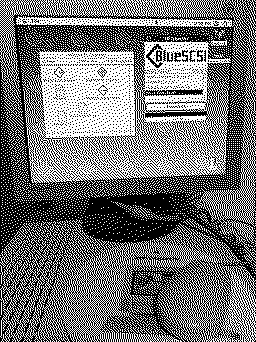
Transfer works now :) thx

Attachments:
IMG_8176.jpeg [View]

Liked by eric

Page 1 of 1

Home | Forums | What's New | Search | Bookmarks | RSS | Original | Settings
XenForo Retro Proxy by TinkerDifferent.com