|
* TinkerDifferent *
Retro Computing Community |
| Home | Forums | What's New | Search | Settings |
| Need Help with Houdini II Cable Project - DOS Compatibility Card Y Cable Replacement |
Forums > Vintage Apple > Macintosh > Beige PowerPC (Old World ROM) > NuBus-based Power Macintosh (6100, 7100, & 8100)
|
SteveHere Tinkerer St. Paul, MN -------- Joined: Oct 29, 2021 Posts: 57 Likes: 59 |
Apr 23, 2022 - #1
I've finally started on a project that's been on my list for over a year. I got a 6100 with a DOS Compatibility card from an estate sale, but it had been separated from the Y Cable. This is a common problem and so the cables are hard to find and expensive. Previously I've duplicated the Y cable for the Apple IIe card, and so I was planning to do that again for the DOS Compatibility card. This being only my second circuit board design and a more complex project my first iteration is not working so I'm here for advice.
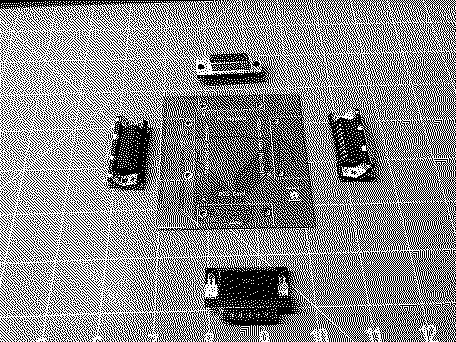
My design for this cable is based on the pinout available online here.... https://computers.popcorn.cx/apple/powermac/6100/cable/ Has anyone in the community built a cable based on this design? I'd like to verify that this information is correct. Here's my card so far... When I start the DOS machine, video does appear on the output port so that part of the design is working as expected, but video from the Mac is not passing through the card so that part of my design must have an error. (Probably self-induced) If the large plug is disconnected, would we expect the Mac video signals to pass through to the Monitor? I think that the DOS Card must be connected in order to pass through video, but since I don't have a known good cable I can't confirm. Is it possible that the cable is not entirely passive, that there are some diodes or other components embedded into the cable? If I can get this design working, it is my intention to Open Source this design and put it up on my GitHub. Thanks in advance for any help / advice that owners of the Houdini II cable can provide!
Liked by YMK,martinsmartinandAndroda |
|
Androda TinkerDifferent Board Secretary 2023 USA, Western -------- Joined: Sep 25, 2021 Posts: 523 Likes: 581 |
Apr 23, 2022 - #2
Based on my understanding, it's expected that you need the DOS card to pass through video. DOS card is basically a switch, and outputs either the Mac video or its own signal.
It's kind of an awkward setup, where Mac video has to be passed into the DOS card and then the card decides which video to output. Connectors like these bite me every time. Have to carefully count pin numbers, trace to the footprint position, and ensure that the correct style of connector is chosen (pins or socket) for your CAD program to show the pins in the right order. Thanks for working on this! Do we know if the Houdini 1 and 2 use the same cable? I have the card but am missing the cable for my Houdini 1. Liked by SteveHere |
|
SteveHere Tinkerer St. Paul, MN -------- Joined: Oct 29, 2021 Posts: 57 Likes: 59 |
Apr 23, 2022 - #3
Thanks @Androda. Going back and looking at my design based on your feedback, I changed a connector from male to female in order to make the cabling work better forgetting that this will change the order of the pins! I'll go have a look at that.
I've done a bit of poking around on the Internet to see if the Houdini and Houdini II cards / cabling are identical, but I can't find a conclusive answer that I can back up with multiple sources, sorry about that! Maybe someone else will remember? Liked by Androda |
|
wottle Active Tinkerer Fort Mill, SC -------- Joined: Oct 30, 2021 Posts: 841 Likes: 577 |
Dec 16, 2024 - #4
|
|
SteveHere Tinkerer St. Paul, MN -------- Joined: Oct 29, 2021 Posts: 57 Likes: 59 |
Dec 16, 2024 - #5
My cable design didn't work. After many hours of troubleshooting I decided I needed to break down and buy one of the Apple cables to aid the process. I do have an original cable now, but so much time has gone by that I see someone's already produced a solution and is selling them on eBay.
i haven't tried this one yet so I can't comment on the quality of this product... |
|
dougg3 Tinkerer -------- Joined: Jan 10, 2022 Posts: 33 Likes: 47 |
Dec 16, 2024 - #6
For what it's worth, earlier this year I found this shared project at OSH Park by Zuofu and made a few. It works great with my Centris 610 with a Houdini I card. I'm pretty sure the Houdini II pinout is identical -- after all, the project on OSH Park says it's for the 6100. Here are the parts I used:
It's probably more cost-effective to buy a single one from the seller on eBay, but if you need a few of them and don't mind doing some soldering and 3D printing, you might be able to save money using this design. Liked by wottleandSteveHere |
|
YMK Active Tinkerer -------- Joined: Nov 8, 2021 Posts: 408 Likes: 343 |
Dec 16, 2024 - #7
I built a cable based on that pinout and the video pass-through didn't work, though everything else did. I run the Mac and PC video outputs to a VGA selector switch instead. Good work on the PCB. I would use it with a cable between the PCB and the DOS card, perhaps in a printed box. A rigid assembly that plugs into where a cable normally goes is a lever; it will amplify the strain at the DOS card's connector whenever you tug at the video or joystick cable. If you must make a rigid adapter, place the connectors as close as possible to minimize leverage and strain. Also on layout, it's best to run ground traces/planes between high speed signals like video to minimize crosstalk. On a two layer board, good practice is to use one layer for vertical runs and the other horizontal. Use vias to avoid floating copper islands. Liked by wottleandSteveHere |
|
dougg3 Tinkerer -------- Joined: Jan 10, 2022 Posts: 33 Likes: 47 |
Dec 16, 2024 - #8
Here's what Apple said the pinout of the cable was supposed to be. The only difference compared to the pinout linked in the OP is the grounds are handled a bit differently. Not sure if that would explain the passthrough issues, but thought I'd mention it. I don't have an original cable to compare against.
Liked by wottleandSteveHere |
|
wottle Active Tinkerer Fort Mill, SC -------- Joined: Oct 30, 2021 Posts: 841 Likes: 577 |
Dec 16, 2024 - #9
I'm going to try to use your PCB and see if it works - I got a deal on PCBs at JLCPCB for $5 for 5 boards. I got all the connectors for $40. And I found some HD26 cables for about $10 each. So for about $100, I might be able to get all 4 squared away. I'd like to be able to get those DOS compatibility cards in some nice Powermac 6100s with BlueSCSIs installed so people can use them. We'll see how it goes. I've got a crazy amount of cleaning yet to be done. I'll post details of my "barn find" shortly. |
|
dougg3 Tinkerer -------- Joined: Jan 10, 2022 Posts: 33 Likes: 47 |
Dec 16, 2024 - #10
Nice! Just to clarify, it's not my PCB design, but I can confirm it works :) Also, for anyone who might be shopping around for connectors, I originally bought some DA-15 connectors that didn't fit properly. The ones I linked above have a 10.3 mm backset spacing and are correct for this PCB. In my first try, I bought some other connectors with a shorter backset spacing (8.1 mm) and they didn't fit correctly. Also, it looks like this PCB has the grounds all tied together (unlike Apple's pinout I linked) but the passthrough definitely works for me, so I dunno! Liked by wottle |
|
SteveHere Tinkerer St. Paul, MN -------- Joined: Oct 29, 2021 Posts: 57 Likes: 59 |
Dec 16, 2024 - #11
Liked by dougg3 |
|
wottle Active Tinkerer Fort Mill, SC -------- Joined: Oct 30, 2021 Posts: 841 Likes: 577 |
Dec 31, 2024 - #12
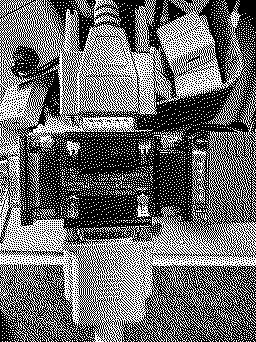
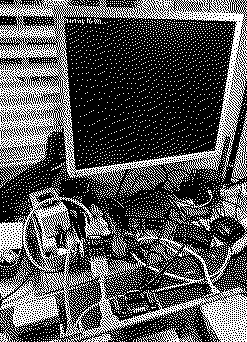
So, here's what I spent: PCBs (x5): $7.50 (I had a coupon!) Connectors (x5): ~ $55 Cables (x5): ~ $50 Case (3d printed): ~$5 That must me at about $120 for all 5, or $24 per Y adapter. Not much more than the single adapter on eBay! Here one is during testing. Will post a better photo without my disaster of a workstation, and with the case, shortly. Also, if anyone else isn't knowledgeable with how to convert files from brd files to gerbers for use at other PCB print shops, I ended up fumbling through it, and I have attached the gerber files I used.
Liked by SteveHereanddougg3 |
| Page 1 of 1 |
| Home | Forums | What's New | Search | Bookmarks | RSS | Original | Settings |
| XenForo Retro Proxy by TinkerDifferent.com |