|
* TinkerDifferent *
Retro Computing Community |
| Home | Forums | What's New | Search | Settings |
| iMac G4 Logic Board Diagnosis and Repair: Is it possible? |
Forums > Vintage Apple > Macintosh > PowerPC G3, G4 & G5 (New World ROM) > PowerMac G4, iMac G4 & eMac
|
jeffburg Tinkerer -------- Joined: Aug 17, 2025 Posts: 34 Likes: 29 |
Sep 24, 2025 - #1
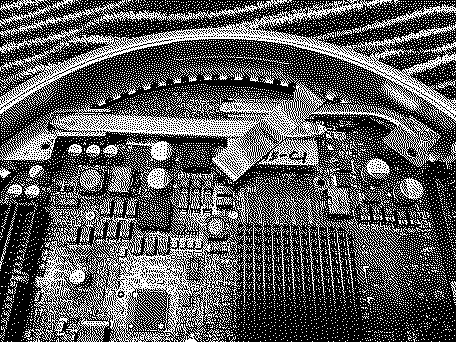
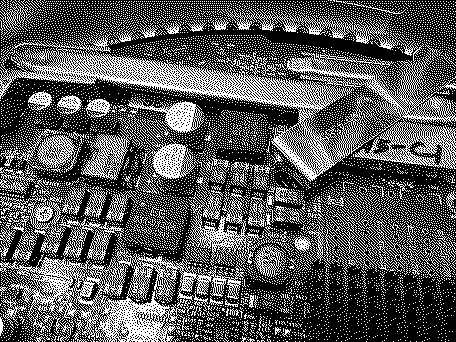
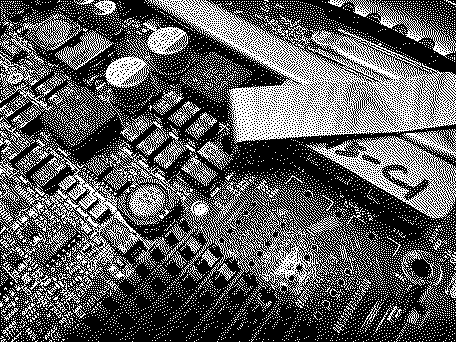
I have a 1GHz iMac G4 17" and I have been using it almost daily for the last 3 months or so. I mostly use it as a secondary video player while I use my main computer. However, recently it started booting up to 3 beeps. Normally this would mean its bad ram, but I tested 5 or 6 different ram sticks and I don't think they can all be bad. I suspect something failed on the logic board. But I am at an absolute loss about how I would even troubleshoot. I did a visual inspection but nothing appears wrong. No burn marks, no loose chips or capacitors. It all just seems fine.
Does anyone have any advice on what I could inspect on the logic board to try to diagnose? Or am I better just trying to find a replacement logic board? Thanks, Jeff
|
|
phunguss Active Tinkerer Stillwater, MN -------- Joined: Dec 24, 2023 Posts: 511 Likes: 440 |
Sep 24, 2025 - #2
There are two ram slots, an internal DIMM and an externally accessible SODIMM. You have swapped both?
|
|
jeffburg Tinkerer -------- Joined: Aug 17, 2025 Posts: 34 Likes: 29 |
Sep 24, 2025 - #3
Yeah, I tried both slots where the other slot was left empty. I have multiple ram sticks for each slot.
|
|
jeffburg Tinkerer -------- Joined: Aug 17, 2025 Posts: 34 Likes: 29 |
Sep 24, 2025 - #4
The only thing I can think of is it doesn't like the ram because it's DDR333 PC2700. It's what Other World Computing sent me when I ordered RAM for the machine. But technically the RAM it uses (according to the service manual) is PC2100 SDRAM DDR266. Not sure if that matters. That said, it worked for months with the PC2700 RAM, so not sure why it would stop suddenly.
|
|
phunguss Active Tinkerer Stillwater, MN -------- Joined: Dec 24, 2023 Posts: 511 Likes: 440 |
Sep 24, 2025 - #5
The DDR333 PC2700 will down clock itself and is backward compatible to PC2100. That should not be an issue. Anything loose? Can you see the bottom side of the complete board for any burns or scorch marks? Check wiring for possible break in insulation?
|
|
jeffburg Tinkerer -------- Joined: Aug 17, 2025 Posts: 34 Likes: 29 |
Sep 25, 2025 - #6
Thanks for hanging in there with me. I didn't remove the logic board from the bottom plate. I did when I first got the Mac for cleaning but haven't done it again since the problem started. I will try this weekend and see if there is anything noticeably wrong.
|
| Page 1 of 1 |
| Home | Forums | What's New | Search | Bookmarks | RSS | Original | Settings |
| XenForo Retro Proxy by TinkerDifferent.com |