|
* TinkerDifferent *
Retro Computing Community |
| Home | Forums | What's New | Search | Settings |
| iMac G3 speaker replacement success |
Forums > Vintage Apple > Macintosh > PowerPC G3, G4 & G5 (New World ROM) > PowerMac G3 & iMac G3
|
mac27 Tinkerer Virginia, USA -------- Joined: Apr 30, 2024 Posts: 119 Likes: 140 |
Jun 16, 2024 - #1
Replacement of the iMac G3 internal speakers - I recently took on this project, which had been needing done for quite a while. Figured I'd document it here in case it is helpful to others in the future.
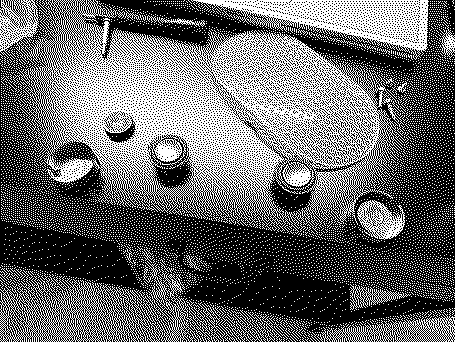
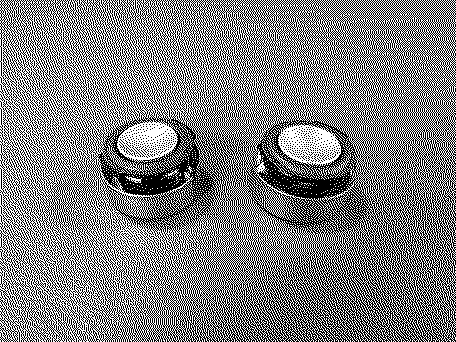
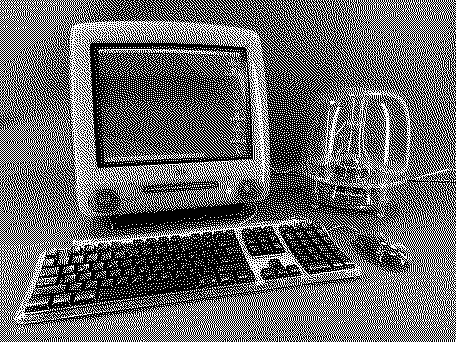
My iMac's speakers had rotted out pretty badly; they sounded terrible and were falling apart (as is typical for these nowadays). I didn't want to go with OEM parts since they'd be just as prone to the same issue, so I ordered these replacement drivers instead (which, despite coming all the way from China, somehow arrived in less than a week). These are direct slot-in replacements and there is no soldering required. Removing the speaker assemblies from the iMac was the hardest part of this; they are held in place with a retaining clip (part of their acrylic housing) that you can't access and can barely even see. I eventually figured out that you have to pull the assemblies outboard (away from the center of the iMac) a bit, to bend the clips and allow them to release much more easily. This is the *opposite* of what many of the online guides tell you to do, but thanks to a few helpful folks on FB for suggesting this. You can then pry sideways with a screwdriver against the central chassis and they eventually come out. What a terrible design, lol. After that, getting the new drivers installed into the housings wasn't too hard. Getting the flanges/tabs on the new drivers to slip into the slots on the two halves of the housings while reassembling them was a bit fiddly but using some hot glue to hold the drivers in place helped. The spade connectors were extremely difficult to remove from one of the speakers for some reason, so I had to cut the tabs off and use two pairs of pliers to yank them out. Some isopropyl alcohol helped remove the sticky remains of the old surrounds from the housing bezels. Be sure to re-route the wires through the housing as they were originally. The original drivers have a metal shield and magnet glued onto their backs, which I couldn't see a way to remove. The new drivers work fine without them. Would be interested to hear if anyone has experience re-using them with new drivers. Very happy to have an iMac that sounds great again (especially when paired with the iSub!) and no more sticky green mess. It's given me a bit more confidence to tackle a re-surround of my G4 Cube speakers and standalone Pro Speakers sometime in the future. I understand those do require soldering but otherwise a fairly similar job. Original rotten driver Original (left) vs. new part (right) Refurbished speakers ready to be reinstalled into the iMac Sounds great now - especially with the iSub hooked up!
Liked by RetroViator,eric,rikerjoeand 3 others |
|
Nixontheknight Tinkerer -------- Joined: Nov 3, 2021 Posts: 190 Likes: 34 |
Jun 16, 2024 - #2
I will say,, you can also use replacements for a certain JBL speaker, though I forget which
|
|
mac27 Tinkerer Virginia, USA -------- Joined: Apr 30, 2024 Posts: 119 Likes: 140 |
Jun 16, 2024 - #3
Yeah, there are probably several replacement options available. These sound fine but not amazing, but I'm not sure how much of that is related to the original metal shields and magnets not being present on the backs anymore.
|
|
dgveedubbus89 New Tinkerer Homestead, FL -------- Joined: Jun 11, 2024 Posts: 19 Likes: 12 |
Aug 26, 2024 - #4
I know this was a bit ago but I just did this speaker replacement last night on my DV SE. I used some JBL replacements from Amazon and they also fit perfectly.
The rear housing of the old speakers are meant to shield the CRT from the magnetism of the speakers. They are glued to the old speakers but I was able to use a flathead screwdriver and some force with a hammer on my garage floor to separate the two, granted the old magnets are now destroyed but that fact the drivers were useless makes that a null problem. I simply super glued the shields to the new replacement speakers and they went it w/o a hitch. I too used a bit of hot glue to keep things secure and I am happy to report that the replacements sound great. Now how does one get an iSub!!! That setup looks way too cool!!! Liked by Certificate of Excellence |
|
mac27 Tinkerer Virginia, USA -------- Joined: Apr 30, 2024 Posts: 119 Likes: 140 |
Aug 26, 2024 - #5
Glad to hear it! Yeah, I figured they'd eventually come off with enough force but I lack a concrete floor to use. I've kept the old drivers so I can swap the shields over at some point in the future ... though the CRT doesn't seem to be visibly impacted by whatever magnetism is present.
The original USB iSubs can be found for pretty cheap these days! Mine came CIB with an iMac G4 I got a while back. Lots of boxed units on the 'bay as well. Liked by dgveedubbus89 |
|
Marconelly Tinkerer -------- Joined: May 2, 2025 Posts: 53 Likes: 38 |
Jun 23, 2025 - #6
Looks like these speakers are no longer available on Aliexpress. @mac27 do you have any other suggestion of what to buy? Someone on reddit recommended these as a similarly cheaper replacement, but these don't have the silver port in the middle, so they don't look stock:
Dayton Audio CE Series CE30P-4 1-1/4" Mini Speaker Driver 4 OhmDayton Audio CE Series CE30P-4 1-1/4" Mini Speaker Driver 4 OhmDayton Audio is pleased to introduce the new Commercial Engineering (CE) Series of small loudspeaker drivers. Engineers, designers, and integrators will benefit from how effortlessly these speaker components satisfy the diverse...
www.parts-express.com
Would these work? They are 4ohm, 3W - rather than 4W. Or maybe these, which only come in pack of 10, but use the rubber around the speaker, instead of that foam:
|
|
mac27 Tinkerer Virginia, USA -------- Joined: Apr 30, 2024 Posts: 119 Likes: 140 |
Jun 24, 2025 - #7
Indeed, looks like the units I used are no longer available. I agree that the drivers without the silver centers would not look stock and would therefore be unappealing to me. I see that the drivers at your third link appear to be only 24mm in diameter instead of the 34mm that is needed, but other than that they both appear to fit the bill electrically speaking (at least I think? Someone more qualified than me can comment on this).
|
|
Marconelly Tinkerer -------- Joined: May 2, 2025 Posts: 53 Likes: 38 |
Jun 24, 2025 - #8
I've ordered these, so I'll see how it goes. They were just $5, so I don't mind even if they end up not working:
https://www.aliexpress.us/item/1005006899813268.html I felt a bit bad because speakers on my G3 sounded OK until some game that doesn't obey the system volume setting blasted music through them at max volume, which destroyed them instantly. I'm sure that foam was already rotted away in some part, but it still sounded perfectly fine at a normal volume level. |
|
mac27 Tinkerer Virginia, USA -------- Joined: Apr 30, 2024 Posts: 119 Likes: 140 |
Jun 25, 2025 - #9
Yeah, something similar happened to mine which finally provided me with a good reason to move forward with the replacement. Let us know how it goes with these, hopefully they will be a suitable replacement.
|
|
mac27 Tinkerer Virginia, USA -------- Joined: Apr 30, 2024 Posts: 119 Likes: 140 |
Nov 6, 2025 - #10
|
|
Marconelly Tinkerer -------- Joined: May 2, 2025 Posts: 53 Likes: 38 |
Nov 6, 2025 - #11
The magnets from the original speakers are there most likely to shield the CRT from the speakers. I must say however that even with these magnets in place, when running the screen in 1024x768 resolution and playing certain loud sounds, like some of the system sound effects, I can see a tiny bit of vibrating distortion on the screen while the sound is playing. This doesn't happen in games I've tried which play loud music, only when some of these isolated piercing sound effects are played loud. It also only seems to happen in the 1024x768 resolution, not in 800x600. I don't know if this was happening also with the original speakers as I never paid attention to it, and I only used the computer briefly before the original speakers blew out. I am also not sure if the orientation of those glued magnets matter, but I think I've attached them the same way they were attached originally, which is to say they were oriented in such a way that they don't firmly stick to the back of the speaker by the magnetic attraction, but were rather flipped around so that they somehow don't stay in place easily, unless they are glued. I think this was maybe done so that glued magnet cancels out the magnet in the speaker, so I tried to make it be the same way with the new speakers. Liked by mac27 |
|
mac27 Tinkerer Virginia, USA -------- Joined: Apr 30, 2024 Posts: 119 Likes: 140 |
Nov 6, 2025 - #12
This is great, thanks. I've updated the link on my site with this new source.
I still need to remove the magnets from my old ones and put them on the new. How hard were they to dislodge? My sense was that it was gonna take a serious blow with a hammer and chisel or something, done outdoors (on concrete, etc.) to pry them off but I didn't get that far. |
|
Marconelly Tinkerer -------- Joined: May 2, 2025 Posts: 53 Likes: 38 |
Nov 6, 2025 - #13
Liked by mac27 |
|
mac27 Tinkerer Virginia, USA -------- Joined: Apr 30, 2024 Posts: 119 Likes: 140 |
Nov 6, 2025 - #14
Done - I had a similar experience with mine. I did it on a concrete floor with a thin layer of vinyl on top. Little bits of chipping in the magnet but that's the cost of doing business I guess.
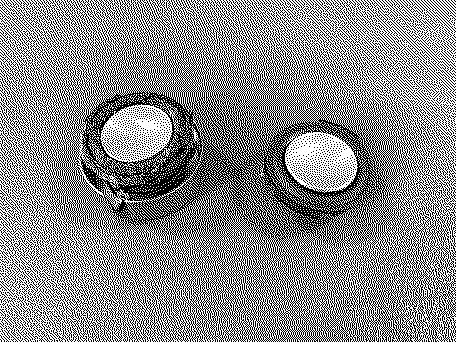
On one side the shield popped off first, and then I had to separate the magnet separately, but on the other side they came off together which made things easier. A little superglue was all it took to reinstall them onto the new drivers. I will note that I do not seem to be having the vibrating distortion issue you report, even in 10x7 mode. I usually run mine at 800x600 anyways so I guess I should be good to go. Feels good to finally have this done. Shields and magnets ready to be installed onto the new drivers (the one on the left split apart during removal) New drivers with shields and magnets installed
|
| Page 1 of 1 |
| Home | Forums | What's New | Search | Bookmarks | RSS | Original | Settings |
| XenForo Retro Proxy by TinkerDifferent.com |


![[Image: www.parts-express.com]](/proxy_image?url=https://www.parts-express.com/SSP%2520Applications/PartsExpress@SuiteCentric/SCA%25202019.1/img/285-113_HR_0.default.jpg?resizeid=104&resizeh=600&resizew=600)