|
* TinkerDifferent *
Retro Computing Community |
| Home | Forums | What's New | Search | Settings |
| iMac G3 - Installing Mac OS X Via USB |
Forums > Vintage Apple > Macintosh > PowerPC G3, G4 & G5 (New World ROM) > PowerMac G3 & iMac G3
|
puyoman.net New Tinkerer -------- Joined: May 13, 2023 Posts: 1 Likes: 1 |
May 13, 2023 - #1
Hi everyone, first post here, basically looking to solicit some expert knowledge for getting 10.3 installed onto my slot loading iMac G3.
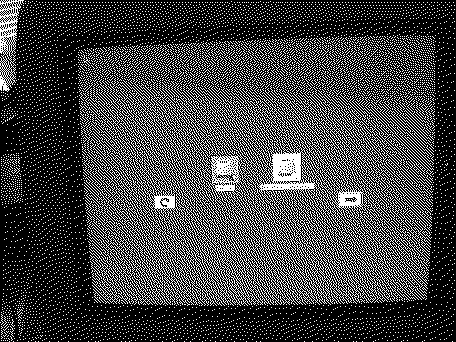
The story is: I have a slot loading iMac G3 (350MHz, 128MB RAM) and like many slot loading Macs from this era the disc loading mechanism is basically non-functional at this point (and I think the laser might be going as well). Thus, I'm looking to install from a USB flash drive. Currently it's running OS 9.2. Using this guide: "How to "burn" (or write or clone) a bootable PowerPC disk image onto an USB stick in Mac OS X using "dd" in Terminal" and "panther_cd1.toast" from: "Mac OS X PPC - Mac Garden" I was able to create a USB drive that the startup disk chooser could detect (images below); however, after a few seconds of loading I get the "prohibited" error. I've tried disc images from a couple other sites as well as previous versions of OS X (10.2 and 10.1), but they all give me virtually the same error. This happens regardless whether I boot from the startup disk chooser or Open Firmware (using boot usb1/disk@1:,\\:tbxi). Now I know this should be possible. I'm confident because I've had one almost success. This image will boot into the installer: 10.4 Tiger for G3; however, it crashes when I hit "continue" in the installer (which I imagine is because 10.4 simply needs more RAM than I have). Perhaps not coincidentally, this is the only image that I can "restore" onto the USB drive using Disk Utility (more specifically the asr Terminal program). All the others give me this error: "Could not validate source - No such process". Any ideas would be much appreciated, thanks! EDIT: a couple new notes, I've verified the "prohibited" sign is due to the system getting stuck at "Still waiting for root device". As many seem to expect, it's not normally possible to boot into OSX via USB. Thus, I'm currently poking at the 10.4 Tiger for G3 image, there's gotta be something extra in there that's allowing it to boot into OSX on USB. I've also tried copying all the files from an install disc to a blank partition on my SSD, no luck unfortunately, xpostfacto detects it as an installer disc but it won't boot. EDIT 2: I got it, if anyone stumbles upon this I made a detailed guide on my website: P.S. sorry if this is the wrong spot for this thread, I've lurked here a couple times but still unsure.
Liked by V.Yakob |
|
V.Yakob Tinkerer Syktyvkar -------- Joined: Sep 6, 2023 Posts: 129 Likes: 46 |
Jan 11, 2024 - #2
Great job.
I'm just beating my head against the table trying to start the OS X installation from a USB drive. I have PM G3 B&W, PM G4 QS, PM G4 MDD here -- OS 9 boots without problems, I used the following commands:
I also tried to specify the path directly to BootX, but it doesn't work either. So I tried with the recorded image via dd:
I also tried to do on your advice, to copy the distribution manually to the USB stick partition. Scheme of partitions on this stick "Apple". But it's also unsuccessful.
I've tried different USB drives, different distributions, different ports in Mac, but the result is always the same: OS9 (MacOS09Lives) starts, the OS X installer does not start. Is there anyone who managed to run an OS X installation from a USB drive on a PowerMac? What's the secret? |
|
Certificate of Excellence Active Tinkerer United Sates -------- Joined: Nov 1, 2021 Posts: 765 Likes: 530 |
Jan 12, 2024 - #3
I have not been able to. Install flashdrives & PPC are such a pita lol. That is why I ended up using a known good USB super drive to boot physical installation media. Definitely a cop out of sorts but I was tired and just needed to get it done lol. The drive I use when I need to install to a imac is my LG portable super multidrive model# GP10NB20 plus the media. I have also used my old Lacie FW400/USB optical drive enclosure. You can knock somebody out with that one lol :)
|
|
V.Yakob Tinkerer Syktyvkar -------- Joined: Sep 6, 2023 Posts: 129 Likes: 46 |
Jan 17, 2024 - #4
My friend from another forum managed to find the original OS X 10.4.6 image, which can be easily booted from a USB drive. You can check it out: 1. Download #32 from here 2. Deploy to USB
On the G5, if you use USB on the front panel
I tested it on QS, MDD and G5 (Dual Core). Aaarrrrr!!!! P.S. Does anyone have an iMac G3 to check it out? Liked by OptixandCertificate of Excellence |
| Page 1 of 1 |
| Home | Forums | What's New | Search | Bookmarks | RSS | Original | Settings |
| XenForo Retro Proxy by TinkerDifferent.com |