|
* TinkerDifferent *
Retro Computing Community |
| Home | Forums | What's New | Search | Settings |
| I just can't say NO - B&W G3 |
Forums > The Soap Box > Finds & Conquests
|
phunguss Active Tinkerer Stillwater, MN -------- Joined: Dec 24, 2023 Posts: 511 Likes: 437 |
Jul 25, 2024 - #1
I stopped by Free Geek Minneapolis yesterday. A lonely B&W "no chime, no boot, $10 as-is". I had to take it home.
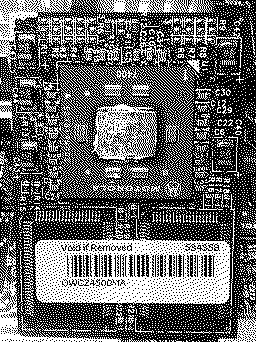
The data plate on the back shows it is a 450MHz, so not likely a gen1 motherboard. I cracked it open this morning before heading off to work to see what lays in store... Two SCSI cards, both a 68pin Adaptec and a 25pin external / 50pin internal Adaptec. No SCSI drives installed, but an IDE drive was present under the optical drive. Ok, lets plug it in and power on: green light on front, some green lights on the mobo, no chime, no video. Pulled all ram but one stick, pulled the two SCSI cards out. Still no chime. The speed control bar was missing and jumpers installed... looked to be at 500MHz, so I thought maybe someone was trying to overclock the 450. Dropped it down to 450, and I got a very quiet scrambled audio buzz instead of a chime. Possible dead CPU? So I threw in a spare 350MHz G3 and changed the speed to 350. I got a quiet chime with a tiny bit of garble, but still no video. Something strange about the CPU I pulled out... Appears to be an OWC Zif 500MHz G4!!!! Made for beige G3 up to 533MHz and B&W to 500MHz. Something to play with this weekend. Glad I did not say "no."
Liked by Kai Robinson,ComputerCompulsiveanderic |
|
Certificate of Excellence Active Tinkerer United Sates -------- Joined: Nov 1, 2021 Posts: 765 Likes: 530 |
Jul 25, 2024 - #2
Awesome score :)
If I lived near Free Geek, my wife would divorce me for sure. :D Liked by Kai Robinsonandphunguss |
|
phunguss Active Tinkerer Stillwater, MN -------- Joined: Dec 24, 2023 Posts: 511 Likes: 437 |
Jul 26, 2024 - #3
I got it to boot, originally thought it was IDE bus, but it was a bad ram. I cannot get the G4 to boot, but I had a spare G3-350MHz ZIF, so that boots fine at 350 and 400. I checked for the G4 enabler (OWC/NewerTech), and it is active. No variation of jumpers on CPU speed will boot the G4. I have been googling and I see that some of the faster CPUs will slow the bus speed down to 66MHz vs the 100MHz standard. I am wondering if there is a way to manually change the bus to 66 to see if it will boot the G4? I can't find anything regarding B&W bus speed changes with jumpers.
Mobo and Video card tested good, so possible dead G4-500MHz ZIF. Liked by ClassicHasClass |
|
ClassicHasClass Tinkerer -------- Joined: Aug 30, 2022 Posts: 386 Likes: 215 |
Jul 26, 2024 - #4
I have a Yosemite similar to that. It was originally running NetBSD but now I think I'll try slapping the new build of Windows NT 4 on it.
Liked by Certificate of Excellence |
|
phunguss Active Tinkerer Stillwater, MN -------- Joined: Dec 24, 2023 Posts: 511 Likes: 437 |
Jul 27, 2024 - #5
Well, if you google long enough, you can find the answers. Maybe not the answer you were looking for, but a better answer than you have right now. I managed to find this page that talks about the B&W bus speed settings. So I was able to lower the standard 100MHz to 66MHz and did some experimenting with the G3-350MHz cpu. I was able to push it all the way to 433MHz!
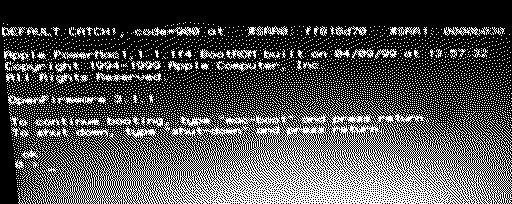
Bus 66, CPU multiplier 4.5 = 300MHz (jumpers are hanging off of one pin so I don't lose them) Bus 66, CPU multiplier 5 = 333MHz Bus 66, CPU multiplier 6 = 400MHz (which is the max it will run on the 100MHz bus setting) Bus 66, CPU multiplier 6.5 = 433MHz ! ! So I was hopeful that the G4 could possible run on the 66MHz bus, but it still shows zero signs of life. I get the chime, but no video, and the USB motherboard status lights do not come on. Back to the G3, I tried 90MHz bus and got some weird screens: I also tried 120MHz bus but neither CPU booted under that strain. There are still some undocumented multipliers and bus speeds, so more tinkering to be done at a future date.
Liked by Certificate of Excellence |
|
phunguss Active Tinkerer Stillwater, MN -------- Joined: Dec 24, 2023 Posts: 511 Likes: 437 |
May 28, 2025 - #6
Revisit May 2025
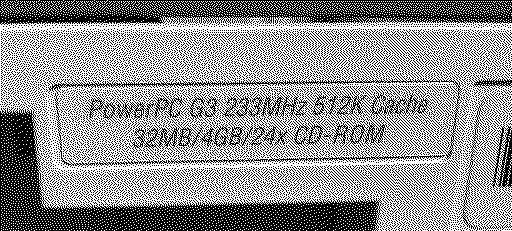
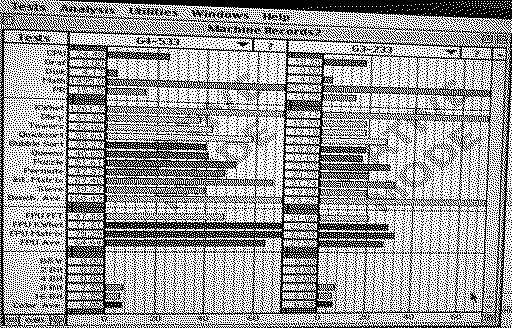
I finally got my hands on a desktop Beige G3-233 (overpaid on eBay for local pickup, because pics showed it powered on). Since this mystery G4 ZIF was not booting in either B&W G3 I had, I wanted to test it out in an actual Beige machine. First, I installed a spare G3-350 and took it up to 400MHz. Then, I started slow with the G4 ZIF at 400, then 500, then 533MHz! Speedometer 4.0. Maybe I will play with the 66MHz bus and take it up to 85 and then see if I can get near 600MHz on the G4.
Liked by Certificate of ExcellenceandClassicHasClass |
|
phunguss Active Tinkerer Stillwater, MN -------- Joined: Dec 24, 2023 Posts: 511 Likes: 437 |
May 30, 2025 - #7
Testing more options... OSX 10.2 install from cd looks like 2+hours... I will eventually try XPostFacto for 10.4 later.
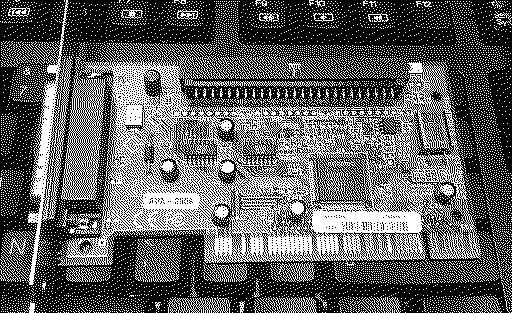
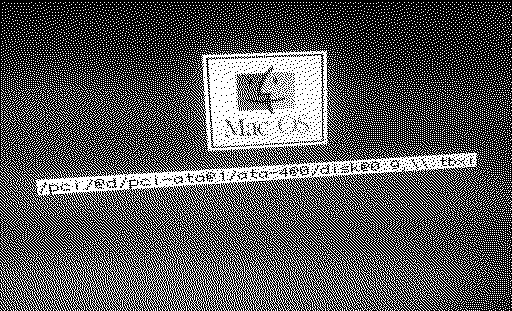
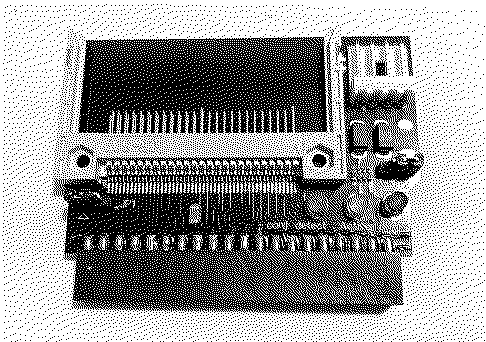
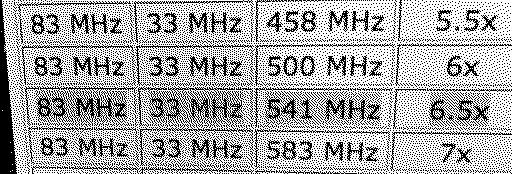
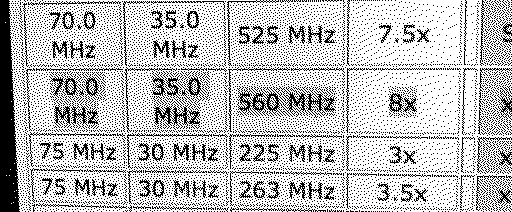
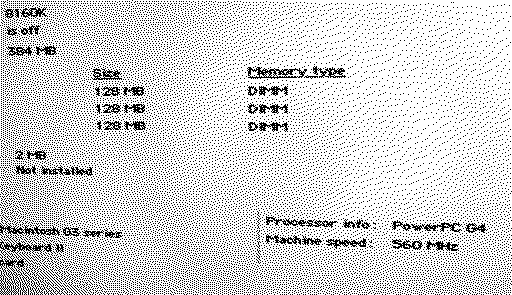
I used a CF to IDE insert directly to the motherboard on the internal hard drive bus. Since it is vertical, I can't close the case... this is just for testing. External BlueSCSI with a MicroSD to SD adapter and a 32GB SD card. Jumper settings: 84MHz base, 541MHz CPU, does not chime at all... Boo But 70MHz base and 560MHz CPU works just fine! Compared to stock 233MHz G3. In the end, I rolled it back to 533MHz so the base was the normal 66MHz.
Liked by Certificate of Excellence |
| Page 1 of 1 |
| Home | Forums | What's New | Search | Bookmarks | RSS | Original | Settings |
| XenForo Retro Proxy by TinkerDifferent.com |