|
* TinkerDifferent *
Retro Computing Community |
| Home | Forums | What's New | Search | Settings |
| How I swapped mounted ISOs silently in the background in Win98SE |
Forums > Vintage IBM Compatible PC's > Software & Operating Systems
|
Mu0n Active Tinkerer Quebec -------- Joined: Oct 29, 2021 Posts: 649 Likes: 606 |
May 22, 2023 - #1
Here's what I worked with:
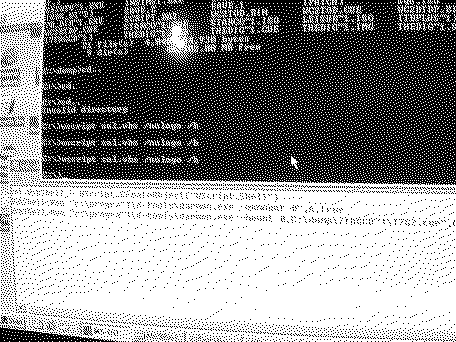
Win98SE running inside a weeCee (Tiny Vortex86-based DOS gaming PC - weeCee ) DAEMON Tools 3.47 a script.bat file that attempted to do 2 steps: -unmount drive 0's mounted CD image -mount a specific CD image contents of the bat file:
What I wanted to do: 1) Have a 'my1stCD.cue' mounted through normal means (using the graphical interface of DAEMON Tools, whatever) 2) launch a fullscreen game that stays focused and never gets alt-tabbed to desktop (otherwise, it crashes) 3) while the game is still running, have my batch run as a background task that doesn't steal focus away from the game and swaps the mounted image, so that 'my1stCD.cue' is unmounted and 'my2ndCD.cue' gets mounted *the game needs the first cd to launch itself, but then asks for disc 2 at a specific point in time because I'm nearing the end in my playthrough* Things I've tried that failed including the [reason]: 1) Just alt-tabbing away from the game to swap the disc myself [the game crashes due to a surface render error, aka it's not alt-tab friendly at all] 2) Use Win98SE task scheduler to perform a do-once task set 2 minutes in the future [fails because it steals focus and forces the view to come back to desktop, crashing the game] 3) tack on a CHOICE /c:y /t:y,60 as the first line of the script.bat file, and I run it *before* I start the game [the choice command needs windows focus of its ms-dos command window in order to run its course and elapse time] 4) mount both discs on D: and E: [the game stubbornly only accepts discs on drive D:] The solution could NOT: involve a physical optical drive, I don't have access to a vintage one, I'd rather do the solution through software only please, and I'll learn a new trick in the process The game that required all of this: The 7th Guest, a 2-disc DOS CD-ROM game Before all this, my options were:
I found a solution! Inside a Win98se command window, I type:
(wscript is vbs script hosting that appeared in late win95 and stayed on with win98 henceforth) inside sol.vbs, I have:
The lines from Dim to Loop is adjusted to wait about 65s, plenty of time to launch the script with the wscript line above, then launch the game through the Directx beta player, wait for the intro laughter to end, load my saved game that's on the 2nd floor, navigate left, fwd, fwd, fwd, right, fwd, fwd to open the door leading to the stairs of the 3rd floor (it's where you're asked to swap to disc 2), fiddle my thumbs for about 15s, then I saw it.... the cursor turned to the hourglass while daemon tools unmounted the disc 1 in D: a few seconds pass the cursor once against transformed into the hourglass indicated the disc 2 was inserted in D: then I could click on the giant CD swap image and it worked! I finally beat the game and now have a method for mounting discs at key moments for non-alt-tab-friendly games.
Liked by martinsmartinandVolvo242GT |
| Page 1 of 1 |
| Home | Forums | What's New | Search | Bookmarks | RSS | Original | Settings |
| XenForo Retro Proxy by TinkerDifferent.com |