|
* TinkerDifferent *
Retro Computing Community |
| Home | Forums | What's New | Search | Settings |
| How do I set custom desktop patterns in Mac OS 7.5? (SOLVED) |
Forums > Vintage Apple > Software & Operating Systems > Software | System Software (68k)
|
ThatOneWindowsFan New Tinkerer -------- Joined: Apr 4, 2025 Posts: 2 Likes: 0 |
Apr 4, 2025 - #1
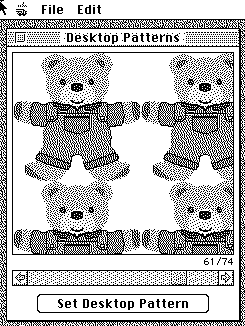
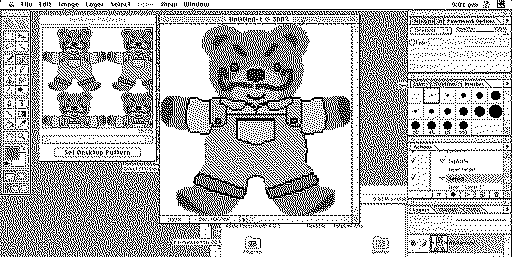
Mac OS 7.5 seems to have removed the feature to create new desktop patterns. How do I get around that? Thanks.
|
|
phipli Tinkerer -------- Joined: Sep 23, 2021 Posts: 309 Likes: 215 |
Apr 4, 2025 - #2
|
|
phipli Tinkerer -------- Joined: Sep 23, 2021 Posts: 309 Likes: 215 |
Apr 4, 2025 - #3
Liked by ThatOneWindowsFan |
|
ThatOneWindowsFan New Tinkerer -------- Joined: Apr 4, 2025 Posts: 2 Likes: 0 |
Apr 5, 2025 - #4
Thanks!
|
| Page 1 of 1 |
| Home | Forums | What's New | Search | Bookmarks | RSS | Original | Settings |
| XenForo Retro Proxy by TinkerDifferent.com |