* TinkerDifferent *
Retro Computing Community
Home | Forums | What's New | Search | Settings
HFS Read/Write Supported in macOS 12 (FuseHFS) Updated

Forums > Vintage Apple > Software & Operating Systems > Software | macOS (Apple Silicon)

eric
Administrator
MN
--------
Joined: Sep 2, 2021
Posts: 1,149
Likes: 1,928
Aug 31, 2022 - #1
2022-08-24: Release of 0.1.5 Download fuseHFS 0.1.5 At long last, fuseHFS can work again on the current macOS version, Monterey. Apple's built-in read-only support for HFS prevent us from using fuseHFS from 10.10 through 11, but we now have a working version again. This version should work with macFUSE 4.4.0 or later, on macOS 12 or later on x86-64 (ARM via Rosetta has been reported to work but is not officially supported yet). Be sure to install macFUSE first. However, only a few configurations have been tested. As such, please note this WARNING! This is hobbyist software. It has been tested on several configurations, but your system may be different, and there may be special uses that have not been tested. It never hurts to back up any important data before using new software (just copy your disk image!). Please file bug reports as GitHub issues. And again, thanks to the original author Jesus Álvarez (zydeco) ; the most crucial parts of the code are largely unchanged since his version, so we are still indebted to him. Click to expand...

fuseHFS 0.1.5

Update of FuseHFS to run on macOS 12 Monterey with macFUSE
thejoelpatrol.github.io

This looks to be great news - you /should/ be able to open/read/write RaSCSI & BlueSCSI image files directly on a modern machine.

Liked by aradiogurl,lilliputianandPatrick

reallyrandy
Tinkerer
New Jersey
--------
Joined: Oct 30, 2021
Posts: 187
Likes: 81
Feb 7, 2024 - #2
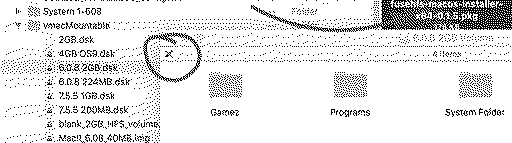
Just saw this. Tried it, doesn't work. I installed MacFuse, rebooted. Installed fusehfs 0.1.5, rebooted. All my disk images are locked.
on a Macbook Pro 2010 running High Sierra 10.13.6
Attachments:
Screen Shot 2024-02-07 at 5.11.25 PM.png [View]

joevt
Tinkerer
--------
Joined: Mar 5, 2023
Posts: 218
Likes: 85
Feb 7, 2024 - #3
>> reallyrandy said:
Just saw this. Tried it, doesn't work. I installed MacFuse, rebooted. Installed fusehfs 0.1.5, rebooted. All my disk images are locked. on a Macbook Pro 2010 running High Sierra 10.13.6 Click to expand...
Check the permissions?
ls -l vmacMountable

Does the mounted volume have the FUSE volume icon? Does "Get Info" of the mounted volume show "Format: Unknown (macfuse_hfs)"?

I'm using macOS 12.7.2 Monterey. My HFS disk images have file extension .dmg and exist on a partition that has "ignore ownership on this volume". The file extension probably doesn't matter.

Page 1 of 1

Home | Forums | What's New | Search | Bookmarks | RSS | Original | Settings
XenForo Retro Proxy by TinkerDifferent.com