|
* TinkerDifferent *
Retro Computing Community |
| Home | Forums | What's New | Search | Settings |
| Floppy drive head ribbon cable broken |
Forums > Vintage Apple > Add-ons, Peripherals & Networking
|
darvil New Tinkerer -------- Joined: Jun 14, 2023 Posts: 8 Likes: 7 |
Jun 14, 2023 - #1
Hello all, recently I got my hands on a beautiful Mac SE/30, and I've been giving some maintenance to it. Unfortunately the floppy drive didn't seem to work. After looking at it, i found out that the ribbon cable of the bottom head was broken, as seen in this image:
I was wondering if anyone would have a suggestion for this kind of problem. For now I am going to attempt to solder them back together, but I am not sure if I will be able to with my current equipment, since this seems to be way more finnicky than soldering some board components :). If I'm not able to fix it, would I be able to find some replacement? Are heads of the same type a more common piece among different models of floppy drives, or does this floppy reader only work with this specific heads? My experience with this devices isn't very broad, sorry. Thank you.
|
|
luminescentsimian Tinkerer Tucson, AZ -------- Joined: Nov 4, 2021 Posts: 126 Likes: 99 |
Jun 15, 2023 - #2
Congratulations, you have a super rare after market 400k drive conversion! :)
My inclination for a hail Mary repair would be to butt the pieces back together and bridge the cut with copper tape, and then try and cut the gap between the traces out of the tape without making things worse. There's also Z-tape which has been used for connecting LCD screens in calculators because it only conducts along 1 orientation. One long strip goes between the whole row of pins on the LCD glass and the PCB and instead of shorting out everything and letting the magic smoke out it connects the traces on the PCB to the pads on the LCD. Something similar might work for the flex cables if you can scrap off a little plastic insulation and squeeze them together somehow without interfering with the moving parts. Z-tape might distort the signal too much to be usable for a disk head though. Maybe someone rescued a pair of heads from a drive where all of the moving parts had rusted into a solid block, that'd probably be best. |
|
eric Administrator MN -------- Joined: Sep 2, 2021 Posts: 1,149 Likes: 1,926 |
Jun 15, 2023 - #3
|
|
darvil New Tinkerer -------- Joined: Jun 14, 2023 Posts: 8 Likes: 7 |
Jun 16, 2023 - #4
For now I will attempt to bridge the gap between the two pieces of ribbon cable with some copper wires and some good hand pulse. Hopes aren't very high though! But it's worth trying.
Would be awesome if you happened to have one lying around! Thanks. I will give an update after I (hopefully) finish the repair.
|
|
darvil New Tinkerer -------- Joined: Jun 14, 2023 Posts: 8 Likes: 7 |
Jun 17, 2023 - #5
Update here! :) As expected, that was a failure. There's still some hope, though; I may try Lumines' suggestion of using copper tape, after I get some. Thanks again for the help!
If in the end I'm not able to get it working, that is fine. I'm getting a BlueSCSI in a few days, and I'm very excited for that! |
|
darvil New Tinkerer -------- Joined: Jun 14, 2023 Posts: 8 Likes: 7 |
Jul 21, 2023 - #6
Hello, after investigating a bit further, I have found out here that three floppy drive models seem to be perfectly interchangeable. Those being:
Seems like the 11G model seems to be a bit more common. Thanks and sorry for creating more activity on this post with updates. Liked by eric |
|
darvil New Tinkerer -------- Joined: Jun 14, 2023 Posts: 8 Likes: 7 |
Oct 30, 2025 - #7
Hello! Here goes an update after a long while;
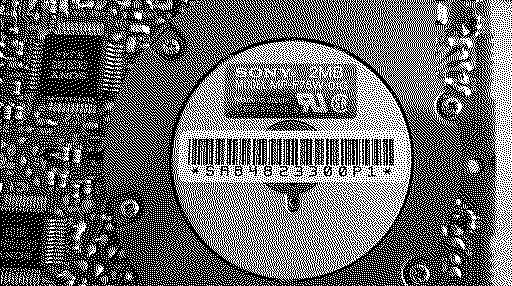
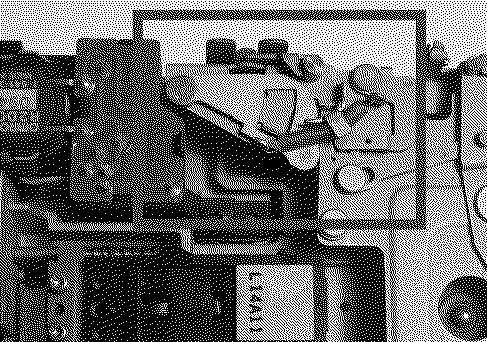
I was able to find a MP-F75W-11G on eBay for cheap. It was quite rusty but luckily the head was intact but I didn't even think it twice to buy it to test for luck... Did the replacement of the head and... It works perfectly! It is able to read and write from floppies without any issue. In a case it could be useful for someone, I'll leave two little notes: When lubing the drive after cleanup, make sure you do not lube this metallic pieces here: Lubing this will make the pieces slide slower, preventing the drive from keeping itself in the "empty" state. There's a little knob that latches on the assembly when the disk is ejected. If lubed, It won't easily latch, not letting you get the disk out! If the disk is not pulled in by itself, make sure the little metallic pull knob is properly (vertically) aligned with the disk: That's it! Thank you all for the input on this thread.
Liked by S. Pupp |
| Page 1 of 1 |
| Home | Forums | What's New | Search | Bookmarks | RSS | Original | Settings |
| XenForo Retro Proxy by TinkerDifferent.com |