|
* TinkerDifferent *
Retro Computing Community |
| Home | Forums | What's New | Search | Settings |
| Dual Boot Linux Mint 21.2 and macOS with OpenCore Legacy Patcher and OpenCore Bootpicker |
Forums > Vintage Apple > Software & Operating Systems > Software | Mac OS X (Intel)
|
rikerjoe Tinkerer -------- Joined: Oct 31, 2021 Posts: 159 Likes: 248 |
Nov 23, 2023 - #1
Hello, fellow Tinkerers! Although real life has intruded on my tinkering over the last few months, I've managed to squeeze in a small project or two. One of my background projects during this low key period has been testing OpenCore Legacy Patcher (OCLP) on a variety of unsupported MacBooks in my collection, specifically in multiboot arrangements with multiple installations of macOS and Linux. I thought I'd share a few tidbits I've acquired along the way through my tinkering and invite others to contribute as well.
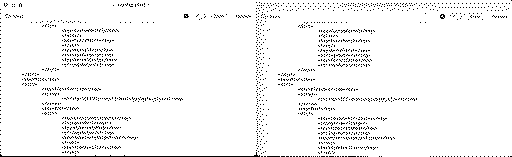
Most recently I've been testing installations on a MacBook Pro Retina, 15-inch, Mid 2015 (MacBookPro11,5) with a 500-GB SSD. The below represents my outcomes with this MBP, and I intend on trying the same with some older Pros and Airs in my collection soon. On my 2015 MBP, I am using a single APFS container with multiple versions of macOS, each installed in separate volumes within the single container. By the way, Mr. Macintosh just posted a YT video about multiboot and OCLP where he opted to install multiple macOS versions in separate APFS containers. I've been using the single APFS container approach for quite a while to make optimal use of shared free space among the volumes, and have seen no ill effects to date. However, if any of you APFS wizards out there know why separate containers versus a single container is the way to go, please comment below. My preferred macOS philosophy is to keep an installation of the latest version supported natively as a failsafe, and install one or more later macOS versions via OCLP in separate volumes. Monterey is the latest version of macOS supported natively by the 2015 MBP, so I have it installed in a volume in the APFS container. I installed Ventura and Sonoma via OCLP in separate volumes in the same APFS container as Monterey. I configure OCLP to always show the OpenCore bootpicker, which shows all three installed versions of macOS at boot. Cool. I wanted to add a Linux distro to the mix, because why not? My preferred distro is currently Linux Mint 21.2. I created a separate partition on the SSD and installed Linux Mint into it, which went smoothly. My goal was to get Linux Mint to show in the OpenCore bootpicker along with the installed versions of macOS. Here is what I did. Please note that these steps require mounting the EFI partition and making edits to a config.plist file, which if done incorrectly can mess up booting for your Mac. Please don't do these steps unless you are comfortable with Terminal and unix commands and poking around the EFI partition. Boot into macOS, mount EFI, and make a backup copy of the config.plist file under /Volumes/EFI/EFI/OC.
For Method A: OpenLinuxBoot - This method uses OpenLinuxBoot.efi driver, which was added to OpenCore 0.7.3. OCLP 0.3.1 was based on OpenCore 0.7.4, so this and any subsequent version of OCLP should install this driver by default. OCLP 1.2.1 (the version I used) definitely installed the driver. However, this method needs an additional driver corresponding to the filesystem used for the Linux install to make the Linux kernels visible to the OpenCore bootpicker; the following steps are for installing an ext4 driver and checking a few other settings in config.plist.
For Method B: Chainloading an EFI Bootloader, Method 1: Using BlessOverride This method requires that you know something about your Linux distribution's bootloader, at least enough to recognize what bootloader your distribution uses and where it lives. There are some hints below, but by no means is it a comprehensive list.
Have any of you experimented with multiboot arrangements with different Linux distros or other OSes? What bootpickers and methods did you try, and what worked well or not well for you? I would love to see your experiences below! Liked by nospam2000,ryandesign,Etherwaveand 2 others |
|
phunguss Active Tinkerer Stillwater, MN -------- Joined: Dec 24, 2023 Posts: 513 Likes: 441 |
Dec 26, 2023 - #2
I haven't played with rEFInd in many years... but OCLP was great in getting everything from 10.6.8 through Sonoma loaded on an iMac12,1. I haven't dared to try Windows or Linux on the same drive, I always prefer a secondary drive for isolation.
Liked by Kai Robinson,wicknixandrikerjoe |
|
mtriplett1 New Tinkerer -------- Joined: May 6, 2024 Posts: 4 Likes: 4 |
May 6, 2024 - #3
rikerjoe, Thanks for this post. You taught me how to solve a problem I had been working on for months in just a few minutes. I tried both of your solutions and both were easily done and worked just great! Last Christmas, I was a very new Linux user, and the first thing I wanted to do was have a Linux Mint partition on my MacBook Air 2017 running Sonoma through OCP. I tried on and off for several months with OCP pretty much preventing anything but a 1 or 2 time successful dual boot. Both took just minutes to try. Thanks again for this!!
Liked by rikerjoe |
|
rikerjoe Tinkerer -------- Joined: Oct 31, 2021 Posts: 159 Likes: 248 |
May 7, 2024 - #4
After a few months of testing with my 2015 MBP, I found Method A would lead to occasional boot problems that I think are associated with the drivers loaded with the boot picker. Method B just works, and it is what I'm currently using on it. I have a similar test underway on a 2013 MBA and so far so good with Method A. keep me posted on how it goes for you. I may pass along my information to the developer of the OpenLinuxBoot driver in case it is a funny bug with the 2015 MBP and would like to know if other models have problems, too. |
|
mtriplett1 New Tinkerer -------- Joined: May 6, 2024 Posts: 4 Likes: 4 |
May 8, 2024 - #5
I finally decided on option B. Like you I wanted to see my distro name in the menu. Thanks again, and I'll keep you posted!
Liked by rikerjoe |
|
ryandesign New Tinkerer -------- Joined: May 11, 2024 Posts: 14 Likes: 9 |
May 12, 2024 - #6
rikerjoe, thank you also from me. When I installed Linux Mint for the first time a few months ago, it set up the computer to boot into grub automatically. Later I rebooted to a macOS partition using the boot picker after which I could not figure out how to return to Linux until I found your very helpful instructions. Your "Method A" works well for me on a 2011 13" MBP and avoids the need to ever see grub so I have not tried "Method B".
I have had to come back to these instructions several times because something (probably an OpenCore Legacy Patcher update but maybe a macOS update) wipes out my changes and I have to make them again. I grew tired of performing the same steps manually over and over so I wrote a script to automate them; maybe it will also be useful to others: Adds ext4 driver to OpenCore Legacy Patcher so that a Linux partition can be selected.Adds ext4 driver to OpenCore Legacy Patcher so that a Linux partition can be selected. - add_oclp_ext4_driver.sh
[Image: gist.github.com]
gist.github.com
Liked by nospam2000,mtriplett1andrikerjoe |
|
rikerjoe Tinkerer -------- Joined: Oct 31, 2021 Posts: 159 Likes: 248 |
May 12, 2024 - #7
Yes, OCLP updates remove the OC directory from the EFI and install a new one, meaning we have to reapply the mods to the config.plist file after every update, as you discovered. Thanks for the script!
|
|
mtriplett1 New Tinkerer -------- Joined: May 6, 2024 Posts: 4 Likes: 4 |
May 13, 2024 - #8
Ultimately I wish I could keep refind running, but OCLP prevents all of that. If I was running a current supported macbook, this would be no problem at all!
Liked by rikerjoe |
|
ryandesign New Tinkerer -------- Joined: May 11, 2024 Posts: 14 Likes: 9 |
May 15, 2024 - #9
I know I can get a custom icon to appear on my Linux Mint partition in OCLP by creating the file /Volumes/EFI/EFI/ubuntu/.contentFlavour with the contents
Liked by rikerjoe |
|
rikerjoe Tinkerer -------- Joined: Oct 31, 2021 Posts: 159 Likes: 248 |
May 15, 2024 - #10
I haven't tried it myself but there is this post on apple.stackexchange that might offer some insights. |
|
phunguss Active Tinkerer Stillwater, MN -------- Joined: Dec 24, 2023 Posts: 513 Likes: 441 |
May 15, 2024 - #11
Dortania guide
Try this info for converting a folder of icons to icns and a source logo Here is my quick try at creating it for you, convert and try to insert it.
Liked by rikerjoe |
|
mtriplett1 New Tinkerer -------- Joined: May 6, 2024 Posts: 4 Likes: 4 |
Jun 10, 2024 - #12
Just reinstalled after updating to Sonoma 14.5. It went better than the first time. I ended up making a folder with all the docs and files needed so the next will be even quicker.
Thanks again! Liked by rikerjoe |
|
Igor Morais New Tinkerer -------- Joined: Oct 26, 2024 Posts: 2 Likes: 0 |
Oct 26, 2024 - #13
|
|
Igor Morais New Tinkerer -------- Joined: Oct 26, 2024 Posts: 2 Likes: 0 |
Oct 26, 2024 - #14
|
|
rikerjoe Tinkerer -------- Joined: Oct 31, 2021 Posts: 159 Likes: 248 |
Nov 2, 2024 - #15
|
|
nospam2000 New Tinkerer -------- Joined: Jan 6, 2025 Posts: 2 Likes: 1 |
Jan 6, 2025 - #16
Hi all,
thanks for this post and the shell script, it helped me getting my MacBook Pro 2011 running OCLP 2.2 with OSX Sequoia 15.2 and Linux Trixie. I had some issues to solve: 1. the ext4_x64.efi from https://github.com/acidanthera/OcBinaryData/tree/master/Drivers did not work. I use an updated one from the rEFInd repo which works fine. I updated the shell script to download that one automatically, see here. 2. When booting Linux it destroyed the OSX boot environment. I couldn't figure out exactly what happened. The files on the EFI partition under /EFI/OC and /EFI/System seemed to be untouched. Maybe I overlooked a dot-file. I commented out the /boot/efi line in /etc/fstab under Linux which seemed to solve the problem. Maybe I might run into troubles when the kernel gets updated and the grub.conf becomes outdated. Just adding "exit 1" in /etc/default/grub didn't help. Does anyone have a hint why Linux destroys the OSX Boot environment? Could it be an issue with EFI variables? Michael Liked by rikerjoe |
|
rikerjoe Tinkerer -------- Joined: Oct 31, 2021 Posts: 159 Likes: 248 |
Jan 9, 2025 - #17
For what it is worth, I don't see a similar destruction problem with Linux Mint 22. Also, thanks for the link to the rEFInd version of the ext4_x64.efi driver. I am finding that the problems I had with the driver sourced from the original location have gone away and I'm having no issues with Method A using the newer driver. Thanks! I also finally stepped up to trying the script as opposed to performing the config.plist mod manually. However, I'm seeing an issue with curl that I wanted to mention in case anyone else is seeing the same. I'm running the script in Terminal under Sequoia 15.2. curl is throwing an error and causing the script to abort. The error says "curl: (35) LibreSSL/3.3.6: error:1404B42E:SSL routines:ST-CONNECT:tlsv1 alert protocol version" which seems to indicate a problem with the SSL or TLS connection between my MacBook Pro and the server I'm trying to access via curl. I'm scratching my head on this one since I'm running curl 8.7.1 embedded within Sequoia 15.2. As a workaround, I resorted to downloading a copy of the driver manually and adjusting the script to copy the local copy to the EFI partition. Do any of the rest of you see a similar error with the flavor of macOS you are using to run the script? |
|
nospam2000 New Tinkerer -------- Joined: Jan 6, 2025 Posts: 2 Likes: 1 |
Jan 10, 2025 - #18
looks like an outdated version of LibreSSL. What is the output of the following commands:
I have the MacOS curl (Sonoma 14.7.2)
and the MacPorts version
Michael |
|
rikerjoe Tinkerer -------- Joined: Oct 31, 2021 Posts: 159 Likes: 248 |
Jan 12, 2025 - #19
I figured out my problem with curl throwing an error message. It's a firewall configuration issue at my end.
|
|
PatiB New Tinkerer -------- Joined: Nov 6, 2025 Posts: 4 Likes: 0 |
Nov 6, 2025 - #20
I had somewhat of the same issue you had in your second point! I got Sequoia running on my 2013 MBPr with the latest OCLP 2.4.1. Now I wanted to parallel-boot Linux MINT. What I did was partition the drive 50/50, install Linux MINT on the 2nd half but with "other" method, writing the boot loader onto that separate linux partition. Then I see both OS in OCLP bootpicker. I can also still start macOS... until I start and shutdown Linux once => Then I get three entries in bootpicker: "EFI", "Linux", "macOS" but macOS only leads to an Apple symbol with no further progress. I was able to fix it by booting from OCLP USB stick and reinstalling OCLP onto the internal drive, also tried the "Method A" with the additional OpenLinuxBoot.efi and the driver for ex4, then I always only get two boot entries - but the misery repeated when I then booted into Linux. After that when trying to boot macOS, I only get the apple but no progress bar. Interestingly I can always still boot and recover the situation with the OCLP USB stick, so it seems to be some EFI partition related issue rather than NVRAM, maybe? Did you ever find a solution? Maybe with Method B or something? EDIT: Maybe I might try to install Linux Mint completely without bootloader by starting the installtion with "ubiquity -b" in the terminal. Hm... EDIT2: Nope, didn't fix the issue. Still same behavior: First, after configuring OpenCore, both OS show up in boot picker, macOS boots fine. But after starting MINT once and shutting it back down, I get an additional "EFI" entry in OpenCore and macOS won't boot anymore. Can still easily fix this by booting OCLP from USB into the macOS on the internal SSD and rebuilding OCLP, but... that's just a hotfix. :D EDIT3: Update: No luck. Tried several things: - Installing mint via "ubiquity -b" ergo without boot loader => no luck - In Linux "sudo systemctl disable systemd-boot-check-no-act.service" => failed.. does not exist, since I got no boot loader - In Linux "GRUB_CMDLINE_LINUX_DEFAULT="quiet splash acpi_backlight=vendor nvram_modify_on_write=0"" was a suggestion, together with "sudo apt purge os-prober -y" and "sudo update-grub" => All yielded the same result. - In macOS "sudo bless --mount /Volumes/EFI --setBoot --file /Volumes/EFI/EFI/OC/OpenCore.efi" gave me an error: "could not set boot device property: 0xe00002e2" - Also tried in Linux "sudo apt remove efibootmgr -y", and blacklisting efi changes via "echo "blacklist efivarfs" | sudo tee /etc/modprobe.d/blacklist-nvram.conf" and "sudo update-initramfs -u" Now Gemini suggest to place an additional boot loader IN FRONT of OCLP... I don't know... that doesn't seem right. :( |
| Page 1 of 2 | Next > | Last >> |
| Home | Forums | What's New | Search | Bookmarks | RSS | Original | Settings |
| XenForo Retro Proxy by TinkerDifferent.com |

![[Image: gist.github.com]](/proxy_image?url=https://github.githubassets.com/assets/gist-og-image-54fd7dc0713e.png)
![[Image: gist.github.com]](/proxy_image?url=https://github.githubassets.com/favicons/favicon.svg)