|
* TinkerDifferent *
Retro Computing Community |
| Home | Forums | What's New | Search | Settings |
| BlueSCSI - Open, Low Cost, DIY SCSI to SD device |
|
Elemenoh Active Tinkerer Bay Area -------- Joined: Oct 18, 2021 Posts: 428 Likes: 415 |
Dec 30, 2021 - #21
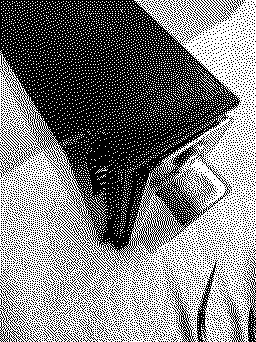
I received a DB-25 kit today from @eric today and got right to putting it together. Assembly went great, but the device would not sit low enough in the enclosure. The front set of DB-25 pins were pressed against part of the case. After snipping those down, everything fit okay. I've been using a SCSI2SD 5.1 as my main external troubleshooting and data transfer device for years now. Excited to see how this works out! Thanks @eric
|
|
eric Administrator MN -------- Joined: Sep 2, 2021 Posts: 1,151 Likes: 1,935 |
Dec 31, 2021 - #22
Hey @Elemenoh Glad you got it working! It looks like it's not pushed back all the way - it's quite a tight fit and you shouldnt need any pins snipped - I use all the same cases and the ones i pre-assemble all fit snuggly. Check that it's not hung up on one of the groves on the back.
|
|
Elemenoh Active Tinkerer Bay Area -------- Joined: Oct 18, 2021 Posts: 428 Likes: 415 |
Dec 31, 2021 - #23
I was pretty sure I did get it in that slot, but will take another look. Regardless, it snapped in place and is square after trimming those pins. Thanks for the tip!
|
|
slomacuser Tinkerer -------- Joined: Nov 1, 2021 Posts: 142 Likes: 138 |
Jan 3, 2022 - #24
Is a One Geek Army member here? He has DB-25 variant available in EU but I do not know if it comes with 3D printed case or not?
|
|
OneGeekArmy Active Tinkerer Belgium -------- Joined: Oct 31, 2021 Posts: 103 Likes: 266 |
Jan 3, 2022 - #25
This might however be the project that finally gives me a good reason to buy a 3D printer. So, not at this point but probably in the coming weeks. Liked by KingDingus |
|
Elemenoh Active Tinkerer Bay Area -------- Joined: Oct 18, 2021 Posts: 428 Likes: 415 |
Jan 4, 2022 - #26
The DB-25 has been working out great. It's a lot easier to manage disk images and transfer data back and forth to a host system via Basilisk compared to SCSI2SD. As someone mentioned above, it'd be nice to have pre-made image with various utilities already installed. It can be tough to bootstrap everything you need (Stuffit Expander, ShrinkWrap, Toast, disk utilities, etc.) if you don't know what you're doing. The images on the page currently all seem blank. Regardless, this thing is excellent. Thanks to everyone who's worked on it!
Liked by Stephen |
|
eric Administrator MN -------- Joined: Sep 2, 2021 Posts: 1,151 Likes: 1,935 |
Jan 4, 2022 - #27
|
|
Elemenoh Active Tinkerer Bay Area -------- Joined: Oct 18, 2021 Posts: 428 Likes: 415 |
Jan 4, 2022 - #28
@eric I did look through there but must be missing something. Which folder or file has the bootstrap stuff? The ones I opened were al blank. Thanks!
|
|
eric Administrator MN -------- Joined: Sep 2, 2021 Posts: 1,151 Likes: 1,935 |
Jan 4, 2022 - #29
The first link (mega) has a/ux, blanks, //e, etc right when you open it. Second link has the bootstrap images (on the garden's rascsi page, since the images are interchangeable)
|
|
Elemenoh Active Tinkerer Bay Area -------- Joined: Oct 18, 2021 Posts: 428 Likes: 415 |
Jan 4, 2022 - #30
Ah I see. This is what I was missing. Thanks!
|
|
SteveHere Tinkerer St. Paul, MN -------- Joined: Oct 29, 2021 Posts: 57 Likes: 59 |
Jan 5, 2022 - #31
|
|
wottle Active Tinkerer Fort Mill, SC -------- Joined: Oct 30, 2021 Posts: 841 Likes: 577 |
Jan 5, 2022 - #32
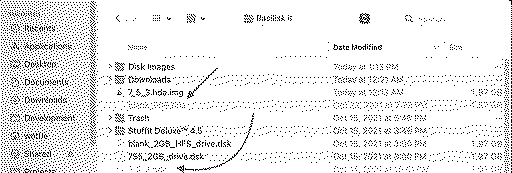
@eric , I seem to be missing something, but I can't seem to use .hda disk images in Basilisk II. Is there a trick to convert them to a .dsk or .img (or is it as simple as renaming the file?)?
[EDIT] So it looks like maybe you just rename the file to be .img and it allows me to use it in Basilisk... May be helpful to put that on your wiki to help ignorant folks like me... Liked by rikerjoe |
|
rikerjoe Tinkerer -------- Joined: Oct 31, 2021 Posts: 159 Likes: 248 |
Jan 5, 2022 - #33
Liked by wottle |
|
eric Administrator MN -------- Joined: Sep 2, 2021 Posts: 1,151 Likes: 1,935 |
Jan 5, 2022 - #34
Basilisk II doesn't care about the file name - I just hit add or drag the file into the Volumes window. If for some reason your BasiliskIIGUI does, rename the file to something it accepts. There are no standards. Version 1.1+ of BlueSCSI ignores file extensions because of this. You can even see the drive `ES` has no extension and it was created with the create button in the GUI.
|
|
wottle Active Tinkerer Fort Mill, SC -------- Joined: Oct 30, 2021 Posts: 841 Likes: 577 |
Jan 5, 2022 - #35
Actually, it's looking like some sort of bug, because I just moved all my hard drive images to a separate folder (I was embarrassed at the state of my Basilisk II directory taking screenshots of it), and now some allow me to select them, but not others. Odd. Maybe I'll post in the Basilisk forums to see if the creator has an explanation for what I'm doing wrong. It always threw me because for RaSCSI and BlueSCSI, people kept telling me I could use the disk images in Basilisk and I couldn't figure out what I was doing wrong. Anyway, it seems like I have a workaround in the meantime. Thanks!
|
|
wottle Active Tinkerer Fort Mill, SC -------- Joined: Oct 30, 2021 Posts: 841 Likes: 577 |
Jan 5, 2022 - #36
Liked by rikerjoe |
|
reallyrandy Tinkerer New Jersey -------- Joined: Oct 30, 2021 Posts: 187 Likes: 81 |
Jan 6, 2022 - #37
Thanks for those tips, I'm using Basilisk II booting on 7.5.3 and SheepShaver booting on 9.2.2 on the Mac. It is a bit confusing with the renaming because it seems a bit random which work and which ones don't. I like to use Basilisk to organize files for my 68k Macs and SheepShaver booting OS9 for my PPC Macs.
I just received my second Blue SCSI and they are so much easier to use than the SCSI2SDs. The ability to read and write back and forth on the SD cards as opposed to using Etcher to write cards is great. I keep a small library of .hda images in my Basilisk and SheepShaver folders to use as needed. With my SCSI2SD cards, I can never read back from them when I'm on my modern Mac, I can only write. On a related topic, what are the 2 jumpers on the blue pill for? I looked around for the answer but didn't find it. |
|
wottle Active Tinkerer Fort Mill, SC -------- Joined: Oct 30, 2021 Posts: 841 Likes: 577 |
Jan 6, 2022 - #38
GitHub - xunker/BlueSCSI: A small SCSI device based on stm32A small SCSI device based on stm32. Contribute to xunker/BlueSCSI development by creating an account on GitHub.
[Image: github.com]
github.com
Liked by reallyrandy |
|
Elemenoh Active Tinkerer Bay Area -------- Joined: Oct 18, 2021 Posts: 428 Likes: 415 |
Jan 6, 2022 - #39
@reallyrandy there is a side project "MagicSD" which allows you to mount SCSI2SD images in Basilisk but it's a lot fussier to setup compared to BlueSCSI. https://68kmla.org/bb/index.php?threads/magicsd-for-scsi2sd-owners.38576/
Liked by wottleandreallyrandy |
|
eric Administrator MN -------- Joined: Sep 2, 2021 Posts: 1,151 Likes: 1,935 |
Jan 6, 2022 - #40
The jumpers on the BlueSCSI are for termination Liked by wottleandreallyrandy |
| << First | < Prev | Page 2 of 8 | Next > | Last >> |
| Home | Forums | What's New | Search | Bookmarks | RSS | Original | Settings |
| XenForo Retro Proxy by TinkerDifferent.com |