|
* TinkerDifferent *
Retro Computing Community |
| Home | Forums | What's New | Search | Settings |
| All about Apple PC 5.25" Drive (A9M0110) |
Forums > Vintage Apple > Add-ons, Peripherals & Networking
|
slomacuser Tinkerer -------- Joined: Nov 1, 2021 Posts: 142 Likes: 138 |
Apr 19, 2022 - #1
The Apple PC 5.25 Drive may be used with a Macintosh(R) SE or Macintosh II to transfer data between 5.25-inch MS-DOS(R)-formatted disks and 3.5-inch Macintosh-formatted disks.
[Image: PC drive.jpg] What you need to use it: * A file transfer program such as Apple File Exchange. [Image: Apple FIle Exchange.jpg] * One of the following expansion cards: - Macintosh SE-Bus PC Card, the MS-DOS disk drive controller for the Macintosh SE. [Image: Mac SE-bus card.jpg] - Macintosh II PC Card, the MS-DOS disk drive controller for the Macintosh II. [Image: Mac II nubus PC drive card.jpg] - A third-party expansion card that is designed to operate with the Apple PC 5.25 Drive. According to Apple, the drive and controller cards are not compatible with Macs with FDHD ROMs. source Available Documents: - Apple service manual - Technical procedures - PC 5.25 drive Product info - Macintosh II PC drive card product info - Macintosh SE-bus PC drive card product info - Macworld February 1988 - Review Missing: - Apple PC Drive 5.25 Owners manual pic Testing the card: The MacTest(tm) SE and MacTest(tm) II programs test an Apple PC 5.25 Drive and an Apple disk drive controller card at the same time. If the system you are testing uses a non-Apple disk drive controller card, replace it with an Apple card before testing. CAUTION: Do not install more than one Macintosh II PC Card in the Macintosh II. The power supply was not designed for two of these cards and could be damaged.
Liked by alxlab,Kai RobinsonandRetroTheory |
|
slomacuser Tinkerer -------- Joined: Nov 1, 2021 Posts: 142 Likes: 138 |
Apr 19, 2022 - #3
@RetroTheory you can post yours testings/pictures too :)
Liked by RetroTheory |
|
RetroTheory Tinkerer -------- Joined: Oct 17, 2021 Posts: 82 Likes: 127 |
Apr 19, 2022 - #4
Great info.
Thanks again for the Dos Mounter tip. I am not sure why it works on my IIci and not on yours.
Liked by slomacuser |
|
RetroTheory Tinkerer -------- Joined: Oct 17, 2021 Posts: 82 Likes: 127 |
Apr 19, 2022 - #5
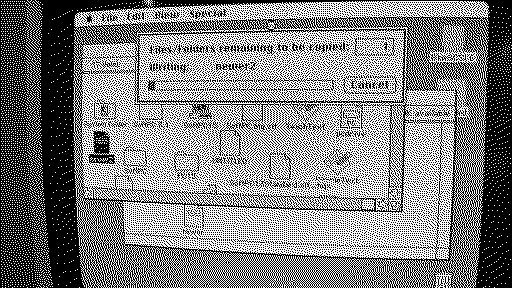
Here are a few shots one with a DOS formatted floppy mounted in finder with Dos Mounter
[Image: 20220418_214556.jpg] Formatting a bootable 5.25" floppy from SoftPC [Image: 20220418_220706.jpg] Booting SoftPC from 5.25" Floppy [Image: VideoCapture_20220419-103854.jpg]
Liked by slomacuser |
|
slomacuser Tinkerer -------- Joined: Nov 1, 2021 Posts: 142 Likes: 138 |
Apr 19, 2022 - #6
Hm, you can copy files from the disk to hd and back? I have sys 6.0.5, you have 6.0.8? I should try that
|
|
mg.man Tinkerer Ardley, UK -------- Joined: Oct 20, 2021 Posts: 133 Likes: 69 |
Apr 19, 2022 - #7
Liked by slomacuser |
|
RetroTheory Tinkerer -------- Joined: Oct 17, 2021 Posts: 82 Likes: 127 |
Apr 19, 2022 - #8
Yes, but only with PC formatted disks, not formatted with Dos Mounter. If I format the disk in a real PC or SoftPC I can copy files , but if I ms-dos format a disk with DOS Mounter it just hangs when I copy a file.
Liked by slomacuser |
|
RetroTheory Tinkerer -------- Joined: Oct 17, 2021 Posts: 82 Likes: 127 |
Apr 20, 2022 - #9
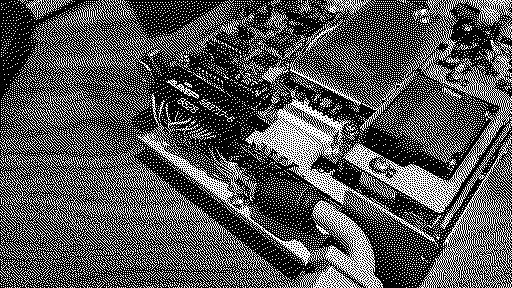
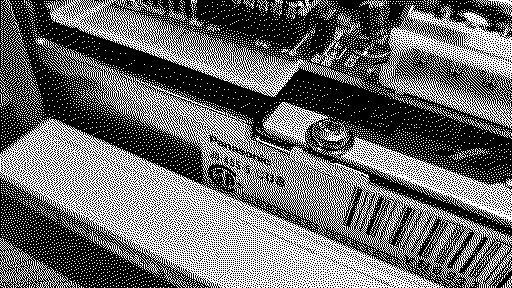
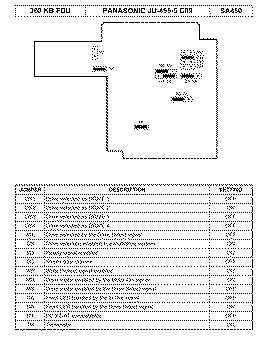
Did a little disassembly on the Apple 5.25" PC Drive and it turns out its a near standard Panasonic JU-455-5 360K floppy drive.
Pinout attached. Drive is set at DS0. Booting SoftPC using a Gotek Floppy emulator connected to the PC Drive Card.
Liked by Bama,Androdaandslomacuser |
| Page 1 of 1 |
| Home | Forums | What's New | Search | Bookmarks | RSS | Original | Settings |
| XenForo Retro Proxy by TinkerDifferent.com |
![[Image: PC drive.jpg]](/proxy_image?url=https://tinkerdifferent.com/data/attachments/4/4368-dc4496fdd2208d3885cda172079af045.jpg)
![[Image: Apple FIle Exchange.jpg]](/proxy_image?url=https://tinkerdifferent.com/data/attachments/4/4365-48a6d367fc14c288c8d6f9459f857db4.jpg)
![[Image: Mac SE-bus card.jpg]](/proxy_image?url=https://tinkerdifferent.com/data/attachments/4/4366-c57794863d2ad2b07644ec5009450056.jpg)
![[Image: Mac II nubus PC drive card.jpg]](/proxy_image?url=https://tinkerdifferent.com/data/attachments/4/4367-c20bd422835db6fd85dc7f223251904e.jpg)


![[Image: 278231837_10229131236605750_2040302969229100275_n.jpg]](/proxy_image?url=https://tinkerdifferent.com/data/attachments/4/4377-5bcb87cadd74f762b845c854e31d524e.jpg)
![[Image: 278234157_10229131236725753_2642056689464279776_n.jpg]](/proxy_image?url=https://tinkerdifferent.com/data/attachments/4/4378-34b8cf0b9a490eaa0173d45138c5938c.jpg)
![[Image: 278234314_10229131236805755_1139017508679065167_n.jpg]](/proxy_image?url=https://tinkerdifferent.com/data/attachments/4/4379-e39416d3198c17398fe299eb89154893.jpg)
![[Image: 278256604_10229131236525748_260677093425242030_n.jpg]](/proxy_image?url=https://tinkerdifferent.com/data/attachments/4/4380-6a374de8b9e3aeb7774b97c2cfae20d4.jpg)
![[Image: 278263676_10229131235445721_2873496839116256466_n.jpg]](/proxy_image?url=https://tinkerdifferent.com/data/attachments/4/4381-65af81b62f47a44a8d9f70adef5530fd.jpg)
![[Image: IMG_4820.jpg]](/proxy_image?url=https://tinkerdifferent.com/data/attachments/4/4382-1aea42b14cbfe98a70ed42913d9d0ef8.jpg)


![[Image: 20220418_214556.jpg]](/proxy_image?url=https://tinkerdifferent.com/data/attachments/4/4385-5bb092e4f1afc43e0fbd7890f2ddc3fd.jpg)
![[Image: 20220418_220706.jpg]](/proxy_image?url=https://tinkerdifferent.com/data/attachments/4/4386-f3ccdc3295325fdf9ee501103092f4fa.jpg)
![[Image: VideoCapture_20220419-103854.jpg]](/proxy_image?url=https://tinkerdifferent.com/data/attachments/4/4387-f6fb8c7cec4d0f7997ab8446796a8c13.jpg)