|
* TinkerDifferent *
Retro Computing Community |
| Home | Forums | What's New | Search | Settings |
| 3D printed 2.5" HD bracket for CF2IDE |
Forums > Vintage Apple > PowerBooks & iBooks > PowerBook (PowerPC-based)
|
Fizzbinn Active Tinkerer Charlottesville, VA -------- Joined: Nov 29, 2021 Posts: 256 Likes: 262 |
May 11, 2023 - #1
I've been using simple, cheap CF2IDE adapters along with industrial Compact Flash cards in my 1400 and 5300 PowerBooks for some time (also looking to do so in a 2300 Duo and "new" 190). I know there are other options with SD cards and what not but I just like this approach.
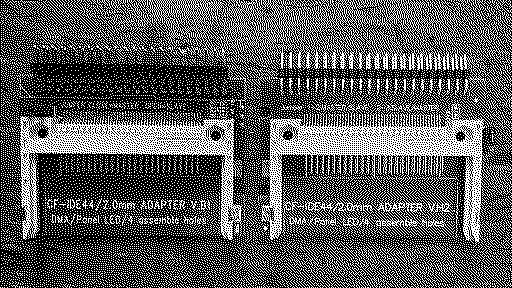
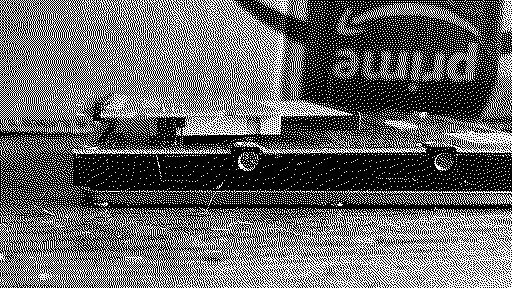
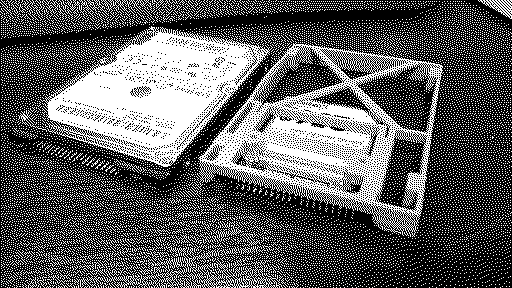
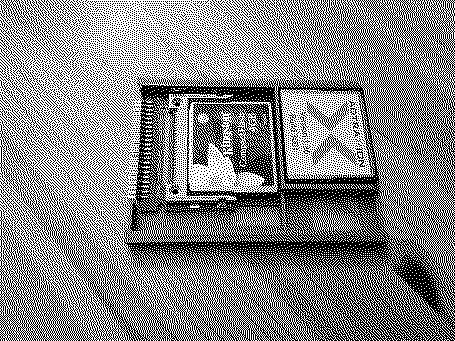
One aspect that I want to improve on is how they are mounted inside the PowerBooks. I know its fussy, but my current creative use of tape approach grates with my type-A personality, ...even though only I will know what's going on in there. So not having any 3D modeling skills (or a 3D printer) I started looking for STL models others might have created I could get printed through an online service. I found several possibilities but also discovered a couple complicating issues. Issue #1 - There are actually two versions of these adapters that look VERY similar but have different "mounting" points and 44-pin IDE connector types! Version B1: "CF-IDE44/2.0mm ADAPTER V.B1" (left/top below) Version H2: "CF-IDE44/2.0mm ADAPTER V.H2" (right/bottom below) The two oldest ones I have are version B1, ones I purchased last fall are version H2. It seems like Amazon and eBay only have H2 available now. Compared to B1, H2 has two additional notches on the sides, a relocated master/slave jumper (and through hole lead protrusions) as well as an IDE connection that sandwiches the board vs. being an L shaped one on the top side of the board. I'm guessing the H2 version is cheaper to make. Ideally a 3D printed 2.5" HD adapter bracket would position the IDE connection in the same location relative to the hard disk mounting screw holes: Which leads us to... Issue #2 - Sometime in 1997(ish) the hard disk mounting screw hole positions changed for 2.5" HDs! In the older drives the screw hole positions are toward the middle of the drive, while for later drives (up to today) they are towards the corners. It appears this change happened during the production of the PB1400: Old Style: PB 1400c/133c 1.3GB HD and Apple bracket (left/top below) Modern Style: PB 1400c/166c 2.0GB HD and Apple bracket (right/bottom below) To be continued...
Liked by retr01 |
|
Fizzbinn Active Tinkerer Charlottesville, VA -------- Joined: Nov 29, 2021 Posts: 256 Likes: 262 |
May 12, 2023 - #2
So here are the CF2IDE 2.5" HD bracket/adapter/holder STL models I found:
1) "COMPACTFLASH READER ADAPTER TO STD IDE HDD SIZE" https://cults3d.com/en/3d-model/gadget/compactflash-reader-adapter-to-std-ide-hdd-size Comment: Modeled for the "B1" CF2IDE adapter and using the modern screw hole positions, but only on sides, not bottom. No go for PB1400 and older which require old style screw hole positions on the bottom. 2) "Libretto 50CT / 70CT CompactFlash holder" Comment: Modeled for the "H2" CF2IDE adapter, and using the the old screw hole positions, but only on sides, not bottom. No go for PB1400 and older which require screw hole positions on the bottom. Also the feature of being able to store two other CF cards seems of no real use and blocks the ability to remove CF cards without removing the CF2IDE adapter too. In my thinking the CF2IDE adapter would be best affixed to the bracket via screws/glue. 3) "CF-to-IDE V.H2 Holder" Comment: Modeled for the "H2" CF2IDE adapter, and using the modern screw hole positions, but only on sides, not bottom. No go for PB1400 and older which require old style screw hole positions on the bottom. I DO like the minimalist nature of this one though, reminds me of the BlueSCSI brackets (which do use the old style screw hole positions and have them on the sides and bottom...) 4) "CF2IDE 2.5" HDD Enclosure" CF2IDE 2.5" HDD Enclosure by polymattThis is a 2.5" hard drive enclosure/cradle made for the widely available CF2IDE you can find on Amazon, eBay or the OSVG Store. A bit about the enclosure:This was created to fit inside the IBM ThinkPad 701C Hard Drive Caddy, but this will fit ANY 2.5" IDE form factor - although I haven't gotten...
[Image: www.thingiverse.com]
www.thingiverse.com
Comment: Modeled for the "B1" CF2IDE adapter, and using the the old screw hole positions, but only on sides, not bottom. No go for PB1400 and older which require screw hole positions on the bottom. I left contemplating several options: A) Maybe this is motivation to learn how to edit/create 3D models, how hard could it be to learn starting from my MacPaint level graphics skills! [grimacing-face] B) Is there anyone else with these skills interested enough to take it on? [face-with-pleading-e] C) Maybe I should just buy prints of #4 and drill new bottom mount holes and exacto blade cut out a knotch for the master/slave through hole lead protrusions to accommodate "2" CF2IDE adapters. [grinning-face-with-o]
Liked by champagneandchipsandKai Robinson |
|
Fizzbinn Active Tinkerer Charlottesville, VA -------- Joined: Nov 29, 2021 Posts: 256 Likes: 262 |
May 13, 2023 - #3
Some more info on the 2.5 HD screw hole position change in ~1997.
Old Style: Modern:
|
|
PotatoFi Active Tinkerer -------- Joined: Oct 18, 2021 Posts: 181 Likes: 372 |
Oct 2, 2023 - #4
If anyone is looking for a similar caddy for SD card to IDE adapters, I designed this: https://www.printables.com/model/600620-sd-to-25-ide-caddy
Liked by jack 68k,Fizzbinnandclay |
|
Fizzbinn Active Tinkerer Charlottesville, VA -------- Joined: Nov 29, 2021 Posts: 256 Likes: 262 |
Jan 12, 2024 - #5
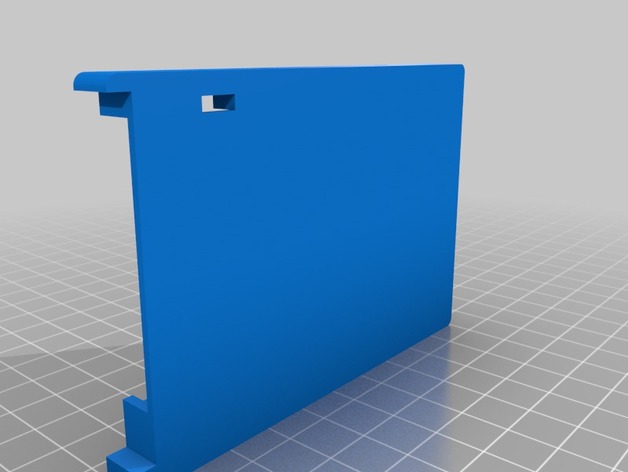
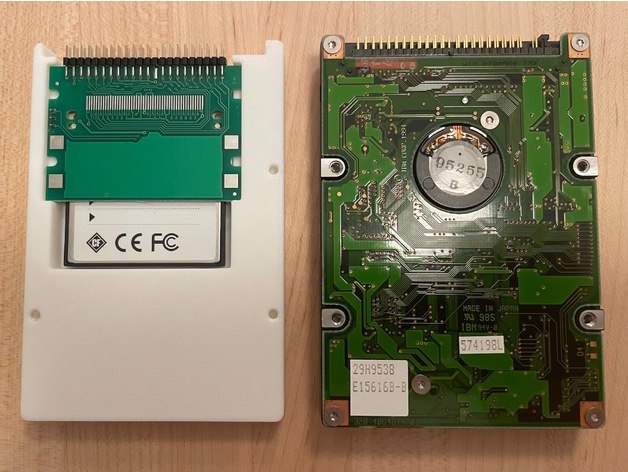
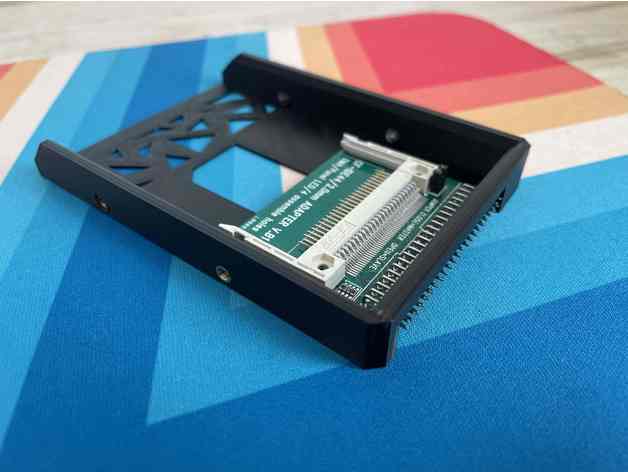
I recently picked back up on this, sparked in no small part by getting a 3D printer for Christmas (a Bambu Labs A1 mini). This lead me to go with option A and learn some 3D modeling, starting with how to tweak existing models somewhat using FreeCAD and YouTube tutorials. I decided to modify this model: "Compact Flash adapter adapter" Compact Flash adapter adapter by slowcoderYes, this is an "adapter adapter". It make a fairly common compact flash adapter compatible with a 2.5" form-factor. I.e, it makes the adapter fit into a 2.5" hdd space.
[Image: www.thingiverse.com]
www.thingiverse.com
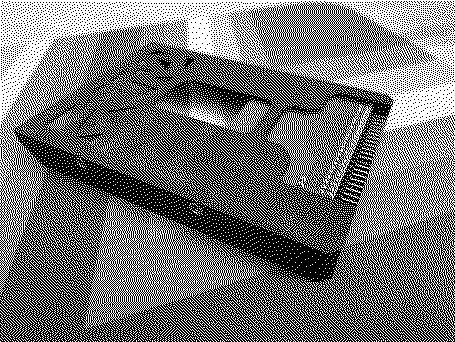
Which had what I was looking for, modeled for the H2 CF2IDE adapter and old style screw hole positions, with the exception that it doesn't have bottom screw hole positions just the side ones. I'm not sure exactly what I was expecting but "just putting some new holes in something" turned out to be a good learning experience, strangely both easy and hard in different ways. The results: An original PowerBook 1400 HD in its mounting bracket (screws removed): The new 3D printed adapter in the same PowerBook 1400 HD mounting bracket: I was actually only able to get three of the bottom screw positions in the model as the forth is blocked by the CF2IDE adapter board. The board needs to be in the position it is in order to align the IDE pins with where a real HD has them. The STL file is available here: Compact Flash IDE adapter adapter by fzbnThis remix adds bottom screw holes to the adapter that are required by some old laptops (e.g.Apple PowerBook 1400 series). Only 3 of the 4 bottom screw hole positions used by real old hard drives were able to fit.
[Image: www.thingiverse.com]
www.thingiverse.com
Liked by jack 68k,Eric's Edge,S. Puppand 1 other person |
|
Eric's Edge Tinkerer -------- Joined: Oct 31, 2021 Posts: 131 Likes: 96 |
Feb 17, 2025 - #6
Thank you for this. Thought I was going to have to create one myself. :)
|
|
Fizzbinn Active Tinkerer Charlottesville, VA -------- Joined: Nov 29, 2021 Posts: 256 Likes: 262 |
Feb 18, 2025 - #7
Your welcome! |
| Page 1 of 1 |
| Home | Forums | What's New | Search | Bookmarks | RSS | Original | Settings |
| XenForo Retro Proxy by TinkerDifferent.com |




![[Image: www.thingiverse.com]](/proxy_image?url=https://cdn.thingiverse.com/assets/84/a8/54/5e/b0/featured_preview_IMG_7121.jpg)
![[Image: www.thingiverse.com]](/proxy_image?url=https://cdn.thingiverse.com/site/img/favicons/favicon-192x192.png)



![[Image: www.thingiverse.com]](/proxy_image?url=https://cdn.thingiverse.com/renders/e0/99/12/d9/eb/29c6d383eb1cbf8f7ed26e91bb150037_preview_featured.jpg)
![[Image: www.thingiverse.com]](/proxy_image?url=https://cdn.thingiverse.com/assets/1b/86/fa/88/4d/featured_preview_dd1dbe3d-38de-4022-8a51-a14b68a931ca.jpeg)