|
* TinkerDifferent *
Retro Computing Community |
| Home | Forums | What's New | Search | Settings |
| 2025 PowerPC Challenge |
Forums > Forum Announcements, Guidelines & Feedback > Events & Meet-ups
|
Branchus Administrator -------- Joined: Sep 2, 2021 Posts: 237 Likes: 518 |
Jan 6, 2025 - #1
It's time for the 2025 PPC Challenge!The gang from Mac Yak have been running the PPC challenge for a few years now, and the 2025 challenge has begun!Our apologies for the lateness of this post, the Mac Yak gang have been a little preoccupied with stuff.THE GOALThe primary goal of the PowerPC Challenge is to use a Mac powered by a PowerPC CPU as much as you can for your day-to-day computing. Everything you usually do on your Intel or Apple Silicon Mac, use the old Mac for it instead. Or at least try.We'll show the nay-sayers that these machines still have plenty of usable power left in them and of course it's a ton of fun! THE RULESEvery year there are questions, so many questions, sigh... So here they are, the "rules":
YOUR EXPERIENCESWe want to know how it goes for you. Please share info and pics on the hardware you chose, the software you use, the struggles, the tips and tricks, the frustrations! We ask participants to log their experiences on this thread. Or maybe you'd prefer to make a YouTube vid of your experience? Go for it, and please include the #PPCChallenge hashtag and include a link to your video in this thread.HOW MUCH DO I NEED TO DO ON MY PPC?As much as you can! We don't want anyone to lose their job, so if you need to use a modern computer for that, no problem. We just want to encourage people to use their PPC as much as possible, and share your experiences.PREVIOUS YEARSFor tips on this you can check out the pages from previous years:These pages will link to posts about the Challenge experiences which contain tips, issues participants ran into etc. This may help you be better prepared. You can find a lovely selection of period appropriate Macintosh software on the wonderful MacintoshGarden.org. CHALLENGE START AND END DATESIt starts on January 1st 2025 and runs for the whole month (we were a bit late starting, so we'll probably run it for the first week of Feb as well).Looking forward to hearing all about your experiences! Liked by cyberdan,LongAlphabet,fogWraithand 2 others |
|
PowerRCP-G3 New Tinkerer -------- Joined: Jan 31, 2022 Posts: 28 Likes: 23 |
Jan 6, 2025 - #2
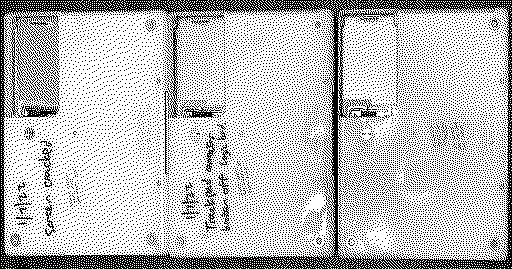
I've mentioned this before. But, I've prepared my two Macs for this year's challenge. I originally planned this as a personal challenge of mine.
Liked by HrutkayModsandBranchus |
|
phunguss Active Tinkerer Stillwater, MN -------- Joined: Dec 24, 2023 Posts: 511 Likes: 437 |
Jan 6, 2025 - #3
For further details on the first five days, see my original post on PPC2025, Is it happening?. To recap:
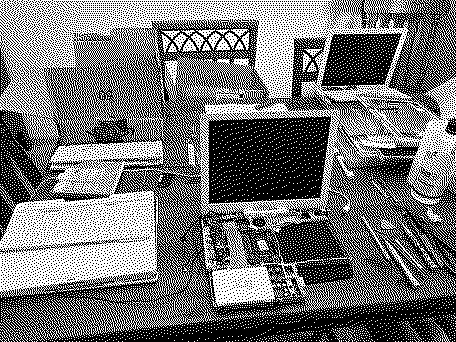
Day 1 I worked on recovering three dysfunctional iBook G3 500MHz 12" laptops. I was able to get two fully working. Day 2 I tried to build a power supply for a Dr. Bott DVIator, but in the end it was non-functional. Future testing needed. I did find out that my $6 Acrylic Cinema Display works fine with a real Apple ADC to DVI adapter. Day 3 I upgraded the RAM in my iMac G3 Strawberry tray load from 256MB to 512MB and changed the battery. Sadly, I found out the machine has some graphics artifacts in 3D. Day 4 I worked on recovering three iBook G4 1.33GHz 12" laptops. Maybe I have some screws loose for having this many iBooks? Only one of three fully recovered. Day 5 I recovered an iBook G4 1.2GHz 12" laptop in December and used it to prep hard drives and SSDs for these other iBooks. Three more 1.2GHz seem to have the "white screen of death" where the built in LCD is backlit but no data shown. Everything is fine on an external monitor. Zero for three recovered this day. Liked by Branchus |
|
Branchus Administrator -------- Joined: Sep 2, 2021 Posts: 237 Likes: 518 |
Jan 6, 2025 - #4
Liked by phunguss |
|
PowerRCP-G3 New Tinkerer -------- Joined: Jan 31, 2022 Posts: 28 Likes: 23 |
Jan 6, 2025 - #5
Day 1
I got the chance to install ClassiCube on my iMac G4 and it ran great. I also started writing a fan comic script on Google Docs with the iBook G4. Liked by Certificate of Excellenceanderic |
|
phunguss Active Tinkerer Stillwater, MN -------- Joined: Dec 24, 2023 Posts: 511 Likes: 437 |
Jan 8, 2025 - #6
Day 7
Day 6 was a bust, worked late so didn't get a chance to get to anything. I got a few parts in the mail as well as some spare keys for my G4 12" PowerBook 867MHz that I should be reviving in a few days. Downloaded InterwebPPC for an iBook G4 1.2GHz 12". Not a big deal but at least touched a PPC machine today.
Liked by eric |
|
PowerRCP-G3 New Tinkerer -------- Joined: Jan 31, 2022 Posts: 28 Likes: 23 |
Jan 8, 2025 - #7
I apologize for any delays as my planned SketchUp project is going to take me a long time. But, I will still post the video whenever it's ready.
|
|
PowerRCP-G3 New Tinkerer -------- Joined: Jan 31, 2022 Posts: 28 Likes: 23 |
Jan 8, 2025 - #8
Day 2
I've downloaded SketchUp and have started a project which is a remake of a gigantic vehicle that I worked on back when I was in school. So, I started work on it and it took me several hours due to the fact that I put in complex details like wheels, axles, sprockets, etc... Day 3 I continued work on my project and went back on my iMac G4 to use discord and play some ClassiCube. I started roleplaying with one of my friends on the sunflower computer itself. |
|
HrutkayMods New Tinkerer Planet Earth (in the Eastern Time zone) -------- Joined: Oct 18, 2021 Posts: 19 Likes: 18 |
Jan 9, 2025 - #9
Just dove into my collection last night video following in the next day
|
|
Trash80toG4 Active Tinkerer Bermuda Triangle, NC USA -------- Joined: Apr 1, 2022 Posts: 1,131 Likes: 328 |
Jan 9, 2025 - #10
Dunno if it counts, but I've been using OS9 PPCs for pretty much everything but browsing for many years?
Over Christmas/Hanukkah visit the rug rat finally gifted me with his first Mac, a G4 TiBook. G4 machines have been down, so I've been using a Lombard for day to day Graphics Suite and Appleworks. Clean install of OS9lives 9.2.2 distro completed. Gotta set up software, more fun than getting a G4 back up and running over the short term. :) Liked by ericandphunguss |
|
phunguss Active Tinkerer Stillwater, MN -------- Joined: Dec 24, 2023 Posts: 511 Likes: 437 |
Jan 9, 2025 - #11
Day 9
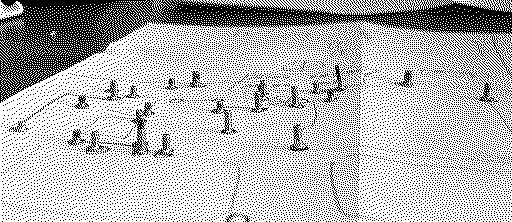
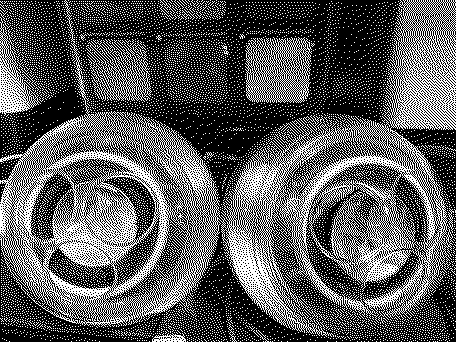
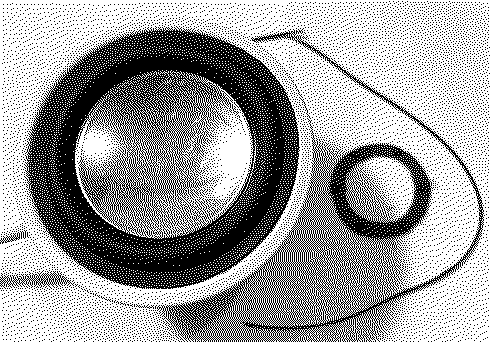
I went through the remaining iBook 12" 1.2 and 1.33 GHz machines again, soldered up the offending chip on the bottom. No luck. :mad: I will set them aside for later. Testing some speakers with Ozzy. Bubble Bobble! Looks like a lemmings invasion? I have 9 sets of pro speakers, none have ever been tested. They vary in visual appearance, some clean, some obviously sun aged and abused. I think I have one set with no rubber feet, so I will be trying to replace that as well. I bought some replacement diaphragms, but could only find black cheaply. I have 4 sets, so I want to convert some normal ones for use with some of the Cubes, so converting to black will be fine. I intend to build my own amp box like an iFire. And the only set of actual Cube speakers I have are deteriorated foam. More pics after progress.
Liked by Certificate of Excellence |
|
Certificate of Excellence Active Tinkerer United Sates -------- Joined: Nov 1, 2021 Posts: 765 Likes: 530 |
Jan 9, 2025 - #12
Thanks :)
Liked by phunguss |
|
phunguss Active Tinkerer Stillwater, MN -------- Joined: Dec 24, 2023 Posts: 511 Likes: 437 |
Jan 9, 2025 - #13
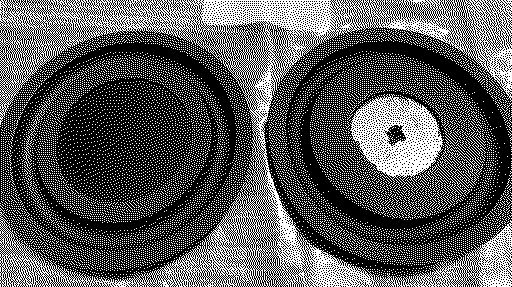
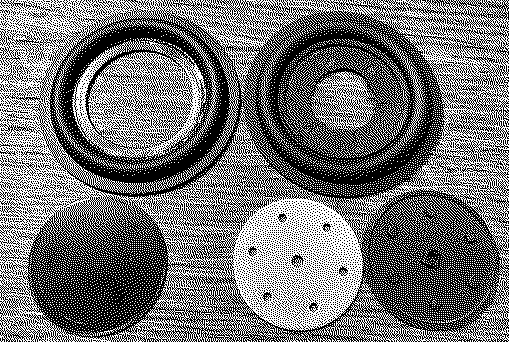
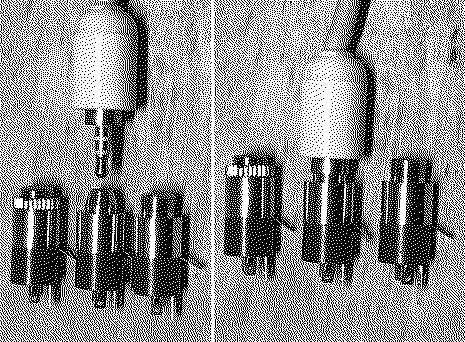
Speaker Passive Radiator Diaphragm. They come with a center plate that you can dissolve off with IPA, I think. Speaker Diaphragm 52mm These have the metal center but are form molded over the metal.. You will have to cut the disc out. and the glue suggested was T-7000 The center size seems correct, but the width of the outer diaphragm is slightly smaller, so you may want to try 54mm. Good luck! Photos (glued on left, formed on right):
|
|
phunguss Active Tinkerer Stillwater, MN -------- Joined: Dec 24, 2023 Posts: 511 Likes: 437 |
Jan 10, 2025 - #14
|
|
phunguss Active Tinkerer Stillwater, MN -------- Joined: Dec 24, 2023 Posts: 511 Likes: 437 |
Jan 10, 2025 - #15
Still on Day 9
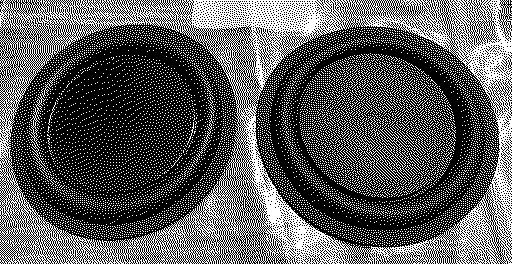
The Cube speaker pair had disintegrated foam, and one of the speaker cones were actually corroded inside, and did not move. So I will be sacrificing one of the dirtier coned speakers and swap in the new black diaphragms so they look true to original. Removal of the speakers was difficult as one of the Phillips screws was severely stripped and I had to drill out the head. yikes Diaphragm comparisons. Molded on left, original, and glued on the right. The outer black diameter is slightly larger than original, maybe 51mm is the correct outer size. My purchase was for 52mm, so, I had to trim off a tiny amount. I chose to use the molded version which also required enlarging the center opening. The original black outer ring is just a 3 layer cardboard, and is not necessary to reinstall it (I essentially destroyed it in the removal process).
Liked by ak-78 |
|
PowerRCP-G3 New Tinkerer -------- Joined: Jan 31, 2022 Posts: 28 Likes: 23 |
Jan 10, 2025 - #16
Day 4
It's getting late. But, I had another video to upload. There's not much to say here other than I continued work on my model and I started testing out PCSX for an upcoming project. Hopfeully, I'll have more to talk about tomorrow. |
|
iBookSpeedster88 Tinkerer -------- Joined: Jan 1, 2024 Posts: 36 Likes: 37 |
Jan 10, 2025 - #17
Hello, once again, everyone! I am ready to participate in the 2025 PowerPC Challenge! I participated last year, but aside from that, I haven't been active at all on this forum, but I have been reading your posts in the meantime. 2024 was a busy year for me and I also got into an accident that totaled my car, but I now have a new one. Life changes like that had been occupying me.
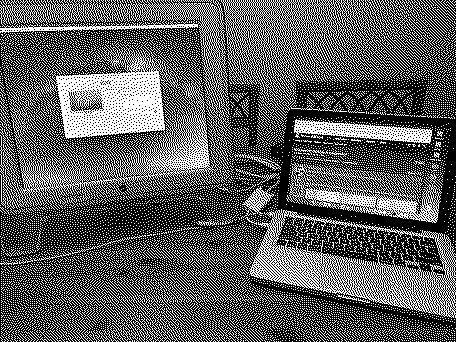
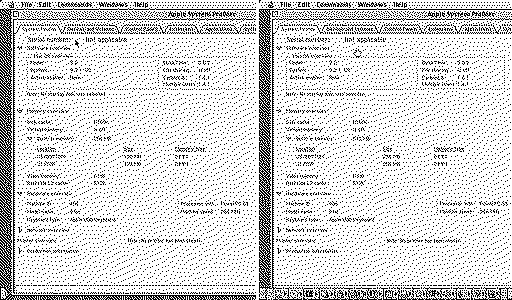
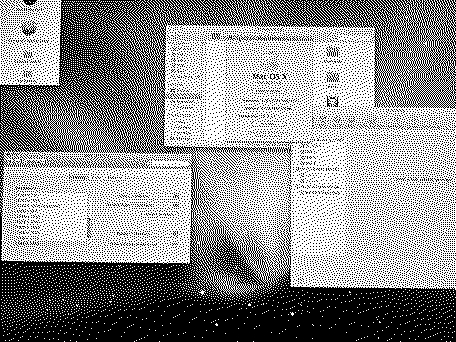
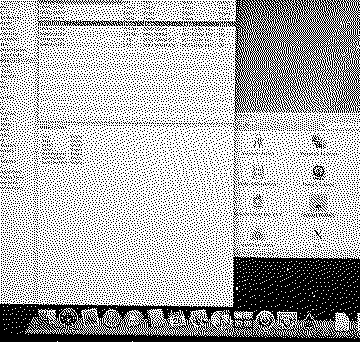
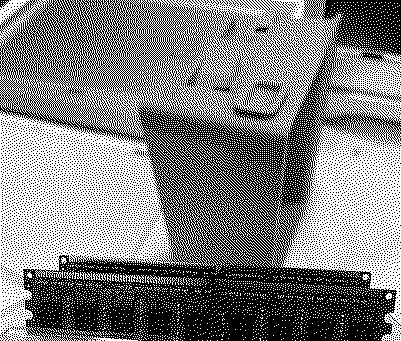
On a better note, I will be submitting my recently acquired PowerMac G5 as my computer of choice for this January. Spoiler alert: it gave me quite some trouble. First off, I didn't have a compatible monitor to hook it up with. All my monitors are too new for it; they don't have a DVI input. I had a VisionTek "active" DVI-to-DisplayPort adapter. I plugged the DisplayPort side into my 27-inch 1440p monitor and fetched a dual-link DVI cable to plug in to the PowerMac G5's graphics card, but my monitor detected nothing plugged in. It turns out that "active" DVI-to-DisplayPort adapters are not bi-directional. Specifically, the DisplayPort side of the adapter is what needs to be plugged in to a graphics card, not to a monitor. It's used for graphics cards with a DisplayPort output that gets connected to a monitor that only has a DVI input, which is the exact opposite of my scenario. Here is a photo of me incorrectly plugging in a dual-link DVI cable into the wrong side of the DVI-to-DisplayPort adapter (not pictured): Oh well, I put that adapter into storage and retrieved an alternative one. This one is a DVI-to-HDMI adapter. Unfortunately, due to the nature of DVI-to-HDMI adapters, they cannot exceed a 1920x1080 signal, and my monitor is 2560x1440 pixels, so this will look .... interesting. See the pictures below. The DVI end of the adapter plugs in to the PowerMac G5's graphics card while I plug in an HDMI cable to the adapter and to my monitor. Bingo, we get a signal, but it is totally garbled. See for yourself: As you can see from "About This Mac", it is a dual-core 2.3 Ghz model with 4.5 GB of RAM installed and running 10.5.6 Leopard. To remedy the ugly visuals, I just went into System Preferences to scale the resolution down to 1920x1080, which looks much better and now makes the experience actually enjoyable, albeit a bit fuzzy since it's a 27-inch 1440p monitor scaling down to 1080p instead of displaying its native resolution. Still, I don't mind at all. I have an Apple Cinema Display in the garage, but I'd rather not dig that out when I have a better screen right here. Here is what you see when I scaled the resolution down to 1920x1080: Again, for reference, here is what System Profiler displays when I have the resolution set to the monitor's native 2560x1440 resolution: After I confirmed that my adapter and the computer, including the dual-layer SuperDrive, was fully functional and without issues, I unplugged it and set out to give it upgrades. Here is the inside of the PowerMac G5 and my two sticks of 2 GB of RAM: Oddly, System Profiler reported that 4 of the 8 DIMM slots were populated (see the above photo), but I was seeing six sticks installed into the machine. In hindsight, I should have taken a picture of it for this forum, but I didn't think to in that moment, I was just analyzing what the previous owner(s) had done. The RAM wasn't installed properly, there were two 1 GB sticks installed in the wrong slots, so the configuration looked like this, with the plus sign representing RAM installed and the equals sign representing no RAM installed: +++++ +++++ ===== ===== +++++ +++++ +++++ +++++ This pales in comparison to a photograph, but I hope you get the message. I had to rearrange the RAM since you're supposed to install the RAM from the inside first making your way toward the outside last, with one of your pair of sticks in the top bank and the other in the bottom bank. You can also consult Apple's service manual to prove this: http://tim.id.au/laptops/apple/powermac/powermac_g5.pdf. The previous owner(s) just installed the two 1 GB RAM sticks right next to each other in the same exact bank, which is why they weren't being recognized by the system. So, in addition to my 2 2 GB sticks, the system also had 2 1 GB sticks that I wasn't even aware of, so that means I essentially gained an additional 6 GB of RAM on top of the 4.5 GB that "About This Mac" and System Profiler reported! Liked by phunguss |
|
HrutkayMods New Tinkerer Planet Earth (in the Eastern Time zone) -------- Joined: Oct 18, 2021 Posts: 19 Likes: 18 |
Jan 10, 2025 - #18
Here is project #1 getting the Alpha 3 of Snow Leopard running on my G5
Liked by Kai Robinsonandphunguss |
|
phunguss Active Tinkerer Stillwater, MN -------- Joined: Dec 24, 2023 Posts: 511 Likes: 437 |
Jan 11, 2025 - #19
Day 10
I received some CF-IDE adapters in the mail today, so prepping some CF cards for the two 3400c machines I have. Using an 800MHz G4 iMac. As a continuation of the Apple Pro Speaker cleanup, I had to dissemble my G4 Cube speaker amplifier as the USB power cable was fraying outside the case. Which brings me to my own build of a external amp to use with Apple Pro Speakers without modifying them (like an iFire but not using FireWire for power). The closest socket I could find was screw cover panel mount, but after inserting it into a drill and running it against a file, I narrowed down the cone so the connector would fit. I will be using a standard size socket that works with an external hard drive power supply (12v 2a). I modified the DVIator power supply case I modeled to shrink down further for this little amp. 3D printed the first test case. Almost identical size to the G4 cube amp (repaired wire on the left). It will use power in, headphone in, and Apple Pro Speaker output jacks.
Liked by Certificate of Excellence |
|
phunguss Active Tinkerer Stillwater, MN -------- Joined: Dec 24, 2023 Posts: 511 Likes: 437 |
Jan 11, 2025 - #20
Day 11
So far, finished up my mini amp. Added some colored wires to the amp board and screwed it onto the frame. Then cut the wires to length and soldered to the plugs. Added support straps to the plugs. Like a brother from another mother. And it has a nice little blue LED glowing when powered. Used this TPA3110 Amp These mini TRRS jacks and these 3D files
Liked by Arbystpossum,eric,Certificate of Excellenceand 2 others |
| Page 1 of 6 | Next > | Last >> |
| Home | Forums | What's New | Search | Bookmarks | RSS | Original | Settings |
| XenForo Retro Proxy by TinkerDifferent.com |