|
* TinkerDifferent *
Retro Computing Community |
| Home | Forums | What's New | Search | Settings |
| 2023 PowerPC Challenge! |
Forums > Forum Announcements, Guidelines & Feedback > Events & Meet-ups
|
Branchus Administrator -------- Joined: Sep 2, 2021 Posts: 237 Likes: 518 |
Jan 1, 2023 - #1
It's time for the 2023 PPC Challenge!The gang from Mac Yak have been running the PPC challenge for a few years now, and the 2023 challenge has begun!THE GOALUse a Mac powered by a PowerPC CPU as much as you can for your day-to-day computing. Everything you usually do on your Intel or M1 Mac, use the old Mac for it instead. Or at least try. We'll show the nay-sayers that these machines still have plenty of usable power left in them and of course it's a ton of fun!THE RULESEvery year there are questions, so many questions, sigh... So here they are, the "rules":
YOUR EXPERIENCESWe want to know how it goes for you. Please share info on the hardware you chose, the software you use, the struggles, the tips and tricks, the frustrations! We ask participants to log their experiences on this thread. Or maybe you'd prefer to make a YouTube vid of your experience? Go for it, and please include the #PPCChallenge hashtag and include a link to your video in this thread.HOW MUCH DO I NEED TO DO ON MY PPC?As much as you can! We don't want anyone to lose their job, so if you need to use a modern computer for that, no problem. We just want to encourage people to use their PPC as much as possible, and share your experiences.PREVIOUS YEARSFor tips on this you can check out the pages from previous years:These pages will link to posts about the Challenge experiences which contain tips, issues participants ran into etc. This may help you be better prepared. The Mac Yak Discord server will host a brand new channel called #2023-PPC-Challenge where you can help each other out, share tips, stories and more. You can find a lovely selection of period appropriate Macintosh software on the wonderful MacintoshGarden.org. CHALLENGE START AND END DATESIt starts on January 1st 2023 and ends two weeks later on the 14th of January.Looking forward to hearing all about your experiences! We'll pick some and talk about them on the Mac Yak show. Liked by Mac84,wottle,3lectr1cand 2 others |
|
wicknix Tinkerer WI, USA -------- Joined: Jan 5, 2022 Posts: 47 Likes: 106 |
Jan 1, 2023 - #2
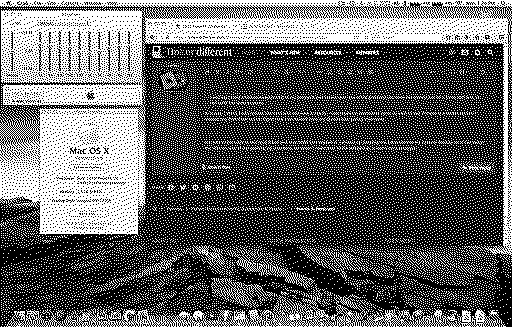
I started this years challenge by revisiting an old project i once lost due to a HD failure in 2019. I started working on the Arctic Fox port to 10.4/10.5 again and got it 99% usable this time. 15 hours straight hacking, and here is the result to this point in the adventure.
You can download it to play around with here: http://macintoshgarden.org/apps/arctic-fox-web-browser The second download is the new version. Do note that it's still a work in progress, and it is not associated with mainline Arctic Fox. It's just a side project of mine. Cheers
Liked by Daniel Hansen,KingDingus,pfuentes69and 7 others |
|
3lectr1c Active Tinkerer the United States -------- Joined: May 15, 2022 Posts: 668 Likes: 336 |
Jan 1, 2023 - #3
Sweeeeeeeet! How would this compare to TenFourFox (interweb) in terms of rendering abilities/speed?
|
|
wicknix Tinkerer WI, USA -------- Joined: Jan 5, 2022 Posts: 47 Likes: 106 |
Jan 1, 2023 - #4
Roughly the same for rendering. TFF/IW are 45esr based, AF is 38esr based. Both have updates and patches where applicable, but both will never be 100% capable on todays web. I will say Arctic Fox is quite a bit lighter in file size and resource usage, so it may be a better alternative on slower machines. I still have some work to do on this port yet, so time will tell.
Liked by 3lectr1c |
|
scj312 Tinkerer -------- Joined: Oct 29, 2021 Posts: 74 Likes: 87 |
Jan 1, 2023 - #5
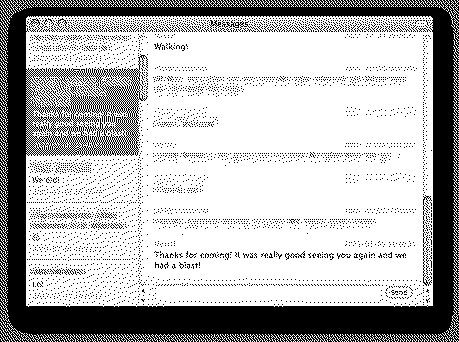
One issue I had last year was the inability to use iMessage and SMS properly from my PowerPC Macs, since I am a heavy user of the Messages app on my modern Macs. I found a few different solutions for this, but nothing I found worked quite the way I wanted--so I took matters into my own hands!
I made Message Bridge, which is an app you run on your modern Mac, and has a simple web interface you can load from your old Macs! It works on lighter older browsers on OS X like Safari and Camino, and even works on Classilla when you're booted into OS 9. For this year, I plan to use Leopard as my main OS, so I am using Fluid to have a nice simple Messages window on my G5 using Message Bridge.
Liked by Branchus,wottle,The House of Mothand 1 other person |
|
3lectr1c Active Tinkerer the United States -------- Joined: May 15, 2022 Posts: 668 Likes: 336 |
Jan 1, 2023 - #6
Can you send images through it? Sounds useful, may try it later!
|
|
scj312 Tinkerer -------- Joined: Oct 29, 2021 Posts: 74 Likes: 87 |
Jan 1, 2023 - #7
I haven't (yet) added support for attachments, but you can send text and emoji (I use the Symbola font for emoji on Leopard). Liked by 3lectr1c |
|
The House of Moth Tinkerer Ohio, USA -------- Joined: Oct 18, 2021 Posts: 108 Likes: 225 |
Jan 2, 2023 - #8
Liked by scj312 |
|
scj312 Tinkerer -------- Joined: Oct 29, 2021 Posts: 74 Likes: 87 |
Jan 2, 2023 - #9
Haven't seen any others post their plans, so I'll bite :)
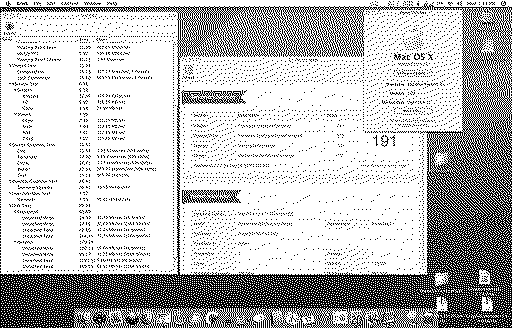
I spent a good chunk of yesterday planning and getting things set up for the next couple weeks. For my primary computing needs during the PowerPC Challenge, I'm using a Power Mac G5 1.8 GHz (PowerMac7,2). It's been upgraded with 2 GB RAM and a 250 GB SSD. I've also installed a 160 GB HDD, SuperDrive, and Radeon 9600 XT 128 MB from an Early 2005 G5. I've installed every supported version of Mac OS X on this system, from 10.2 to 10.5. For day-to-day usage, I'm primarily using Leopard, as it provides the best software compatibility when it comes to accessing the modern web. I've had trouble getting Linux distros such as Void to be as stable as Leopard is on this machine. Speaking of accessing the modern web, I've been using the following setup lately and it has been working well:
For email, Leopard's Mail.app works great with Gmail. I had to generate an app-specific password for it to work in a MFA world. For iMessage and SMS, I made Message Bridge (which I posted about above) to allow me to send and receive messages from my older machines. I created a Fluid instance on the G5 to load it in a nice compact window. For social media:
For music, I normally listen to Spotify, and switch between my speakers and AirPods depending on others around me. However, I do also have a reasonably-sized iTunes library that I am using on the G5. I don't have a way to use AirPods on the G5 directly, so I'm running shairport-sync on a modern Mac, allowing iTunes to AirPlay the audio to my modern Mac which is paired to the AirPods. Onward! Liked by wicknix |
|
Certificate of Excellence Active Tinkerer United Sates -------- Joined: Nov 1, 2021 Posts: 765 Likes: 530 |
Jan 2, 2023 - #10
I drug out a Powermac G3 Blue & white revb and have been wasting time with that.
Powermac 1,1 Blue & white G3 400 PowerPC Flashed SIL3512 PCI satat card, weibetech drivers 120gb NETAC SSD ATI Radeon 7000 64MB (PC) GPU Flashed with Radeon 7000 Reduced ROM 1GB (256x4 PC100) Ram PCI USB2 Wireless PCI card (forget the model) Tiger 10.4.11 (build 8S165) So this box is one of my janky-er boxes I have. All in all, so far it has been a woofy experience rife with KPs and general software instability. *took a break, TFF just crashed the box here lol* My gut is telling me the instability is from the 7000. This B&W so far has been a giant pain in my butt and I will not waste any more precious time on it today. (Lies) :D
|
|
Certificate of Excellence Active Tinkerer United Sates -------- Joined: Nov 1, 2021 Posts: 765 Likes: 530 |
Jan 2, 2023 - #11
I am a glutton for punishment.
I located the PCI rage gpu and reinstalled it. Instability has disappeared. I have used this across multiple mozilla based browsers with zero issue. With the OG gpu, it also benched higher so the flashed 7000 is definitely suspect. *spoke too soon. System has frozen up twice in short succession. I'll play with WebKit later and anything else I can think up. KPs and sleep issues have stopped completely with gpu swap. The instability seems specific to trying to go online (big surprise there :)) on an old OS and unsupported browser.Fun times.
|
|
scj312 Tinkerer -------- Joined: Oct 29, 2021 Posts: 74 Likes: 87 |
Jan 3, 2023 - #12
Liked by Certificate of Excellence |
|
Certificate of Excellence Active Tinkerer United Sates -------- Joined: Nov 1, 2021 Posts: 765 Likes: 530 |
Jan 3, 2023 - #13
but will circle back to the revb B&W and that 7000 this weekend. I think this QS box would make a entertaining ppcc 2023 vid.
Liked by scj312 |
|
alexocc New Tinkerer Ukraine [regional-indicator-s] -------- Joined: Jan 3, 2023 Posts: 1 Likes: 6 |
Jan 3, 2023 - #14
Greetings from Ukraine everyone!
I've always wanted to participate in this challenge and this time I'm finally in! I got this beauty in October (it was $20 I think) and I just cannot express how much I love this 12" G4. I often prefer it to my 2017 15" MBP even. So far I was able to finish some of my uni assignments using the G4 (the battery is splendid, lasts around 4 hours which comes in handy during blackouts). I continue to use it daily (web browsing, email, the regular stuff) and it runs great, I always take it with me whenever I go outside. I would like to thank everyone in the community for keeping our PowerPC machines alive, they truly are charming.
Liked by Kai Robinson,The House of Moth,Staso28and 3 others |
|
Gold New Tinkerer -------- Joined: Jan 3, 2023 Posts: 1 Likes: 0 |
Jan 3, 2023 - #15
|
|
ClassicHasClass Tinkerer -------- Joined: Aug 30, 2022 Posts: 386 Likes: 215 |
Jan 4, 2023 - #16
Too bad a POWER9 doesn't count ;) (doing this from a Raptor Talos II).
|
|
scj312 Tinkerer -------- Joined: Oct 29, 2021 Posts: 74 Likes: 87 |
Jan 4, 2023 - #17
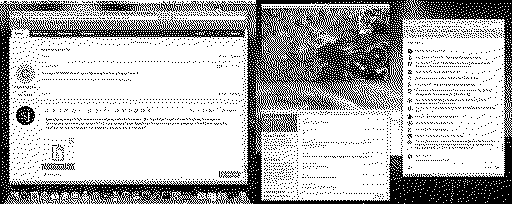
Been playing some UT2004, and am now watching a Mac84 live stream :) I found that I could not watch YouTube live streams in TenFiveTube, so for that I am using PPCMC. I also wrote a handy AppleScript (which borrows some code from PPCMC) that opens the YouTube live chat in a browser. I've attached it if anyone else is interested.
Liked by Staso28,alexocc,wicknixand 2 others |
|
3lectr1c Active Tinkerer the United States -------- Joined: May 15, 2022 Posts: 668 Likes: 336 |
Jan 4, 2023 - #18
Watching too right now, but only from a boring modern smartphone I'm afraid. I need to get that setup on my G5!
Liked by scj312 |
|
wicknix Tinkerer WI, USA -------- Joined: Jan 5, 2022 Posts: 47 Likes: 106 |
Jan 4, 2023 - #19
I recommend using it with a G5 and use the FS version if you just want the video window without the extra thumbnails/comments showing. Thanks for the chat script. Will test it out on the next live stream i'm actually home for. Liked by scj312 |
|
3lectr1c Active Tinkerer the United States -------- Joined: May 15, 2022 Posts: 668 Likes: 336 |
Jan 4, 2023 - #20
It worked for me on my G5, although only under leopard WebKit and I couldn't send any messages as I wasn't signed in. InterWeb threw a not supported error from YouTube's end and I didn't try ArcticFox.
|
| Page 1 of 5 | Next > | Last >> |
| Home | Forums | What's New | Search | Bookmarks | RSS | Original | Settings |
| XenForo Retro Proxy by TinkerDifferent.com |